
Join the Conversation
- Find Answers
- :
- Using Splunk
- :
- Splunk Search
- :
- Adding Sparkline based on eval variable
- Subscribe to RSS Feed
- Mark Topic as New
- Mark Topic as Read
- Float this Topic for Current User
- Bookmark Topic
- Subscribe to Topic
- Mute Topic
- Printer Friendly Page
- Mark as New
- Bookmark Message
- Subscribe to Message
- Mute Message
- Subscribe to RSS Feed
- Permalink
- Report Inappropriate Content
Adding Sparkline based on eval variable
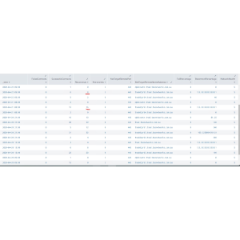
I have a search which captures data from all the machines on the network and calculates OS Health of each machine (host). I am displaying it like this
OSHealth DeviceCount Percentage
5 288 35%
4 150 20%
I want to add a sparkline to show the trend of changing percentage and add it like another column. I have tried alot based on splunk docs but it always show as a straight line. I would really appreciate some help. My search is attached below
| stats count(host) AS DeviceCount by OSHealth
| eventstats sum(DeviceCount) AS SumDevice
| eval Percentage = round((DeviceCount/SumDevice)*100,1)
| stats sparkline avg(Percentage) as Trend by OSHealth DeviceCount
| table OSHealth DeviceCount Percentage
- Mark as New
- Bookmark Message
- Subscribe to Message
- Mute Message
- Subscribe to RSS Feed
- Permalink
- Report Inappropriate Content


Sparklines require _time to work. However, the initial stats command is returning only the DeviceCount and OSHealth fields.
If this reply helps you, Karma would be appreciated.


Join the Splunk Community Slack to learn, troubleshoot, and make connections with fellow Splunk practitioners in real time!
Join Splunk User Groups to connect and learn in-person by region or remotely by topic or industry.
Agentic SOC Triage: Investigating Splunk ES Notables with MCP Server and a Local LLM
All Work and No Play? Not at .conf26! Unwind at These Evening Events
Join the Hackathon at .conf26 and build a No-Code AI agent
