
Join the Conversation
- Find Answers
- :
- Using Splunk
- :
- Splunk Search
- :
- Re: join query not returning result
- Subscribe to RSS Feed
- Mark Topic as New
- Mark Topic as Read
- Float this Topic for Current User
- Bookmark Topic
- Subscribe to Topic
- Mute Topic
- Printer Friendly Page
- Mark as New
- Bookmark Message
- Subscribe to Message
- Mute Message
- Subscribe to RSS Feed
- Permalink
- Report Inappropriate Content
join query not returning result

Hi, I have a query below with a join condition .The issue is if I am hardcoding name value I am getting the result but when I'm removing it, not seeing any results plus I m getting this error in screenshot.
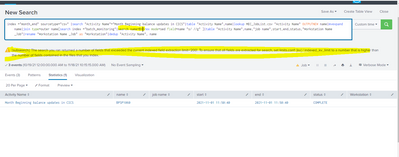
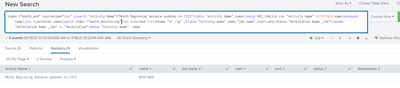
Validated that it is not because of space issue .Can somebody suggest?
- Mark as New
- Bookmark Message
- Subscribe to Message
- Mute Message
- Subscribe to RSS Feed
- Permalink
- Report Inappropriate Content
Hi, i have modified the query :
index ="batch_monitoring"|search name=BPSP1060 |rex mode=sed field=name "s/ //g" |table "Activity Name",name,"job name",start,end,status,"Workstation Name _Job"|rename "Workstation Name _Job" as "Workstation"
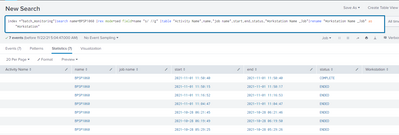
But still I see no results when i use it with join query .
- Mark as New
- Bookmark Message
- Subscribe to Message
- Mute Message
- Subscribe to RSS Feed
- Permalink
- Report Inappropriate Content


Why do you insist on running a query that doesn't match the one in the OP? It doesn't prove anything.
If a query with a join is not returning expected results then it's necessary to run each side of the join independently and without changes. Examine the results of those two queries to ensure they return 1) the expected field(s); 2) the field(s) that will be used to join results; and 3) common values in the joined field(s).
If this reply helps you, Karma would be appreciated.
- Mark as New
- Bookmark Message
- Subscribe to Message
- Mute Message
- Subscribe to RSS Feed
- Permalink
- Report Inappropriate Content
Output of first query:
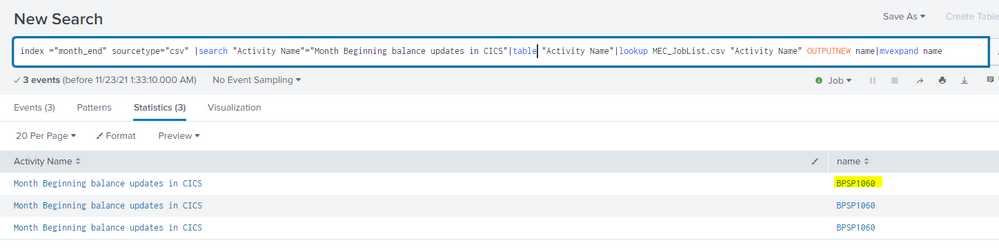
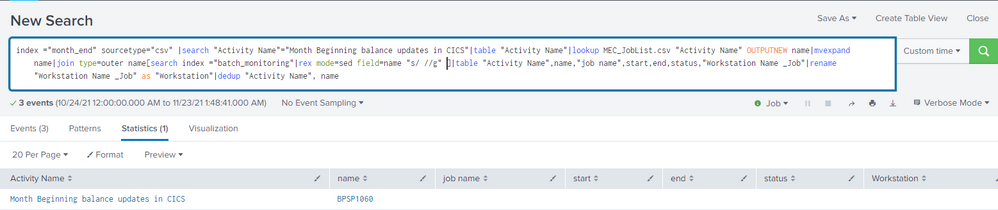
O/p of 2nd query:
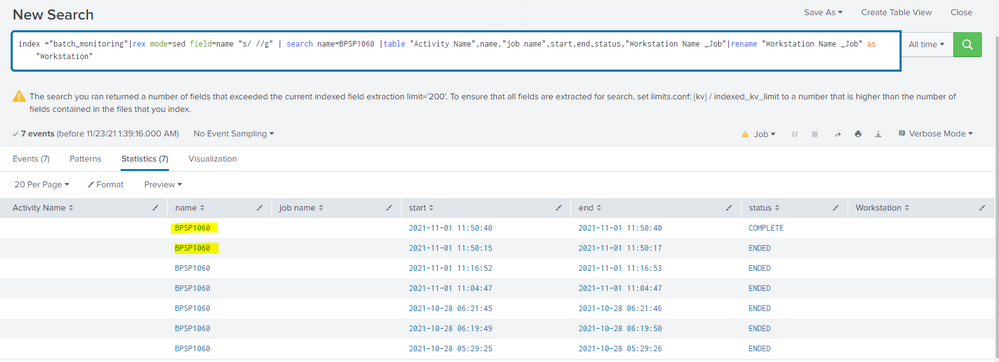
You can see I have ran the 2 queries separately in the snips above. And you can find that the searched job result is present in both the results.
o/p of join query:[No result]
o/p of join query by putting a filter on that jobname: [Its shows the result]
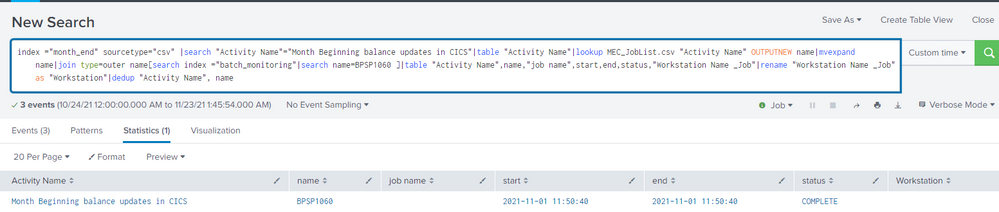
I hope you get what I trying to say.
- Mark as New
- Bookmark Message
- Subscribe to Message
- Mute Message
- Subscribe to RSS Feed
- Permalink
- Report Inappropriate Content
Run each "side" of the join command separately. Verify each returns a field called "name" and that the field has a common value on each side.
If this reply helps you, Karma would be appreciated.
- Mark as New
- Bookmark Message
- Subscribe to Message
- Mute Message
- Subscribe to RSS Feed
- Permalink
- Report Inappropriate Content
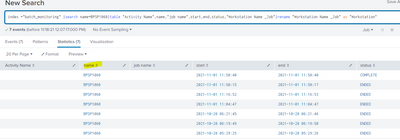
Yes, we do have name field in both queries. Refer below screenshot:
- Mark as New
- Bookmark Message
- Subscribe to Message
- Mute Message
- Subscribe to RSS Feed
- Permalink
- Report Inappropriate Content
That's not the same query. Please run this:
index=batch_monitoring | rex mode=sed field=name "s/ //g"If this reply helps you, Karma would be appreciated.


Join the Splunk Community Slack to learn, troubleshoot, and make connections with fellow Splunk practitioners in real time!
Join Splunk User Groups to connect and learn in-person by region or remotely by topic or industry.
SOC4Kafka - New Kafka Connector Powered by OpenTelemetry
Event Series: Level up your SOC: Advancing with Splunk Enterprise Security
Announcing Modern Navigation: A New Era of Splunk User Experience
