
Join the Conversation
- Find Answers
- :
- Using Splunk
- :
- Splunk Search
- :
- Re: Setting up visual for Disk Space or Free Disk ...
- Subscribe to RSS Feed
- Mark Topic as New
- Mark Topic as Read
- Float this Topic for Current User
- Bookmark Topic
- Subscribe to Topic
- Mute Topic
- Printer Friendly Page
- Mark as New
- Bookmark Message
- Subscribe to Message
- Mute Message
- Subscribe to RSS Feed
- Permalink
- Report Inappropriate Content

Hi,
This task was harder than i think or i do not know what i am doing(most likely).Basically i want to put up a nice dashboard(radial gauge) where it shows the disk space over time,or real-time.so if i had 200gb space and i have 30gb free would like to show that on the gauge and over time with progress whether that number goes up or down.cpuld be a percentage as well.i hope this makes sense.here is my WMI.conf file
[WMI:LocalPhysicalDiskInfo]
interval = 300
wql = select Name, FreeSpace, Size from Win32_LogicalDisk
disabled = 0
index = main
i guess the first question would be like,do i need additional WQL statements such as percentage disk space etc?
so this is my search query
index="main" sourcetype="wmi:localphysicaldiskinfo" Name="C:" |
and this is what i got in return

and result would be something like this if it is not too much work.
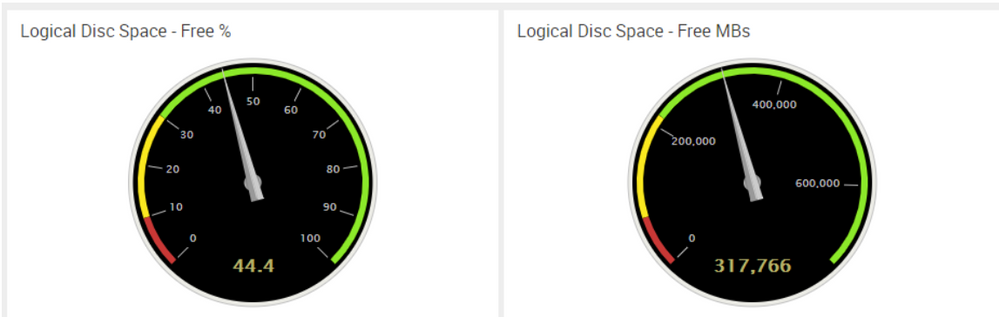
Thanks in advance for all your help.
- Mark as New
- Bookmark Message
- Subscribe to Message
- Mute Message
- Subscribe to RSS Feed
- Permalink
- Report Inappropriate Content

To get %, just do this:
index="main"
sourcetype="wmi:localphysicaldiskinfo"
Name="C:"
| eval pct = 100 * FreeSpace / Size
- Mark as New
- Bookmark Message
- Subscribe to Message
- Mute Message
- Subscribe to RSS Feed
- Permalink
- Report Inappropriate Content
To get %, just do this:
index="main"
sourcetype="wmi:localphysicaldiskinfo"
Name="C:"
| eval pct = 100 * FreeSpace / Size
- Mark as New
- Bookmark Message
- Subscribe to Message
- Mute Message
- Subscribe to RSS Feed
- Permalink
- Report Inappropriate Content
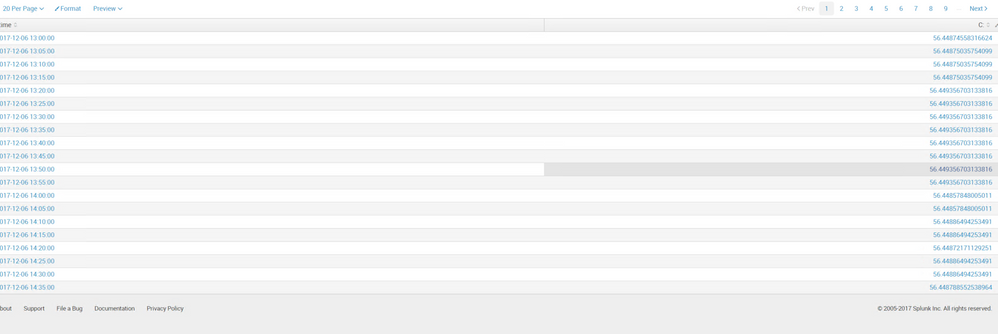
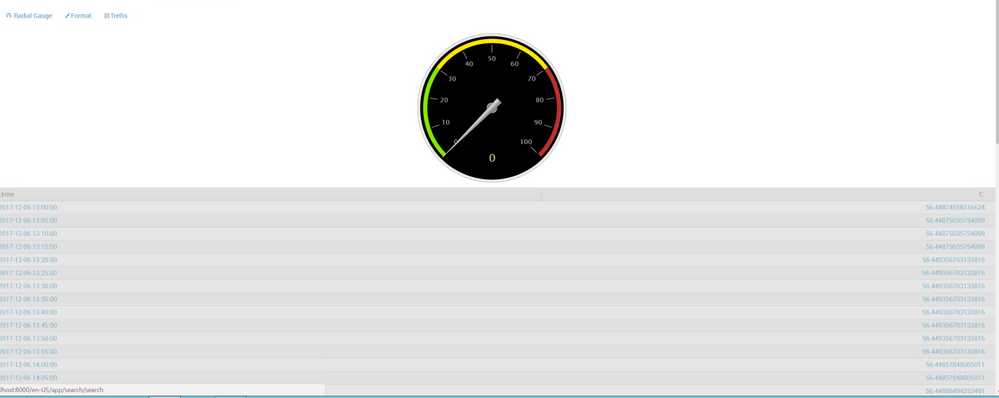
Thanks for the quick response Woodcook. i am running this search now and when i try to put it in visualization but that is not working.can you tell me what i am doing wrong please.would this involve a complex search query to make visualization to work.below post mentions something like this https://answers.splunk.com/answers/568907/visual-chart-for-how-much-free-disk-space-is-avail.html
index="main" sourcetype="WMI:LocalPhysicalDiskInfo" Name="C:"|eval pct = 100 * FreeSpace / Size|timechart span=5m avg(pct) by Name


- Mark as New
- Bookmark Message
- Subscribe to Message
- Mute Message
- Subscribe to RSS Feed
- Permalink
- Report Inappropriate Content
Try this:
index="main" sourcetype="WMI:LocalPhysicalDiskInfo" Name="C:"
| eval pct = 100 * FreeSpace / Size
| chart avg(pct) by Name
Select Radial Gauge visualization and then select Trellis by Name field.
- Mark as New
- Bookmark Message
- Subscribe to Message
- Mute Message
- Subscribe to RSS Feed
- Permalink
- Report Inappropriate Content
Thanks Woodcock.That was it.

Upcoming Webinar: Unmasking Insider Threats with Slunk Enterprise Security’s UEBA
.conf25 technical session recap of Observability for Gen AI: Monitoring LLM ...
A Season of Skills: New Splunk Courses to Light Up Your Learning Journey
