
Join the Conversation
- Find Answers
- :
- Using Splunk
- :
- Splunk Search
- :
- Re: Odd Data Extraction via Rex
- Subscribe to RSS Feed
- Mark Topic as New
- Mark Topic as Read
- Float this Topic for Current User
- Bookmark Topic
- Subscribe to Topic
- Mute Topic
- Printer Friendly Page
- Mark as New
- Bookmark Message
- Subscribe to Message
- Mute Message
- Subscribe to RSS Feed
- Permalink
- Report Inappropriate Content
Odd Data Extraction via Rex
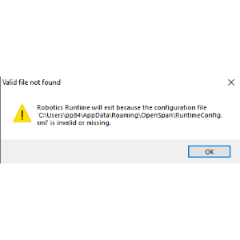
Hello,
I am trying to extract data for this log. I have the data logged into the search. What's odd is when I attempt to extract it, it only covers up to the Date of the 19th. The code:
- Mark as New
- Bookmark Message
- Subscribe to Message
- Mute Message
- Subscribe to RSS Feed
- Permalink
- Report Inappropriate Content

So somebody changed the filename in there somewhere; try this:
index="monitoring" AND sourcetype="PEGA:WinEventLog:Application" AND (SourceName="RoboticLogging" OR SourceName="Application") AND (Type= "Information") AND ("TaskID=\"Logs\"") AND ("Department="CCC Sales"")
| rex field=_raw "Automation=\"(?<Auto>.+?)\""
| where Auto = "DA_E_SMDLogTime" OR Auto = "DA_E_AuditLog" OR Auto = "DA_E_AfterCallAuditLog"
| rex  "Message=\"(?<log>.+?)\""
| timechart count by log
| rename AppsLog AS "Start My Day", CalltrackerLog AS "Sales Tracker", QMLog AS "Queue Manager"
| eval "Reset My Call" = coalesce(ResetMycallLog, ResetMyCallLog)
| fields - ResetMycallLog, ResetMyCallLog
| eval Time = strftime(_time, "%d %b")
| fields - _time
| table Time "Start My Day", "Sales Tracker", "Queue Manager", "Reset My Call"
- Mark as New
- Bookmark Message
- Subscribe to Message
- Mute Message
- Subscribe to RSS Feed
- Permalink
- Report Inappropriate Content
Field names are case sensitive. Being able to perform a "count by x" type search and seeing two diferent filed names (in your case - ResetMyCallLog and ResetMycallLog) indicates there are two different configurations for the data. So the timing of the events that you are seeing in the search results could be tied to when the configuration change occurred. Once the log naming issue is addressed the data can be seen as you desire without SPL heroics to fix the data issue.
In the mean time, you can try this:
 index=monitoring sourcetype=PEGA:WinEventLog:Application (SourceName="RoboticLogging" OR SourceName="Application") (Type= "Information") ("TaskID=\"Logs\"") ("Department="CCC Sales"")
 | rex field=_raw "Automation=\"(?<Auto>.+?)\""
 | where Auto = "DA_E_SMDLogTime" OR Auto = "DA_E_AuditLog" OR Auto = "DA_E_AfterCallAuditLog"
 | rex  "Message=\"(?<log>.+?)\""
 | timechart count by log
 | rename AppsLog as "Start My Day", CalltrackerLog as "Sales Tracker", QMLog as "Queue Manager"
 | eval "Reset My Call" = coalesce(ResetMycallLog, ResetMyCallLog)
 | eval Time = strftime(_time, "%d %b")
 | fields - _time
 | table Time "Start My Day", "Sales Tracker", "Queue Manager", "Reset My Call"
- Mark as New
- Bookmark Message
- Subscribe to Message
- Mute Message
- Subscribe to RSS Feed
- Permalink
- Report Inappropriate Content
you might need to move the coalesce above the count statement, try this instead:
 index=monitoring sourcetype=PEGA:WinEventLog:Application (SourceName="RoboticLogging" OR SourceName="Application") (Type= "Information") ("TaskID=\"Logs\"") ("Department="CCC Sales"")
 | rex field=_raw "Automation=\"(?<Auto>.+?)\""
 | where Auto = "DA_E_SMDLogTime" OR Auto = "DA_E_AuditLog" OR Auto = "DA_E_AfterCallAuditLog"
 | rex  "Message=\"(?<log>.+?)\""
 | eval "Reset My Call" = coalesce(ResetMycallLog, ResetMyCallLog)
 | timechart count by log
 | rename AppsLog as "Start My Day", CalltrackerLog as "Sales Tracker", QMLog as "Queue Manager"
 | eval Time = strftime(_time, "%d %b")
 | fields - _time
 | table Time "Start My Day", "Sales Tracker", "Queue Manager", "Reset My Call"
- Mark as New
- Bookmark Message
- Subscribe to Message
- Mute Message
- Subscribe to RSS Feed
- Permalink
- Report Inappropriate Content


Please share some sample events you're trying to parse.
If this reply helps you, Karma would be appreciated.
- Mark as New
- Bookmark Message
- Subscribe to Message
- Mute Message
- Subscribe to RSS Feed
- Permalink
- Report Inappropriate Content
If you replace line 5 with "|stats count by log" and eliminate the rest of the SPL, do you get a count for both logs?
- Mark as New
- Bookmark Message
- Subscribe to Message
- Mute Message
- Subscribe to RSS Feed
- Permalink
- Report Inappropriate Content
It doesn't look like it. Besides, that just organizes it by the log itself and I want to see it in a timechart format to extract data by the day rather than totaling it all by each log.


Join the Splunk Community Slack to learn, troubleshoot, and make connections with fellow Splunk practitioners in real time!
Join Splunk User Groups to connect and learn in-person by region or remotely by topic or industry.
SOC4Kafka - New Kafka Connector Powered by OpenTelemetry
Rounding off the Splunk Dashboard Contest
A Four Part Event Series: AI + Observability: AI Agents, LLMs, Apps, & Infrastructure
