
Join the Conversation
- Find Answers
- :
- Using Splunk
- :
- Splunk Search
- :
- Re: How to join two searches for stats command
- Subscribe to RSS Feed
- Mark Topic as New
- Mark Topic as Read
- Float this Topic for Current User
- Bookmark Topic
- Subscribe to Topic
- Mute Topic
- Printer Friendly Page
- Mark as New
- Bookmark Message
- Subscribe to Message
- Mute Message
- Subscribe to RSS Feed
- Permalink
- Report Inappropriate Content

I have 2 queries and need to show the result of both in one table
index=someindex queryType="ts" filename=PNASC.HRBDT status=1 | dedup filename |rename filename as Daily| stats count(Daily)
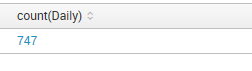
index=someindex queryType="ts" filename=RECON status=1 | dedup filename |rename filename as Weekly | stats count(Weekly)
both the above queries work individually but when joined as below
index=someindex queryType="ts" filename=RECON status=1| dedup filename |rename filename as Weekly| join queryType [search index=someindex queryType="ts" filename=PNASC.HRBDT status=1 | dedup filename |rename filename as Daily ]| stats count(Daily),count(Weekly)
gives incorrect output



- Mark as New
- Bookmark Message
- Subscribe to Message
- Mute Message
- Subscribe to RSS Feed
- Permalink
- Report Inappropriate Content

try like
index=someindex queryType="ts" filename=PNASC.HRBDT status=1 | dedup filename |rename filename as Daily| stats count(Daily)|appendcols [search index=someindex queryType="ts" filename=RECON status=1 | dedup filename |rename filename as Weekly | stats count(Weekly)]
- Mark as New
- Bookmark Message
- Subscribe to Message
- Mute Message
- Subscribe to RSS Feed
- Permalink
- Report Inappropriate Content
try like
index=someindex queryType="ts" filename=PNASC.HRBDT status=1 | dedup filename |rename filename as Daily| stats count(Daily)|appendcols [search index=someindex queryType="ts" filename=RECON status=1 | dedup filename |rename filename as Weekly | stats count(Weekly)]
- Mark as New
- Bookmark Message
- Subscribe to Message
- Mute Message
- Subscribe to RSS Feed
- Permalink
- Report Inappropriate Content
Perfect!
- Mark as New
- Bookmark Message
- Subscribe to Message
- Mute Message
- Subscribe to RSS Feed
- Permalink
- Report Inappropriate Content
I was trying Joining the 2 searches but "appendcols" worked like a charm...thanks.
- Mark as New
- Bookmark Message
- Subscribe to Message
- Mute Message
- Subscribe to RSS Feed
- Permalink
- Report Inappropriate Content
I am not sure why you are deduping. Assuming that's what you want...try this:
index=someindex queryType="ts" filename=RECON OR filename=PNASC.HRBDT status=1| dedup filename | stats count by filename
- Mark as New
- Bookmark Message
- Subscribe to Message
- Mute Message
- Subscribe to RSS Feed
- Permalink
- Report Inappropriate Content
The files have date timestamp extension and I need to show them bundled by the types...hence this will not work.

Join the Splunk Community Slack to learn, troubleshoot, and make connections with fellow Splunk practitioners in real time!
Join Splunk User Groups to connect and learn in-person by region or remotely by topic or industry.
Persistent Queue at TcpOut — One of Splunk's Most Practical Features
Catalog Is Now Generally Available on Splunk Cloud Platform
Your Path to AgenticOps: AI Experiences for Every Splunk Practitioner
