
Join the Conversation
- Find Answers
- :
- Premium Solutions
- :
- Splunk ITSI
- :
- Re: Why does entity import from CSV upload incorre...
- Subscribe to RSS Feed
- Mark Topic as New
- Mark Topic as Read
- Float this Topic for Current User
- Bookmark Topic
- Subscribe to Topic
- Mute Topic
- Printer Friendly Page
- Mark as New
- Bookmark Message
- Subscribe to Message
- Mute Message
- Subscribe to RSS Feed
- Permalink
- Report Inappropriate Content

Hello,
I have a list of few hundered servers in csv file like in the picture below.
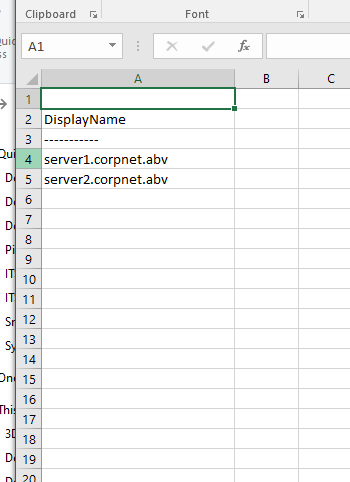
I am trying to import servers as entities in ITSI. When I do csv import I get below :
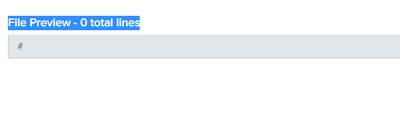
Any Idea why is not uploading correct?
ITSI we are using is 4.11.4
- Mark as New
- Bookmark Message
- Subscribe to Message
- Mute Message
- Subscribe to RSS Feed
- Permalink
- Report Inappropriate Content
@skramp Thanks for help, truly we figured it out import file needs more than one column . They should add this into a note somewhere becuase some people like to test with simple hostname lists only.
- Mark as New
- Bookmark Message
- Subscribe to Message
- Mute Message
- Subscribe to RSS Feed
- Permalink
- Report Inappropriate Content
@skramp Thanks for help, truly we figured it out import file needs more than one column . They should add this into a note somewhere becuase some people like to test with simple hostname lists only.
- Mark as New
- Bookmark Message
- Subscribe to Message
- Mute Message
- Subscribe to RSS Feed
- Permalink
- Report Inappropriate Content


I recreated your case. A csv might not be a valid csv for importing if there is no separator. Please try to add something to your csv so it might look like this:
DisplayName;myfield
-----------;foo
server1.corpnet.abv;server1.corpnet.abv
server2.corpnet.abv;server2.corpnet.abv
While I haven't had the second column, I also have had no results for importing.



Join the Splunk Community Slack to learn, troubleshoot, and make connections with fellow Splunk practitioners in real time!
Join Splunk User Groups to connect and learn in-person by region or remotely by topic or industry.
A Four-Part Event Series: Full Stack Observability For the AI Era
SOC4Kafka - New Kafka Connector Powered by OpenTelemetry
Event Series: Level up your SOC: Advancing with Splunk Enterprise Security
