
Turn on suggestions
Auto-suggest helps you quickly narrow down your search results by suggesting possible matches as you type.
Installation
×
Join the Conversation
Without signing in, you're just watching from the sidelines. Sign in or Register to connect, share, and be part of the Splunk Community.
- Find Answers
- :
- Splunk Administration
- :
- Admin Other
- :
- Installation
- :
- Login
Options
- Subscribe to RSS Feed
- Mark Topic as New
- Mark Topic as Read
- Float this Topic for Current User
- Bookmark Topic
- Subscribe to Topic
- Mute Topic
- Printer Friendly Page
- Mark as New
- Bookmark Message
- Subscribe to Message
- Mute Message
- Subscribe to RSS Feed
- Permalink
- Report Inappropriate Content

jayakodit
Engager
03-05-2021
01:50 AM
1 Solution
- Mark as New
- Bookmark Message
- Subscribe to Message
- Mute Message
- Subscribe to RSS Feed
- Permalink
- Report Inappropriate Content

kamlesh_vaghela

SplunkTrust
03-05-2021
01:56 AM
When you login you will see list of installed Apps at left hand side and top you can see you Name else you will see login page..
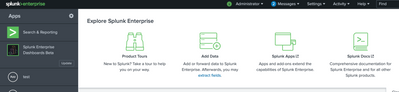
Can you please share more information you struggling with?
- Mark as New
- Bookmark Message
- Subscribe to Message
- Mute Message
- Subscribe to RSS Feed
- Permalink
- Report Inappropriate Content
kamlesh_vaghela
SplunkTrust
03-05-2021
01:56 AM
When you login you will see list of installed Apps at left hand side and top you can see you Name else you will see login page..
Can you please share more information you struggling with?
- Mark as New
- Bookmark Message
- Subscribe to Message
- Mute Message
- Subscribe to RSS Feed
- Permalink
- Report Inappropriate Content
jayakodit
Engager
03-09-2021
01:21 AM
Hi
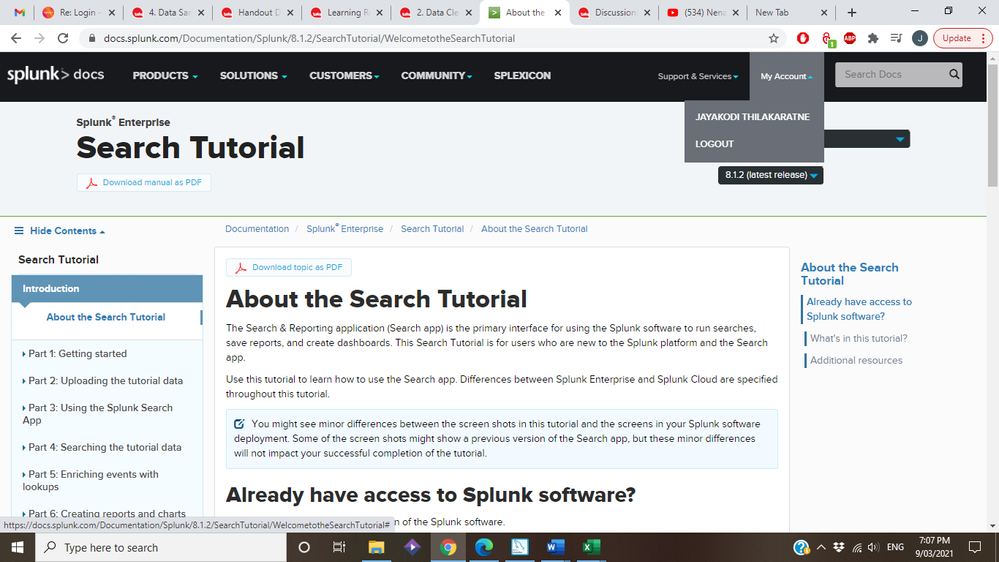
Thanks. I reckon I am login see the screenshot attached
Thank you again
Cheers
Jayakodi
Fast traslate
Icon translate

Got questions? Get answers!
Join the Splunk Community Slack to learn, troubleshoot, and make connections with fellow Splunk practitioners in real time!
Meet up IRL or virtually!
Join Splunk User Groups to connect and learn in-person by region or remotely by topic or industry.
Related Topics
Get Updates on the Splunk Community!
Make Your Machine Data AI-Ready in Splunk
Every team is getting ready for AI agents.
Watch On-Demand
In this Tech Talk, Splunk platform specialists ...
How to Break a Kubernetes Pod on Purpose and Let the AI Troubleshooting Agent Find ...
Let's say I've just rolled out a Kubernetes Deployment with a typo in the image tag. Nothing explodes. The pod ...
Splunk Add-on for Microsoft Windows 11.0.3: Parse Once, Search Faster
The updated Splunk Add-on for Microsoft Windows helps customers search Windows events faster by reducing ...
