
Join the Conversation
- Find Answers
- :
- Splunk Administration
- :
- Getting Data In
- :
- Re: export csv GUI mess up
- Subscribe to RSS Feed
- Mark Topic as New
- Mark Topic as Read
- Float this Topic for Current User
- Bookmark Topic
- Subscribe to Topic
- Mute Topic
- Printer Friendly Page
- Mark as New
- Bookmark Message
- Subscribe to Message
- Mute Message
- Subscribe to RSS Feed
- Permalink
- Report Inappropriate Content
export csv GUI mess up

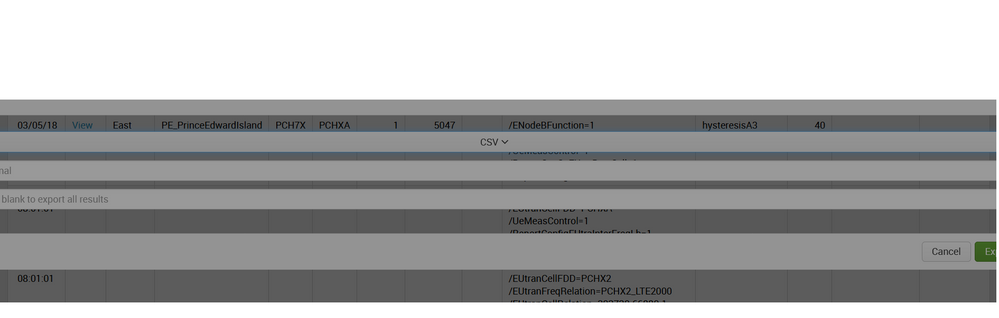
on the Splunk query table, after click Export bottom of table(s1.png), then I got the attached picture(s2.png).
it sounds a Splunk bug. Any fix or workaround that I can use?


- Mark as New
- Bookmark Message
- Subscribe to Message
- Mute Message
- Subscribe to RSS Feed
- Permalink
- Report Inappropriate Content
which version of splunk you are using?
- Mark as New
- Bookmark Message
- Subscribe to Message
- Mute Message
- Subscribe to RSS Feed
- Permalink
- Report Inappropriate Content
Splunk version is 7.0.1. It seems we introduce a style modal on the pop up dialog. Then the dashboard cannot return to default modal. Do you have any idea to fix it? The style like following:
- Mark as New
- Bookmark Message
- Subscribe to Message
- Mute Message
- Subscribe to RSS Feed
- Permalink
- Report Inappropriate Content
Try another browser? Check imported CSS, clear cache, etc
- Mark as New
- Bookmark Message
- Subscribe to Message
- Mute Message
- Subscribe to RSS Feed
- Permalink
- Report Inappropriate Content


I think valiquet's on the right track for finding out exactly what's going on.
If you are Chrome, use a new Incognito window. For Firefox, use a Private window. Or switch that if I got them backwards. 🙂
Then log in, go to the same places as before, do the export and see how it behaves.
Report back!

Join the Splunk Community Slack to learn, troubleshoot, and make connections with fellow Splunk practitioners in real time!
Join Splunk User Groups to connect and learn in-person by region or remotely by topic or industry.
Tuning Edge Processor in Hybrid Mode: What Limits Each Data Path
Best Practices: Splunk auto adjust pipeline queue
Request for Professional Development: Attending .conf26
