
Join the Conversation
- Find Answers
- :
- Splunk Administration
- :
- Getting Data In
- :
- Filter AWS Cloudtrail readonly events
- Subscribe to RSS Feed
- Mark Topic as New
- Mark Topic as Read
- Float this Topic for Current User
- Bookmark Topic
- Subscribe to Topic
- Mute Topic
- Printer Friendly Page
- Mark as New
- Bookmark Message
- Subscribe to Message
- Mute Message
- Subscribe to RSS Feed
- Permalink
- Report Inappropriate Content
Filter AWS Cloudtrail readonly events

Does anybody know a good way to filter out AWS Cloudtrail readonly events?
This is what I have on my HF and jumping through hoops to get this on the IDM for Splunk Cloud.
[cloudtrail_read_only]
REGEX = "^Describe|Get|List\p{Lu}|LookupEvents"
DEST_KEY = queue
FORMAT = nullQueue
and this to props.conf:
[aws:cloudtrail]
#Strip out readOnly AWS events (i.e. Describe*, List*)
TRANSFORMS-cloudtrail_read_only = cloudtrail_read_only
Doesn't seem to be filtering. Thoughts?
- Mark as New
- Bookmark Message
- Subscribe to Message
- Mute Message
- Subscribe to RSS Feed
- Permalink
- Report Inappropriate Content


You can try following to send readOnly them to nullQueue. the REGEX matches "readOnly' = true in every event and if it find a match then those events won't be indexed. So make sure the readOnly events containing the operations/eventNAme that you do not want to index.
aws:cloudtrail is a default sourcetype when you set this in props.conf it applies to everything at platform level, instead if you want to limit to particular source/host use source:: , host:: type stanzas as provided here in example.
#props.conf
[your_sourcetype/source::<source>/host::<hostname>]
TRANSFORMS-nullq= setreadonlytonullQ

#transforms.conf
[setreadonlytonullQ]
REGEX = \"readOnly\"\:\s+true
DEST_KEY = queue
FORMAT = nullQueue
----
An upvote would be appreciated and accept solutions if it helps!
- Mark as New
- Bookmark Message
- Subscribe to Message
- Mute Message
- Subscribe to RSS Feed
- Permalink
- Report Inappropriate Content
@ColinJacksonPS Appreciate if you could accept the solution. Hope it helped for your case.
- Mark as New
- Bookmark Message
- Subscribe to Message
- Mute Message
- Subscribe to RSS Feed
- Permalink
- Report Inappropriate Content
Can you share sample event how it looks like covering Get*, List*, LookupEvents etc.. I am sure they don not start at very beginning of event since you mentioned ^ in regex which indicates very beginning of event. REGEX shall be changed to match with event.
- Mark as New
- Bookmark Message
- Subscribe to Message
- Mute Message
- Subscribe to RSS Feed
- Permalink
- Report Inappropriate Content
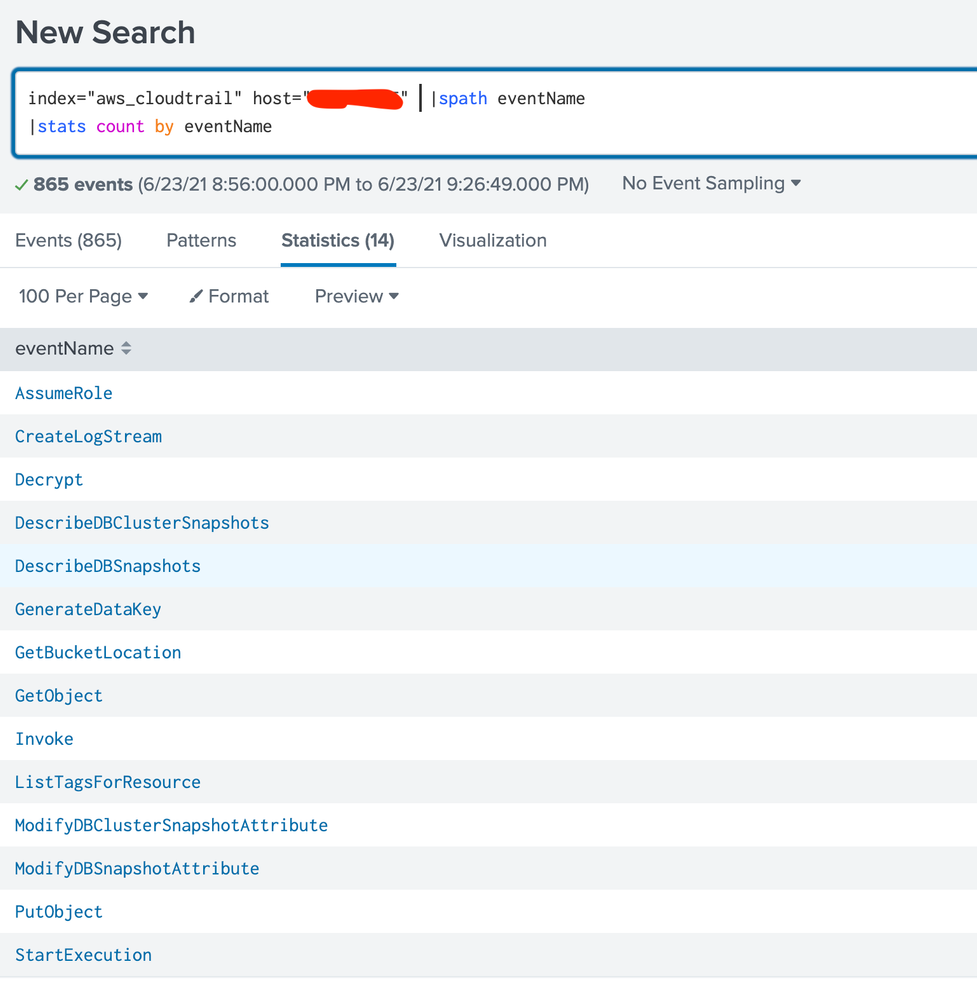
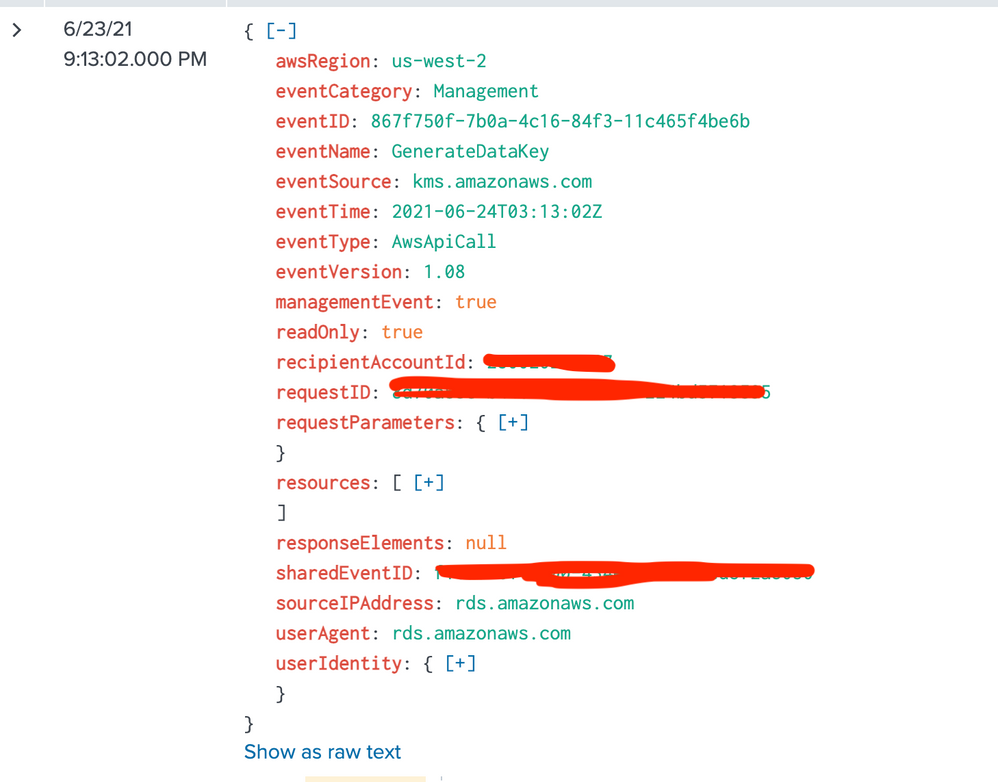
Here's what I can share. If this is working, readOnly=true should return no results, or at least those listed. Raw, JSON formatted, and simple stats output.



Join the Splunk Community Slack to learn, troubleshoot, and make connections with fellow Splunk practitioners in real time!
Join Splunk User Groups to connect and learn in-person by region or remotely by topic or industry.
Painting a Clearer Picture: Unifying Your Investigations with Cisco AI Canvas
Hello POJO, meet nocode
Announcing Modern Navigation: A New Era of Splunk User Experience
