
Join the Conversation
- Find Answers
- :
- Using Splunk
- :
- Dashboards & Visualizations
- :
- Re: Javascript on drilldown
- Subscribe to RSS Feed
- Mark Topic as New
- Mark Topic as Read
- Float this Topic for Current User
- Bookmark Topic
- Subscribe to Topic
- Mute Topic
- Printer Friendly Page
- Mark as New
- Bookmark Message
- Subscribe to Message
- Mute Message
- Subscribe to RSS Feed
- Permalink
- Report Inappropriate Content

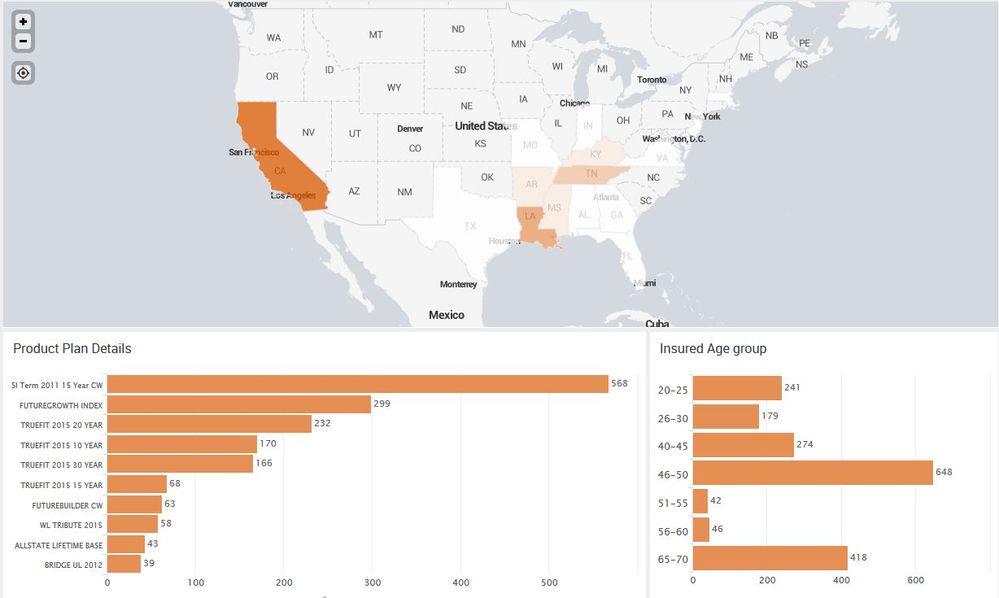
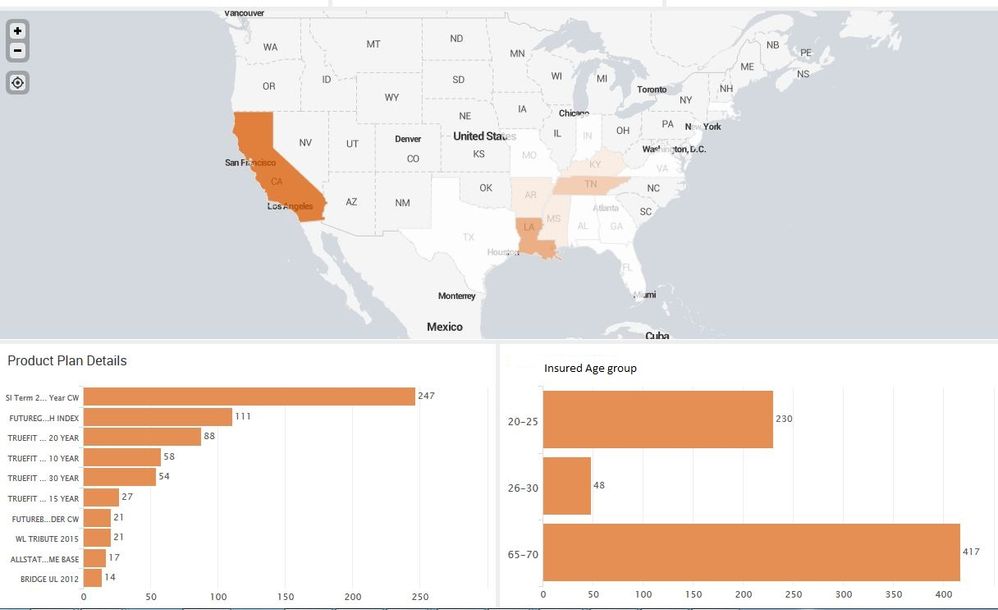
I have a map and two charts. When click on particular state on map, data in charts changes using tokens. I have applied javascript to keep the width ratio of charts as 65% and 35%.
Javascript Code:
`require(['jquery', 'splunkjs/mvc/simplexml/ready!'], function($) {
 var secondRow = $('.dashboard-row').eq(2);                           /*selects second row*/
 var panelCells = $(secondRow ).children('.dashboard-cell');
     $(panelCells[0]).css('width', '65%');                       /*sets first chart width to 65% */
     $(panelCells[1]).css('width', '35%');                      /*sets second chart width to 65% */
});
`
Problem:
When dashboard is loaded, javascript works fine and charts width shows as 65% and 35% ratio.
But when I click on any state on map and two charts gets refreshed, Javascript does not seems working!! Charts again comes as inbuilt ratio 50% and 50%
When dashboard loaded:
Does not work when charts refreshed:
- Mark as New
- Bookmark Message
- Subscribe to Message
- Mute Message
- Subscribe to RSS Feed
- Permalink
- Report Inappropriate Content

You can put the CSS inline with your SimpleXML and side-step this issue. You will have to assign an ID to the panels in order to do it this way, e.g., in the SimpleXML definition use this for "Product Plane Details" panel: <panel id="panel_row_2_col_1">
Here is the inline CSS to add to the bottom of the dashboard.
  <row depends="$hiddenCSS$">
    <html>
      <style>
        #panel_row_2_col_1 {
          width: 65% !important;
        }
        #panel_row_2_col_2 {
          width: 35% !important;
        }
      </style>
    </html>
  </row>
- Mark as New
- Bookmark Message
- Subscribe to Message
- Mute Message
- Subscribe to RSS Feed
- Permalink
- Report Inappropriate Content
You can put the CSS inline with your SimpleXML and side-step this issue. You will have to assign an ID to the panels in order to do it this way, e.g., in the SimpleXML definition use this for "Product Plane Details" panel: <panel id="panel_row_2_col_1">
Here is the inline CSS to add to the bottom of the dashboard.
  <row depends="$hiddenCSS$">
    <html>
      <style>
        #panel_row_2_col_1 {
          width: 65% !important;
        }
        #panel_row_2_col_2 {
          width: 35% !important;
        }
      </style>
    </html>
  </row>
- Mark as New
- Bookmark Message
- Subscribe to Message
- Mute Message
- Subscribe to RSS Feed
- Permalink
- Report Inappropriate Content
worked perfectly!! thanks rjthibod




Join the Splunk Community Slack to learn, troubleshoot, and make connections with fellow Splunk practitioners in real time!
Join Splunk User Groups to connect and learn in-person by region or remotely by topic or industry.
A Four-Part Event Series: Full Stack Observability For the AI Era
SOC4Kafka - New Kafka Connector Powered by OpenTelemetry
Event Series: Level up your SOC: Advancing with Splunk Enterprise Security
