
Join the Conversation
- Find Answers
- :
- Using Splunk
- :
- Dashboards & Visualizations
- :
- How to configure Drilldown after using transpose c...
- Subscribe to RSS Feed
- Mark Topic as New
- Mark Topic as Read
- Float this Topic for Current User
- Bookmark Topic
- Subscribe to Topic
- Mute Topic
- Printer Friendly Page
- Mark as New
- Bookmark Message
- Subscribe to Message
- Mute Message
- Subscribe to RSS Feed
- Permalink
- Report Inappropriate Content

After issuing a transpose command on my bar chart visualization I can't configure conditional drilldowns.
I tried using the untable command followed by the xyz series command and no luck.
this is the query:
search *
| eval CATI = if(SEVCAT=="I", 1,0)
| eval CATII = if(SEVCAT=="II", 1,0)
| eval CATIII = if(SEVCAT=="III", 1,0)
| chart sum(CATI) as I sum(CATII) as II sum(CATIII) as III
| transpose
| sort - "row 1"
The Drilldown XML :
<drilldown>
          <condition field = "I">
            <link target="blank"></link>
          </condition>
          <condition field = "II">
            <link target="blank"></link>
          </condition>
          <condition field = "III">
            <link target="blank"></link>
          </condition>
</drilldown>
Any help is appreciated.
Thank you,
Marco
- Mark as New
- Bookmark Message
- Subscribe to Message
- Mute Message
- Subscribe to RSS Feed
- Permalink
- Report Inappropriate Content


Because of the transpose, the field is now called "row 1" not "I" or "II", so you need to build your conditions based on what was clicked
<drilldown>
<condition match="'click.value' == "I"">
<link target="blank"></link>
</condition>
<condition match="'click.value' == "II"">
<link target="blank"></link>
</condition>
<condition match="'click.value' == "III"">
<link target="blank"></link>
</condition>
</drilldown>- Mark as New
- Bookmark Message
- Subscribe to Message
- Mute Message
- Subscribe to RSS Feed
- Permalink
- Report Inappropriate Content
Because of the transpose, the field is now called "row 1" not "I" or "II", so you need to build your conditions based on what was clicked
<drilldown>
<condition match="'click.value' == "I"">
<link target="blank"></link>
</condition>
<condition match="'click.value' == "II"">
<link target="blank"></link>
</condition>
<condition match="'click.value' == "III"">
<link target="blank"></link>
</condition>
</drilldown>- Mark as New
- Bookmark Message
- Subscribe to Message
- Mute Message
- Subscribe to RSS Feed
- Permalink
- Report Inappropriate Content
@ITWhisperer Thank you!! Also, great explanation.
-Marco
- Mark as New
- Bookmark Message
- Subscribe to Message
- Mute Message
- Subscribe to RSS Feed
- Permalink
- Report Inappropriate Content

Hi @Marco_Develops
Try the following. Update your search this way..
your base search
|chart count over SEVCAT
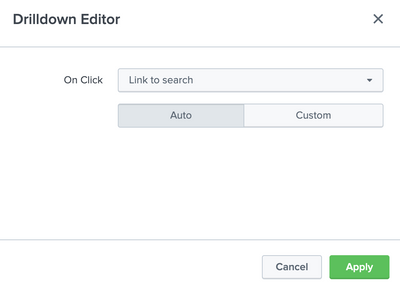
And configure the dashboard panel drilldown to the following.
If it helps, karma points are appreciated!

Join the Splunk Community Slack to learn, troubleshoot, and make connections with fellow Splunk practitioners in real time!
Join Splunk User Groups to connect and learn in-person by region or remotely by topic or industry.
Index This | What travels the world but is also stuck in place?
Discover New Use Cases: Unlock Greater Value from Your Existing Splunk Data
Continue Your Journey: Join Session 2 of the Data Management and Federation Bootcamp ...
