
Join the Conversation
- Find Answers
- :
- Using Splunk
- :
- Dashboards & Visualizations
- :
- Re: How to change dashboard panel from line graph ...
- Subscribe to RSS Feed
- Mark Topic as New
- Mark Topic as Read
- Float this Topic for Current User
- Bookmark Topic
- Subscribe to Topic
- Mute Topic
- Printer Friendly Page
- Mark as New
- Bookmark Message
- Subscribe to Message
- Mute Message
- Subscribe to RSS Feed
- Permalink
- Report Inappropriate Content

I have a line graph tracking different call sources over the past 6 months:
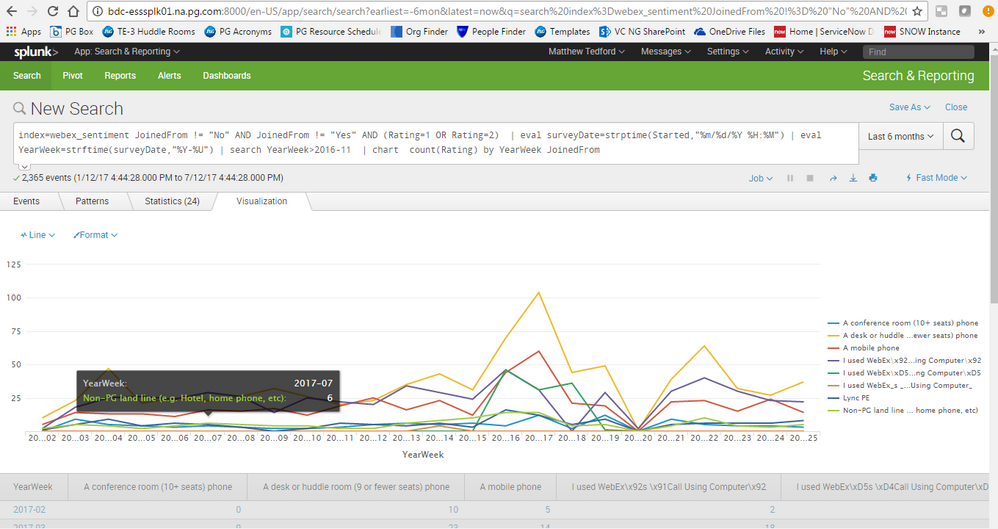
Here is the search code I have written:
index=webex_sentiment JoinedFrom != "No" AND JoinedFrom != "Yes" AND (Rating=1 OR Rating=2) | eval surveyDate=strptime(Started,"%m/%d/%Y %H:%M") | eval YearWeek=strftime(surveyDate,"%Y-%U") | search YearWeek>2016-11 | chart count(Rating) by YearWeek JoinedFrom
Rather than showing each source as an individual line, I want to create a pie chart that displays each call source as a percentage over the past six months.
When I switch my visualization to Pie chart, this is what appears:
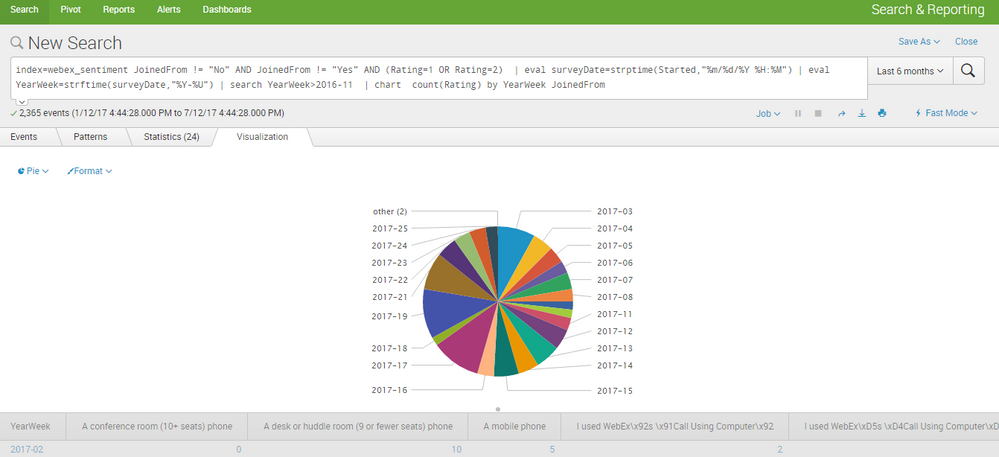
The data is incorrectly grouped by date, rather than type.
I believe I need to change my search query. Please advise.


- Mark as New
- Bookmark Message
- Subscribe to Message
- Mute Message
- Subscribe to RSS Feed
- Permalink
- Report Inappropriate Content

I like the trellis idea because it keeps both vectors ( JoinedFrom and YearWeek ) but it looks like you are just trying to ditch YearWeek so just swap the order like this:
| chart count(Rating) by YearWeek JoinedFrom
Or better yet, drop it entirely like this:
| chart count(Rating) by JoinedFrom
- Mark as New
- Bookmark Message
- Subscribe to Message
- Mute Message
- Subscribe to RSS Feed
- Permalink
- Report Inappropriate Content
I like the trellis idea because it keeps both vectors ( JoinedFrom and YearWeek ) but it looks like you are just trying to ditch YearWeek so just swap the order like this:
| chart count(Rating) by YearWeek JoinedFrom
Or better yet, drop it entirely like this:
| chart count(Rating) by JoinedFrom
- Mark as New
- Bookmark Message
- Subscribe to Message
- Mute Message
- Subscribe to RSS Feed
- Permalink
- Report Inappropriate Content
@woodcock
Thanks so much!
For anyone interested, here is the graph I was looking for: http://imgur.com/a/jTe7Q
- Mark as New
- Bookmark Message
- Subscribe to Message
- Mute Message
- Subscribe to RSS Feed
- Permalink
- Report Inappropriate Content

Can you try to swap your by statement?
| chart count(Rating) by JoinedFrom YearWeek
You would also need trellis enabled to split it by YearWeek. Splunk version 6.6
Otherwise pie will only work with one by statement, so I would remove the YearWeek, or show multiple panels for each YearWeek
- Mark as New
- Bookmark Message
- Subscribe to Message
- Mute Message
- Subscribe to RSS Feed
- Permalink
- Report Inappropriate Content
@cmerriman
How do I split by YearWeek with trellis?
- Mark as New
- Bookmark Message
- Subscribe to Message
- Mute Message
- Subscribe to RSS Feed
- Permalink
- Report Inappropriate Content
you'll need to be on splunk version 6.6 to use the trellis option. https://docs.splunk.com/Documentation/SplunkCloud/6.6.0/Viz/VisualizationTrellis
When you're on the Visualization tab, you'll see a Trellis button next to Format. When you click on it, you'll see a checkbox for Use trellis layout. There is a Split by option and you can choose to split by various available fields or the aggregation of your fields.
There is a syntaxing note that I'll forewarn you about, and it's that I recommend you end the syntax with a command like stats, chart, timechart, etc. and not an eval command, because the split by option sometimes will only allow you to split by the aggregation in those cases.

Join the Splunk Community Slack to learn, troubleshoot, and make connections with fellow Splunk practitioners in real time!
Join Splunk User Groups to connect and learn in-person by region or remotely by topic or industry.
Index This | What travels the world but is also stuck in place?
Discover New Use Cases: Unlock Greater Value from Your Existing Splunk Data
Continue Your Journey: Join Session 2 of the Data Management and Federation Bootcamp ...
