
Join the Conversation
- Find Answers
- :
- Using Splunk
- :
- Dashboards & Visualizations
- :
- Event Timeline viz release
- Subscribe to RSS Feed
- Mark Topic as New
- Mark Topic as Read
- Float this Topic for Current User
- Bookmark Topic
- Subscribe to Topic
- Mute Topic
- Printer Friendly Page
- Mark as New
- Bookmark Message
- Subscribe to Message
- Mute Message
- Subscribe to RSS Feed
- Permalink
- Report Inappropriate Content
Event Timeline viz release

Hi
I have log file like this:
2021-07-06 11:09:18,610 INFO [deployment] WFLYSRV0027: Starting deployment of "APPS-7.1.2-CUS.war" (runtime-name: "APPS-7.1.2-CUS.war")
I want to create release timeline (event timeline viz) like this:
https://cdn.apps.splunk.com/media/public/screenshots/25938208-2138-11e9-9f51-0a7dd926fc04.png
CUS= means customers (need to show in left, groupby CUS e.g CUS1,CUS2,…)
7.1.2=release number (as labels, groupby versions 1.1.2 , 7.1.2 , …)
Any idea?
Thanks
- Mark as New
- Bookmark Message
- Subscribe to Message
- Mute Message
- Subscribe to RSS Feed
- Permalink
- Report Inappropriate Content


If you have installed this app in your local just check landing dashboard with example. https://localhost:8000/en-US/app/event-timeline-viz/event_timeline_viz
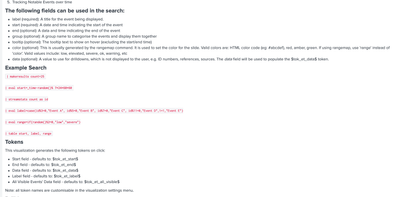
So for further help, can you please share your sample search and sample tabular data from that search?
If you need help on search design then please share proper event fields you want to use in that search.
KV


Join the Splunk Community Slack to learn, troubleshoot, and make connections with fellow Splunk practitioners in real time!
Join Splunk User Groups to connect and learn in-person by region or remotely by topic or industry.
SOC4Kafka - New Kafka Connector Powered by OpenTelemetry
Rounding off the Splunk Dashboard Contest
A Four Part Event Series: AI + Observability: AI Agents, LLMs, Apps, & Infrastructure
