
Join the Conversation
- Find Answers
- :
- Using Splunk
- :
- Dashboards & Visualizations
- :
- Can Splunk dashboards be called via REST API from ...
- Subscribe to RSS Feed
- Mark Topic as New
- Mark Topic as Read
- Float this Topic for Current User
- Bookmark Topic
- Subscribe to Topic
- Mute Topic
- Printer Friendly Page
- Mark as New
- Bookmark Message
- Subscribe to Message
- Mute Message
- Subscribe to RSS Feed
- Permalink
- Report Inappropriate Content

Hi everyone,
I am trying to provide a way for business people to have a Splunk dashboard in another system (basically a reporting system).
Is there a way via API calls to have one specific Splunk dashboard (which might be also be an html dashboard) into another external system?
Thanks for any suggestion,
Skender
- Mark as New
- Bookmark Message
- Subscribe to Message
- Mute Message
- Subscribe to RSS Feed
- Permalink
- Report Inappropriate Content


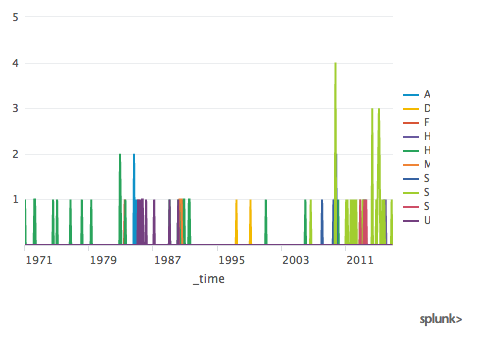
Create any report with any type of chart, save it, then under the edit menu add a schedule to it. You can pick something like run every hour X minutes after the hour if you want it to run quickly to see the results. Then, under the edit menu again, select embed. A pop up window with an iframe is presented. Simply copy that iframe snippet into any HTML page and you are done. Because it is HTML and you can add as many scheduled reports as you like, you can really customize the HTML branding/crhome and style. You can also customize the size info in the iframe.
Here is what a generic looks like:
<html>
<iframe height="336" width="480" frameborder="0" src="http://localhost:8000/en-US/embed?s=%2FservicesNS%2Fadmin%2Fsearch%2Fsaved%2Fsearches%2FPlaces&oid=SLLKu8lxDX5GTjhwJ2rYnhmCuboOgsHdgS3ybTeYjlpu3yt%5EnipPtkX1Y4jqsD0ctENOSpbbKEXvf3j_wr5IxYpmerFGXPhXiHPAhP4Hn0WP7sIC1yIftskLPE0yhIfjEusW"></iframe>
</html>

- Mark as New
- Bookmark Message
- Subscribe to Message
- Mute Message
- Subscribe to RSS Feed
- Permalink
- Report Inappropriate Content
Create any report with any type of chart, save it, then under the edit menu add a schedule to it. You can pick something like run every hour X minutes after the hour if you want it to run quickly to see the results. Then, under the edit menu again, select embed. A pop up window with an iframe is presented. Simply copy that iframe snippet into any HTML page and you are done. Because it is HTML and you can add as many scheduled reports as you like, you can really customize the HTML branding/crhome and style. You can also customize the size info in the iframe.
Here is what a generic looks like:
<html>
<iframe height="336" width="480" frameborder="0" src="http://localhost:8000/en-US/embed?s=%2FservicesNS%2Fadmin%2Fsearch%2Fsaved%2Fsearches%2FPlaces&oid=SLLKu8lxDX5GTjhwJ2rYnhmCuboOgsHdgS3ybTeYjlpu3yt%5EnipPtkX1Y4jqsD0ctENOSpbbKEXvf3j_wr5IxYpmerFGXPhXiHPAhP4Hn0WP7sIC1yIftskLPE0yhIfjEusW"></iframe>
</html>
- Mark as New
- Bookmark Message
- Subscribe to Message
- Mute Message
- Subscribe to RSS Feed
- Permalink
- Report Inappropriate Content
Hi dmaislin,
So I understand that in order to be embedded, a report MUST be scheduled and so run (at least once) before.
I just tried it now. It works!
Thanks a lot,
Skender
- Mark as New
- Bookmark Message
- Subscribe to Message
- Mute Message
- Subscribe to RSS Feed
- Permalink
- Report Inappropriate Content
Fantastic! Glad to help with a relatively unknown but great feature of Splunk!

Join the Splunk Community Slack to learn, troubleshoot, and make connections with fellow Splunk practitioners in real time!
Join Splunk User Groups to connect and learn in-person by region or remotely by topic or industry.
[Puzzles] Solve, Learn, Reuse: Word-play
Tuning Edge Processor in Hybrid Mode: What Limits Each Data Path
Best Practices: Splunk auto adjust pipeline queue
