
Join the Conversation
- Find Answers
- :
- Apps & Add-ons
- :
- All Apps and Add-ons
- :
- All Apps and Add-ons
- :
- Re: Lookup Editor Issues
- Subscribe to RSS Feed
- Mark Topic as New
- Mark Topic as Read
- Float this Topic for Current User
- Bookmark Topic
- Subscribe to Topic
- Mute Topic
- Printer Friendly Page
- Mark as New
- Bookmark Message
- Subscribe to Message
- Mute Message
- Subscribe to RSS Feed
- Permalink
- Report Inappropriate Content

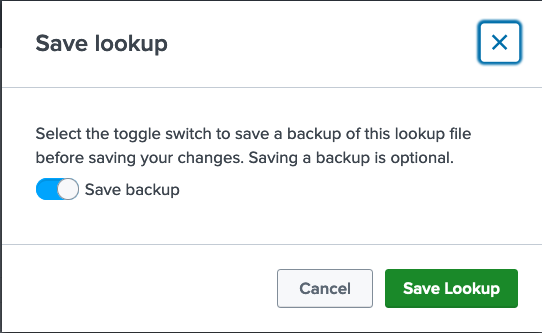
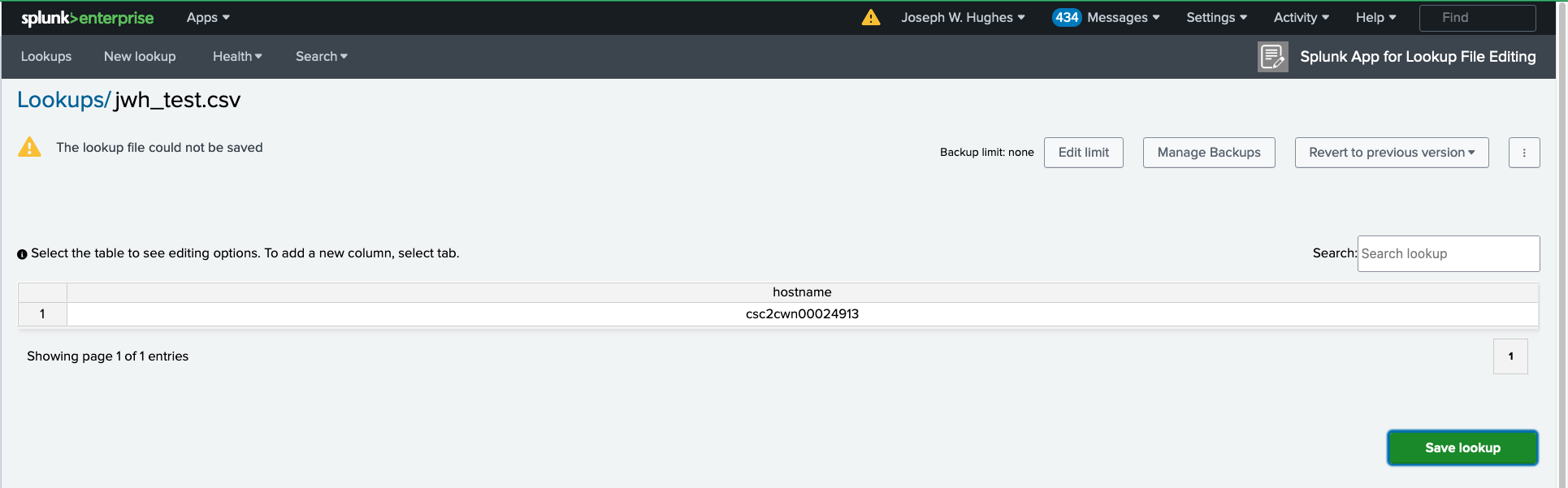
We are using 'Splunk App for Lookup File Editing' version 4.0.1. There are two issues that bother me. First is the continuous popup about 'Save Backup'. I need a way of turning this off since most of the time my edits are of adhoc lookups and I don't want a backup. Second is the can't save error message I get in Firefox. I have to quit Firefox, restart, and then I can save. After a number of adhoc lookups I get the error message again. Any work arounds beyond restarting the browser?

- Mark as New
- Bookmark Message
- Subscribe to Message
- Mute Message
- Subscribe to RSS Feed
- Permalink
- Report Inappropriate Content
I worked with Sahil Sharma of Technical Support on this. The answer was to update the add-on from 4.0.1 to 4.0.2. That fixed the problem.
- Mark as New
- Bookmark Message
- Subscribe to Message
- Mute Message
- Subscribe to RSS Feed
- Permalink
- Report Inappropriate Content
I worked with Sahil Sharma of Technical Support on this. The answer was to update the add-on from 4.0.1 to 4.0.2. That fixed the problem.
- Mark as New
- Bookmark Message
- Subscribe to Message
- Mute Message
- Subscribe to RSS Feed
- Permalink
- Report Inappropriate Content


Join the Splunk Community Slack to learn, troubleshoot, and make connections with fellow Splunk practitioners in real time!
Join Splunk User Groups to connect and learn in-person by region or remotely by topic or industry.
From Raw Data to Executive-Ready Stories, Faster
Guided Onboarding with Auto-schema Is Now Generally Available
ATTENTION: We’re Moving! (AGAIN!)
