
Join the Conversation
- Find Answers
- :
- Using Splunk
- :
- Splunk Search
- :
- time token conversion and displaying in title
- Subscribe to RSS Feed
- Mark Topic as New
- Mark Topic as Read
- Float this Topic for Current User
- Bookmark Topic
- Subscribe to Topic
- Mute Topic
- Printer Friendly Page
- Mark as New
- Bookmark Message
- Subscribe to Message
- Mute Message
- Subscribe to RSS Feed
- Permalink
- Report Inappropriate Content

Hi All
How do I get $time1$ and $time2$to display in my panel title?
I've also tried with strftime(), but without success, I mostly worked with snapped timestamps,
<fieldset submitButton="false">
<input type="time" token="field1" searchWhenChanged="true">
<label>Timeintervall</label>
<default>
<earliest>-2d@d</earliest>
<latest>-1d@d</latest>
</default>
<change>
<eval token="time1">relative_time(now(),"$field1.earliest$")</eval>
<eval token="time2">relative_time(now(),"$field1.latest$")</eval>
</change>
</input>
</fieldset>
<row>
<panel>
<table>
<title>ID&Payment app Successful $time1$ to $time2$</title>
It will only show either "" 0 or just show the variable.
Thanks
- Mark as New
- Bookmark Message
- Subscribe to Message
- Mute Message
- Subscribe to RSS Feed
- Permalink
- Report Inappropriate Content

Hi
I rectified just copy the search code below and test in your splunk web . It works well
<form>
<fieldset submitButton="false">
     <input type="time" token="field1" searchWhenChanged="true">
       <label>Timeintervall</label>
       <default>
         <earliest>-2d@d</earliest>
         <latest>-1d@d</latest>
       </default>
       <change>
         <eval token="time1">relative_time(now(),"-2d@d")</eval>
         <eval token="time2">relative_time(now(),"-1d@d")</eval>
       </change>
     </input>
   </fieldset>
   <row>
     <panel>
       <table>
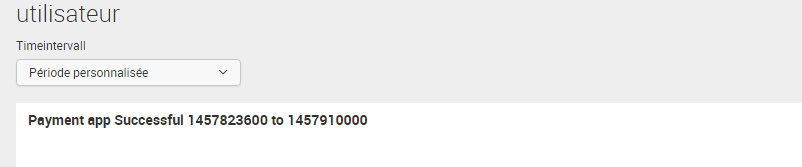
         <title>Payment app Successful $time1$ to $time2$</title>

         <searchString>index=_internal|stats count by user</searchString>
         <earliestTime>$time1$</earliestTime>
         <latestTime>$time2$</latestTime>
       </table>
     </panel>
      </row>
     </form>
Look at the result
- Mark as New
- Bookmark Message
- Subscribe to Message
- Mute Message
- Subscribe to RSS Feed
- Permalink
- Report Inappropriate Content
Hi
I rectified just copy the search code below and test in your splunk web . It works well
<form>
<fieldset submitButton="false">
     <input type="time" token="field1" searchWhenChanged="true">
       <label>Timeintervall</label>
       <default>
         <earliest>-2d@d</earliest>
         <latest>-1d@d</latest>
       </default>
       <change>
         <eval token="time1">relative_time(now(),"-2d@d")</eval>
         <eval token="time2">relative_time(now(),"-1d@d")</eval>
       </change>
     </input>
   </fieldset>
   <row>
     <panel>
       <table>
         <title>Payment app Successful $time1$ to $time2$</title>

         <searchString>index=_internal|stats count by user</searchString>
         <earliestTime>$time1$</earliestTime>
         <latestTime>$time2$</latestTime>
       </table>
     </panel>
      </row>
     </form>
Look at the result
- Mark as New
- Bookmark Message
- Subscribe to Message
- Mute Message
- Subscribe to RSS Feed
- Permalink
- Report Inappropriate Content
Thanks, is it possible to then drop the first part, the field1 token and only use time1 and time2. Because the first one is not used.
- Mark as New
- Bookmark Message
- Subscribe to Message
- Mute Message
- Subscribe to RSS Feed
- Permalink
- Report Inappropriate Content
Anyone have a workaround, or solution here. in earlier versions of Splunk the timepicker wrote the iso timerange when the picker could not snap it.
I have lots of boards and it is very irritating that I cant write the timerange properly other than showing the snap values.



Join the Splunk Community Slack to learn, troubleshoot, and make connections with fellow Splunk practitioners in real time!
Join Splunk User Groups to connect and learn in-person by region or remotely by topic or industry.
Data Management Digest – September 2026
Federated Search for CloudWatch Unified Data Store Is Generally Available
Announcing Modern Navigation: A New Era of Splunk User Experience
