
Join the Conversation
- Find Answers
- :
- Using Splunk
- :
- Splunk Search
- :
- Re: Splunk Google map like kaspersky map
- Subscribe to RSS Feed
- Mark Topic as New
- Mark Topic as Read
- Float this Topic for Current User
- Bookmark Topic
- Subscribe to Topic
- Mute Topic
- Printer Friendly Page
- Mark as New
- Bookmark Message
- Subscribe to Message
- Mute Message
- Subscribe to RSS Feed
- Permalink
- Report Inappropriate Content

Hi,
I project to realize a map of all attack on fortinet firewall like kaspersky cyber attack map.
I receive log by Syslog on firewall and have source and destination ip inside. I create a pivot to convert ip to longitude and latitude.
On Google maps app, i use this search
| pivot localisation rsique values(dstip_lat) values(dstip_lon)| geonormalize
I have this result in event tab with correct geo coordinates (i mask data) but i have no point on map.
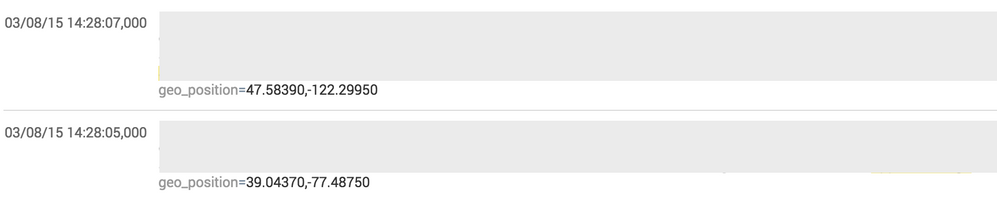
Any idea ?
Thanks
- Mark as New
- Bookmark Message
- Subscribe to Message
- Mute Message
- Subscribe to RSS Feed
- Permalink
- Report Inappropriate Content

The geoip app is no longer necessary because the feature is now built into Splunk via the iplocation command so try this on the search bar (not in a dashboard):
... | iplocation YourIPAddressFieldName
Then click on the Visualization tab, click on the leftmost menu/control (just under the word "Events") and select Map. You no longer need Google at all.
- Mark as New
- Bookmark Message
- Subscribe to Message
- Mute Message
- Subscribe to RSS Feed
- Permalink
- Report Inappropriate Content
The geoip app is no longer necessary because the feature is now built into Splunk via the iplocation command so try this on the search bar (not in a dashboard):
... | iplocation YourIPAddressFieldName
Then click on the Visualization tab, click on the leftmost menu/control (just under the word "Events") and select Map. You no longer need Google at all.
- Mark as New
- Bookmark Message
- Subscribe to Message
- Mute Message
- Subscribe to RSS Feed
- Permalink
- Report Inappropriate Content
Thanks !
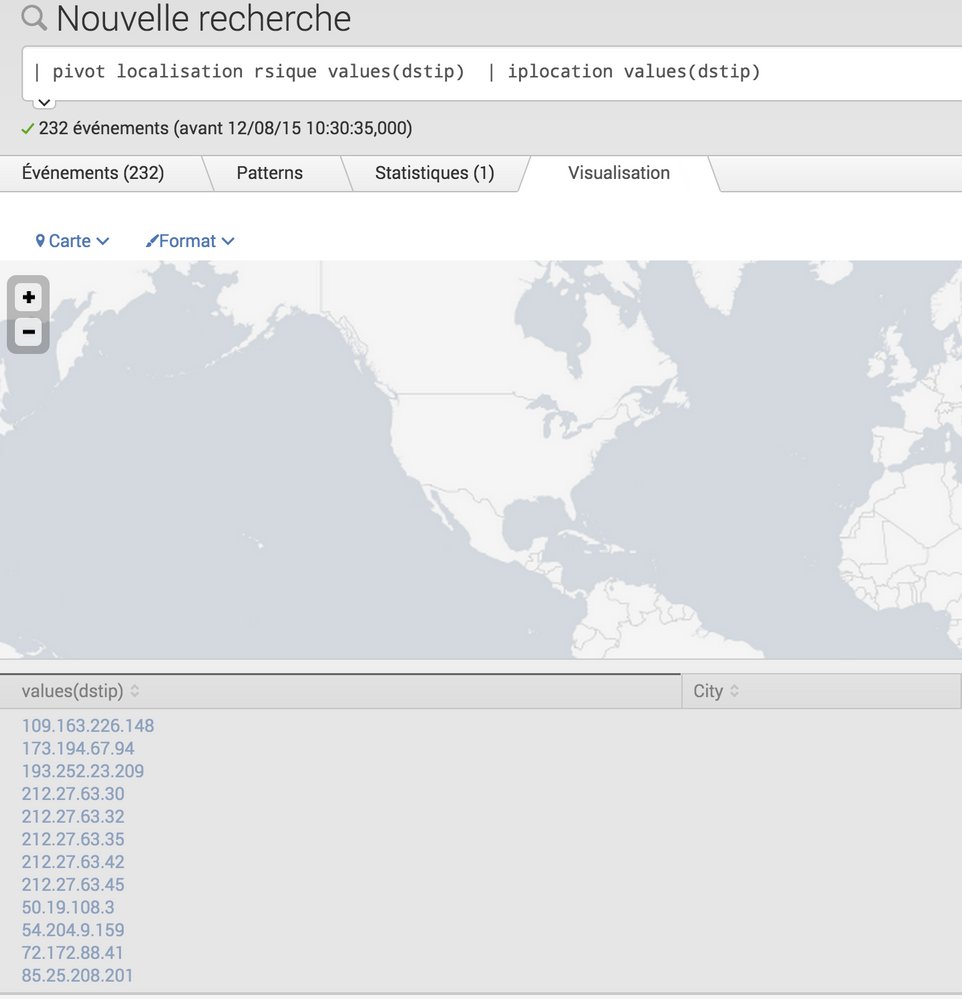
It's look great but i have no location data.
Is it need to configure a database for iplocation ?
- Mark as New
- Bookmark Message
- Subscribe to Message
- Mute Message
- Subscribe to RSS Feed
- Permalink
- Report Inappropriate Content
You cannot pass a multivalued field, try it like this:
| pivot localisation risque values(dstip) | rename values(dstip) AS dstip | mvexpand dstip | iplocation dstip
- Mark as New
- Bookmark Message
- Subscribe to Message
- Mute Message
- Subscribe to RSS Feed
- Permalink
- Report Inappropriate Content
| pivot localisation rsique values(dstip) | rename values(dstip) AS dstip | mvexpand dstip | iplocation dstip | geostats count
Nice ! I got blue dot to each location on map with search bar but not in dashboard.
Now i will customize the map, with this i think:
http://docs.splunk.com/Documentation/Splunk/6.0/AdvancedDev/CustomChartingConfig-Overview
- Mark as New
- Bookmark Message
- Subscribe to Message
- Mute Message
- Subscribe to RSS Feed
- Permalink
- Report Inappropriate Content
Exactly, you should be able to save your search as a dashboard/panel using the "Save As" link.
- Mark as New
- Bookmark Message
- Subscribe to Message
- Mute Message
- Subscribe to RSS Feed
- Permalink
- Report Inappropriate Content


For the map visualization, I think it's geostats, not iplocation?
- Mark as New
- Bookmark Message
- Subscribe to Message
- Mute Message
- Subscribe to RSS Feed
- Permalink
- Report Inappropriate Content
I got a populated world map doing it exactly the way that I described.
- Mark as New
- Bookmark Message
- Subscribe to Message
- Mute Message
- Subscribe to RSS Feed
- Permalink
- Report Inappropriate Content
Okay, but... Iplocation does a lookup specifically for geographic information pertaining to IP addresses. If they have geographic data, then they appear on the map. If they don't, the event will have empty fields.
geostats is the general purpose search command to populate the map visualization.
Happy to upvote your tested answer here, because the OP is asking about IP addresses. But wanted to provide the broader context for future readers.
- Mark as New
- Bookmark Message
- Subscribe to Message
- Mute Message
- Subscribe to RSS Feed
- Permalink
- Report Inappropriate Content
I have used the exact use case that OP has which is how I know it will work. As far as needing the actual lat/long values, iplocation provides those, too (which is how the visualization works) as well as other location details.



Join the Splunk Community Slack to learn, troubleshoot, and make connections with fellow Splunk practitioners in real time!
Join Splunk User Groups to connect and learn in-person by region or remotely by topic or industry.
Agentic SOC Triage: Investigating Splunk ES Notables with MCP Server and a Local LLM
All Work and No Play? Not at .conf26! Unwind at These Evening Events
Join the Hackathon at .conf26 and build a No-Code AI agent
