
Join the Conversation
- Find Answers
- :
- Using Splunk
- :
- Splunk Search
- :
- No tables to display
- Subscribe to RSS Feed
- Mark Topic as New
- Mark Topic as Read
- Float this Topic for Current User
- Bookmark Topic
- Subscribe to Topic
- Mute Topic
- Printer Friendly Page
- Mark as New
- Bookmark Message
- Subscribe to Message
- Mute Message
- Subscribe to RSS Feed
- Permalink
- Report Inappropriate Content

I have installed Splunk Enterprise 6.6.2 ( for Windows 10), Tableau Desktop 32 bit and splunk 32 bit ODBC Driver.
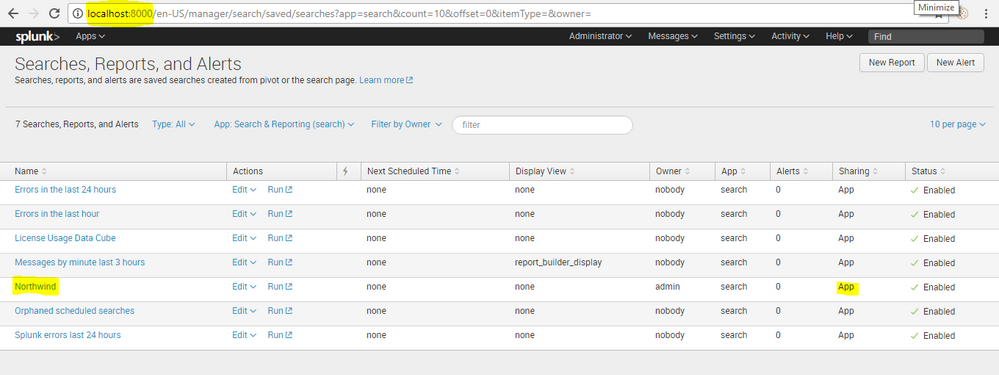
Created new report in web UI.
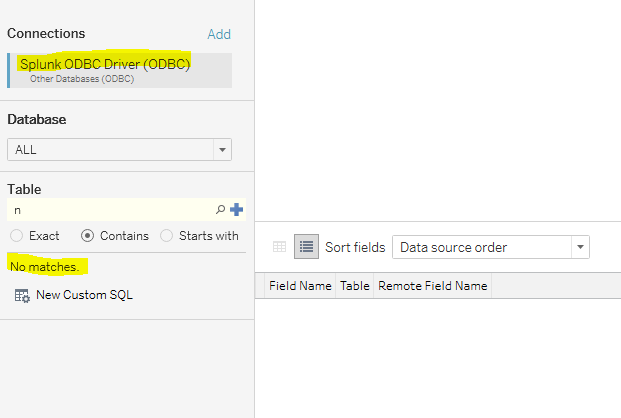
I am able to connect the splunk through ODBC driver.
After connecting database, no tables displayed.
How to make visible Northwind report in tableau?
Anyone have an idea?
- Mark as New
- Bookmark Message
- Subscribe to Message
- Mute Message
- Subscribe to RSS Feed
- Permalink
- Report Inappropriate Content
Hi,
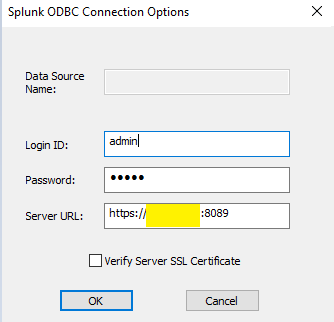
My problem was resolved when I use management port (8089) instead of web port(8000) and server name instead of localhost.
Find this management port and server name details in Splunk.
https://answers.splunk.com/storage/temp/208616-splunk.png
Server URL :


- Mark as New
- Bookmark Message
- Subscribe to Message
- Mute Message
- Subscribe to RSS Feed
- Permalink
- Report Inappropriate Content
Also, it seems pretty basic, but I was having this same problem because my URL didn't have "https" (the secure connection) to Splunk. Once I changed this from "http" to "https", I was able to see saved searches.,
- Mark as New
- Bookmark Message
- Subscribe to Message
- Mute Message
- Subscribe to RSS Feed
- Permalink
- Report Inappropriate Content
Hi,
My problem was resolved when I use management port (8089) instead of web port(8000) and server name instead of localhost.
Find this management port and server name details in Splunk.
https://answers.splunk.com/storage/temp/208616-splunk.png
Server URL :

A Season of Skills: New Splunk Courses to Light Up Your Learning Journey
Announcing the Migration of the Splunk Add-on for Microsoft Azure Inputs to ...
Splunk Observability for AI
