
Join the Conversation
- Find Answers
- :
- Using Splunk
- :
- Splunk Search
- :
- Re: How to color columns based on a variable?
- Subscribe to RSS Feed
- Mark Topic as New
- Mark Topic as Read
- Float this Topic for Current User
- Bookmark Topic
- Subscribe to Topic
- Mute Topic
- Printer Friendly Page
- Mark as New
- Bookmark Message
- Subscribe to Message
- Mute Message
- Subscribe to RSS Feed
- Permalink
- Report Inappropriate Content
How to color columns based on a variable?

I am charting a Product ID v/s count in a column chart
I want to color the columns in red and green. Red if the PID is X and green if PID is NOT_X
I dont want X and NOT_X to show on the axis or legend.
Is there a conditional chart statement that I can use?
- Mark as New
- Bookmark Message
- Subscribe to Message
- Mute Message
- Subscribe to RSS Feed
- Permalink
- Report Inappropriate Content


Have you taken a look at the Splunk 6.x Dashboard examples app, available on Splunkbase?
https://splunkbase.splunk.com/app/1603/
This is a great app for learning how to do different types of visualizations.
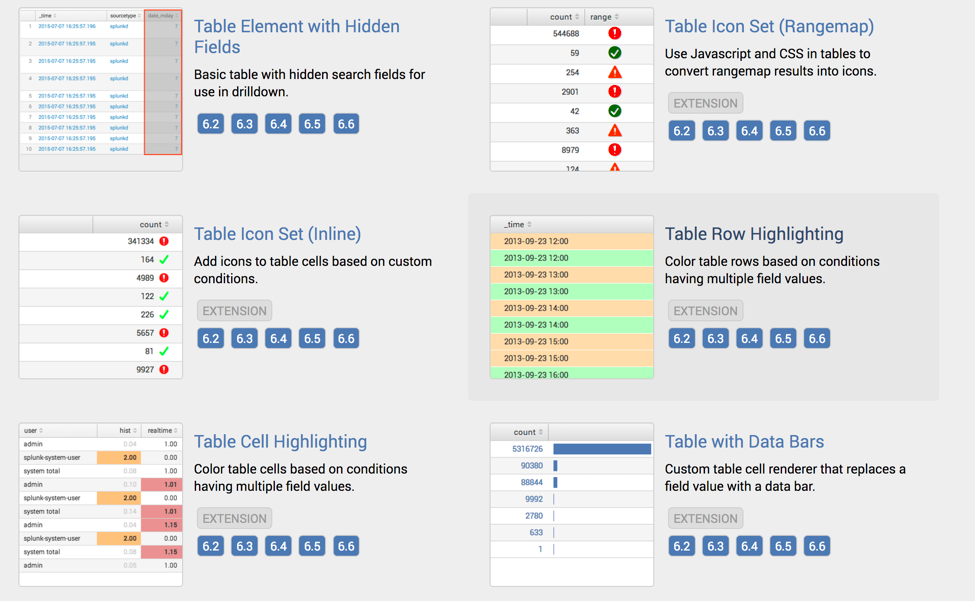
For each example, you can see the XML for the dashboard, as well as any javascript or css that is required for that example.
- Mark as New
- Bookmark Message
- Subscribe to Message
- Mute Message
- Subscribe to RSS Feed
- Permalink
- Report Inappropriate Content
I am unable to access the URL
- Mark as New
- Bookmark Message
- Subscribe to Message
- Mute Message
- Subscribe to RSS Feed
- Permalink
- Report Inappropriate Content
Try it now. Or go to splunkbase.com and search for dashboard examples.
- Mark as New
- Bookmark Message
- Subscribe to Message
- Mute Message
- Subscribe to RSS Feed
- Permalink
- Report Inappropriate Content
I could access it but somehow I am not sure it answers my question.....I want to color the graph based on another variable settings......almost like an if loop for the chart
- Mark as New
- Bookmark Message
- Subscribe to Message
- Mute Message
- Subscribe to RSS Feed
- Permalink
- Report Inappropriate Content

What is your search?
- Mark as New
- Bookmark Message
- Subscribe to Message
- Mute Message
- Subscribe to RSS Feed
- Permalink
- Report Inappropriate Content
| eval LDOS = case(ldos<0,"PID_LDOS",(ldos>0 OR ldos=0),"PID_NOT_LDOS") | search LDOS=X| chart values(SR) over itemShipped
column
{"values(SR)":0x73A550}
When the search is X I want the chart to show Red
When the search is "NOT_X" I want the chart to show green....I am plotting value(SR) and itemShipped.
I could not access the URL mentioned above


Join the Splunk Community Slack to learn, troubleshoot, and make connections with fellow Splunk practitioners in real time!
Join Splunk User Groups to connect and learn in-person by region or remotely by topic or industry.
Data Management Digest – August 2026
Your Feedback. Our Roadmap. Visit the PX Feedback Booth at .conf26
Agentic SOC Triage: Investigating Splunk ES Notables with MCP Server and a Local LLM
