
Join the Conversation
- Find Answers
- :
- Using Splunk
- :
- Splunk Search
- :
- How to chart a line visual?
- Subscribe to RSS Feed
- Mark Topic as New
- Mark Topic as Read
- Float this Topic for Current User
- Bookmark Topic
- Subscribe to Topic
- Mute Topic
- Printer Friendly Page
- Mark as New
- Bookmark Message
- Subscribe to Message
- Mute Message
- Subscribe to RSS Feed
- Permalink
- Report Inappropriate Content

So I currently have a stats sum donuts for the last 90 days and i am getting the following results like below
| sum(donuts) |
| 54000 |
But i need a line chart to show the total number of donuts (sum (donuts) field) for the last 90 days but just on a 4 weeks interval. So i should have something like below
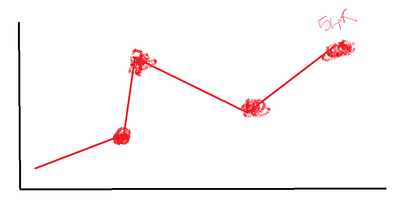
I have a field for the lastEaten date but that shows how many were eaten on that specific date.
- Mark as New
- Bookmark Message
- Subscribe to Message
- Mute Message
- Subscribe to RSS Feed
- Permalink
- Report Inappropriate Content


My original intention was for you to replace the last stats command with the timechart command I gave, but now that I see the full query I know that will not work.
You asked for a chart with a 4-week interval, but that requires a time field (preferably _time), which your query does not have. Well, it appears to be missing, but the ... may be masking its presence.
Modify the query to pass _time through to the end and then the timechart command will be able to graph the results for you.
If this reply helps you, Karma would be appreciated.
- Mark as New
- Bookmark Message
- Subscribe to Message
- Mute Message
- Subscribe to RSS Feed
- Permalink
- Report Inappropriate Content
| timechart span=4w sum(donuts) as TotalIf this reply helps you, Karma would be appreciated.
- Mark as New
- Bookmark Message
- Subscribe to Message
- Mute Message
- Subscribe to RSS Feed
- Permalink
- Report Inappropriate Content
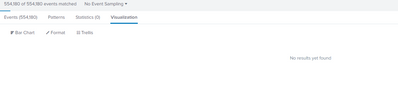
I am getting no results found
- Mark as New
- Bookmark Message
- Subscribe to Message
- Mute Message
- Subscribe to RSS Feed
- Permalink
- Report Inappropriate Content
Please share the query.
If this reply helps you, Karma would be appreciated.
- Mark as New
- Bookmark Message
- Subscribe to Message
- Mute Message
- Subscribe to RSS Feed
- Permalink
- Report Inappropriate Content
index.....
| stats latest(...) latest(....) latest(....) by .....
| rename latest(*) as *
| eval eaten_90d = case(isnull(daysSince), null(), daysSince < 90, 1, 1=1, 0)
|eval eaten_30d = case(isnull(daysSince), null(), daysSince < 30, 1, 1=1, 0)
|eval eaten_60d = case(isnull(daysSince), null(), daysSince < 60, 1, 1=1, 0)
| stats dc(....) as Donuts sum(....) as Disabled sum(eaten_90d) as 90d_eaten sum(eaten_30d) as 30d_eaten sum(eaten_60d) as 60d_eaten by ... Donuts
| lookup ..... id as ..... OUTPUT......
| lookup .... OUTPUT ......
| search .....
| sort ....
| search 90d_eaten=0 AND 60d_eaten=0 AND 30d_eaten=0
| stats sum(Donuts)
- Mark as New
- Bookmark Message
- Subscribe to Message
- Mute Message
- Subscribe to RSS Feed
- Permalink
- Report Inappropriate Content
i tried adding your timechart command after the last line but it did not work
- Mark as New
- Bookmark Message
- Subscribe to Message
- Mute Message
- Subscribe to RSS Feed
- Permalink
- Report Inappropriate Content
My original intention was for you to replace the last stats command with the timechart command I gave, but now that I see the full query I know that will not work.
You asked for a chart with a 4-week interval, but that requires a time field (preferably _time), which your query does not have. Well, it appears to be missing, but the ... may be masking its presence.
Modify the query to pass _time through to the end and then the timechart command will be able to graph the results for you.
If this reply helps you, Karma would be appreciated.
- Mark as New
- Bookmark Message
- Subscribe to Message
- Mute Message
- Subscribe to RSS Feed
- Permalink
- Report Inappropriate Content
Perfect, Thank You


Join the Splunk Community Slack to learn, troubleshoot, and make connections with fellow Splunk practitioners in real time!
Join Splunk User Groups to connect and learn in-person by region or remotely by topic or industry.
A Four-Part Event Series: Full Stack Observability For the AI Era
SOC4Kafka - New Kafka Connector Powered by OpenTelemetry
Event Series: Level up your SOC: Advancing with Splunk Enterprise Security
