
Join the Conversation
- Find Answers
- :
- Using Splunk
- :
- Splunk Search
- :
- Help on Data Aggregation from Logs
- Subscribe to RSS Feed
- Mark Topic as New
- Mark Topic as Read
- Float this Topic for Current User
- Bookmark Topic
- Subscribe to Topic
- Mute Topic
- Printer Friendly Page
- Mark as New
- Bookmark Message
- Subscribe to Message
- Mute Message
- Subscribe to RSS Feed
- Permalink
- Report Inappropriate Content
Help on Data Aggregation from Logs

Hi Team,
I am new to Splunk tool. But going through vast documentation also din't help me much.
If someone can help me to know that how to achieve below out put from logs, would really be helpful.
Below raw is just one sample from logs. So i need to have as many rows as we have objectCount.
Raw Output Logs:
<135>Jul 22 01:15:42 ******.nsroot.net {"datetime":"2016-07-22T05:14:40.292Z","apiName":"XYZ","apiVersion":1,"appName":"ABC","envName":"External-ADP","planName":"LMN","planVersion":1,"timeToServeRequest":922,"bytesSent":209,"requestProtocol":"https","requestMethod":"GET",requestTimestamp : 2016-07-22T01:14:39-04:00,responseTimestamp : 2016-07-22T01:14:40-04:00,X-Content-Type-Options : nosniff","responseBody":"","latency":"Initialization=0ms : Start=6ms : 576197e8e4b0d8a5ff967ffc=1ms : 576197e8e4b0d8a5ff967fff=3ms : 56f18e6ee4b06bb8f1889f36=0ms : 1326652068303=2ms : Activity Log 5=0ms : Request=1ms : HTTP GET Operation 5=38ms : HTTP POST Operation 8=519ms : HTTP PUT Operation 2=138ms : HTTP POST Operation 5=139ms : Response=75ms"}
REQUIRED OUTPUT
APIName = XYZ
timeToServeRequest = 922
Start = 6ms
Appreciate your help and response.
- Mark as New
- Bookmark Message
- Subscribe to Message
- Mute Message
- Subscribe to RSS Feed
- Permalink
- Report Inappropriate Content

The first thing you are going to need to do is to extract the fields. If this is in XML/JSON format, you might be able to simply use |spath
base search |spath
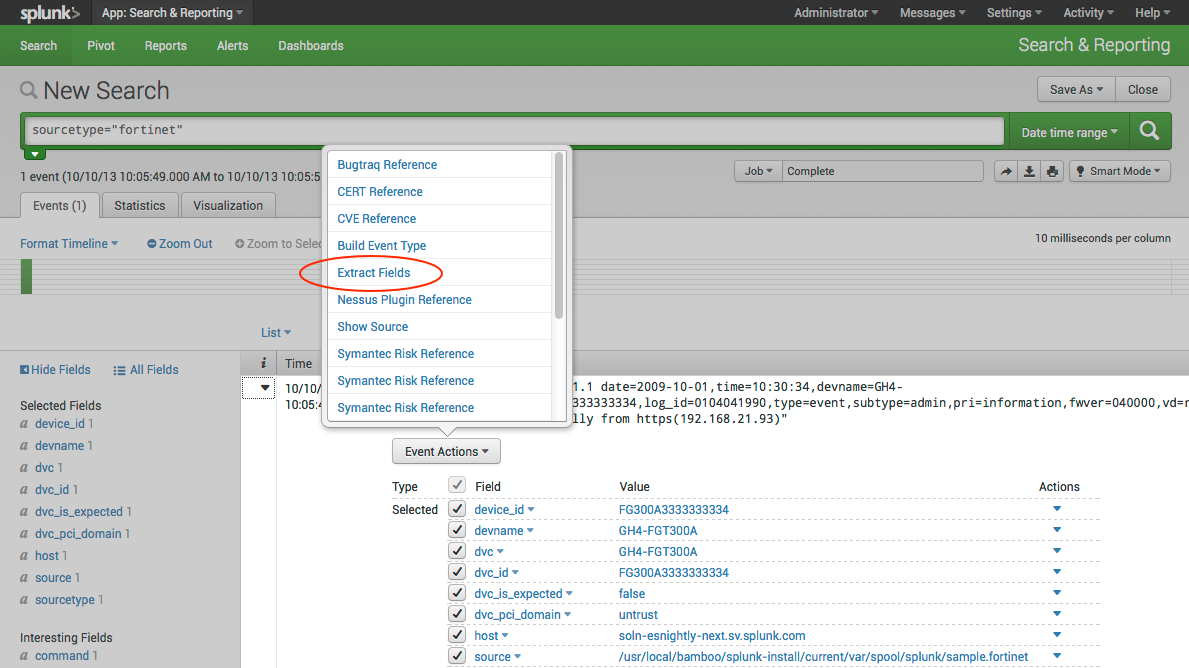
Otherwise you will have to use the field extractor, and try to tease out the data you need.
http://docs.splunk.com/images/9/9d/CIM-extract_fields_UI.png
Or you can play around with inline extractions using |rex
| rex field=_raw "apiName":"(?<API_Name>./w+^")
Then once you get it extracted you can do something like this.
    base search
| rex field=_raw "apiName":"(?<API_Name>.\w+) "
| rex field=_raw "Start=(?<Start>\d+)"
| stats list(API_Name) by Start
I've not tested any of these regex's. It takes a bit of practice to get them right, but once you have the fields extracted, then you can do more with the data.
Check out the documentation on extracting fields.
https://docs.splunk.com/Documentation/Splunk/6.4.2/Search/Extractfieldswithsearchcommands


Join the Splunk Community Slack to learn, troubleshoot, and make connections with fellow Splunk practitioners in real time!
Join Splunk User Groups to connect and learn in-person by region or remotely by topic or industry.
Data Management Digest – September 2026
Federated Search for CloudWatch Unified Data Store Is Generally Available
Announcing Modern Navigation: A New Era of Splunk User Experience
