
Join the Conversation
- Find Answers
- :
- Using Splunk
- :
- Splunk Search
- :
- Re: Calculate Ratio of Two Counter Streams
- Subscribe to RSS Feed
- Mark Topic as New
- Mark Topic as Read
- Float this Topic for Current User
- Bookmark Topic
- Subscribe to Topic
- Mute Topic
- Printer Friendly Page
- Mark as New
- Bookmark Message
- Subscribe to Message
- Mute Message
- Subscribe to RSS Feed
- Permalink
- Report Inappropriate Content
Calculate Ratio of Two Counter Streams

I've two counter streams, I would like to display that as a percentage as
B/(B+C) in the chart but it always gives me an error.
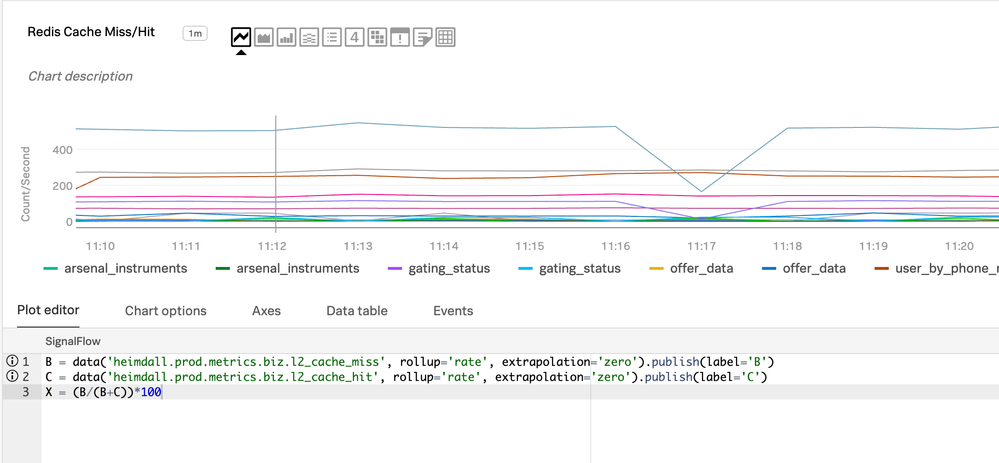
B = data('prod.metrics.biz.l2_cache_miss', rollup='rate', extrapolation='zero').publish(label='B')
C = data('prod.metrics.biz.l2_cache_hit', rollup='rate', extrapolation='zero').publish(label='C')
How can I create a new metrics out of these two to find either cache hit or miss percentage?

- Mark as New
- Bookmark Message
- Subscribe to Message
- Mute Message
- Subscribe to RSS Feed
- Permalink
- Report Inappropriate Content

Hi @sks if you want just the percentage of misses and the percentage of hits, you can do this with eval:
| eval Bperc=('B'/(B+C))*100
| eval Cperc=('C'/(B+C))*100
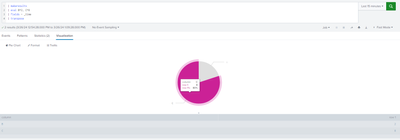
If you want to show this in a chart (e.g. pie chart) you don't need to calculate the percentage as Splunk will do this for you, but you will need to get the values of B and C in the same column using transpose. Example:
- Mark as New
- Bookmark Message
- Subscribe to Message
- Mute Message
- Subscribe to RSS Feed
- Permalink
- Report Inappropriate Content
Hi @KendallW
Thanks for the reply, but that does not work as I'm plotting this in the line chart. The data is coming to SignalFx from the StatsD agent.

Join the Splunk Community Slack to learn, troubleshoot, and make connections with fellow Splunk practitioners in real time!
Join Splunk User Groups to connect and learn in-person by region or remotely by topic or industry.
Design, Compete, Win: Submit Your Best Splunk Dashboards for a .conf26 Pass
May 2026 Splunk Expert Sessions: Security & Observability
Network to App: Observability Unlocked [May & June Series]
