
Join the Conversation
- Find Answers
- :
- Using Splunk
- :
- Splunk Search
- :
- Re: Add value on a column without csv input file
- Subscribe to RSS Feed
- Mark Topic as New
- Mark Topic as Read
- Float this Topic for Current User
- Bookmark Topic
- Subscribe to Topic
- Mute Topic
- Printer Friendly Page
- Mark as New
- Bookmark Message
- Subscribe to Message
- Mute Message
- Subscribe to RSS Feed
- Permalink
- Report Inappropriate Content

Hi everyone,
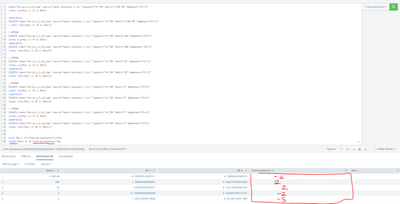
I need to put in these fix values on the Interval_tolerance column. Has somebody an idea ?
Thanks
- Mark as New
- Bookmark Message
- Subscribe to Message
- Mute Message
- Subscribe to RSS Feed
- Permalink
- Report Inappropriate Content

Just do this in each of the sections of your search (replacing the ... by the respective value):
| eval Interval_tolerance = ...
Also, your search can be simplified a lot by doing both avg and stdev calculations in 1 go instead of the "appendcols"
| stats avg(Moy) as AV stdev(Moy) as SD by Debit
- Mark as New
- Bookmark Message
- Subscribe to Message
- Mute Message
- Subscribe to RSS Feed
- Permalink
- Report Inappropriate Content
Just do this in each of the sections of your search (replacing the ... by the respective value):
| eval Interval_tolerance = ...
Also, your search can be simplified a lot by doing both avg and stdev calculations in 1 go instead of the "appendcols"
| stats avg(Moy) as AV stdev(Moy) as SD by Debit
- Mark as New
- Bookmark Message
- Subscribe to Message
- Mute Message
- Subscribe to RSS Feed
- Permalink
- Report Inappropriate Content
Thanks !! It works
My code is also shorter !
Have a nice week
- Mark as New
- Bookmark Message
- Subscribe to Message
- Mute Message
- Subscribe to RSS Feed
- Permalink
- Report Inappropriate Content
Looking at it once more, you can get rid of that whole "appends" approach, by simply removing the 'Debit=...' part from your search. Or replace it by Debit IN(a,b,c) if the data source contains other debit values which you want to ignore. Because the Debit field is the only thing that is different between the various appends bits, and you already do a 'by Debit' in your stats.
Then you can do the eval like this:
| eval Interval_tolerance = case(Debit=a,x,Debit=b,y,Debit=c,z)

Join the Splunk Community Slack to learn, troubleshoot, and make connections with fellow Splunk practitioners in real time!
Join Splunk User Groups to connect and learn in-person by region or remotely by topic or industry.
Make Your Machine Data AI-Ready in Splunk
Splunk Asynchronous Forwarding Explained
How to Monitor AI Agents with Splunk Agent Observability
