
Turn on suggestions
Auto-suggest helps you quickly narrow down your search results by suggesting possible matches as you type.
Splunk Dev
×
Join the Conversation
Without signing in, you're just watching from the sidelines. Sign in or Register to connect, share, and be part of the Splunk Community.
- Find Answers
- :
- Apps & Add-ons
- :
- Splunk Development
- :
- Splunk Dev
- :
- We have purchased the license
Options
- Subscribe to RSS Feed
- Mark Topic as New
- Mark Topic as Read
- Float this Topic for Current User
- Bookmark Topic
- Subscribe to Topic
- Mute Topic
- Printer Friendly Page
- Mark as New
- Bookmark Message
- Subscribe to Message
- Mute Message
- Subscribe to RSS Feed
- Permalink
- Report Inappropriate Content

cyber_Maddy
Engager
10-12-2021
08:30 AM
I am new to splunk cloud and I would like to install an enterprise security app ( below screenshot) on my splunk.
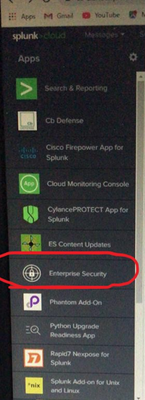
and after open the app its should be like below
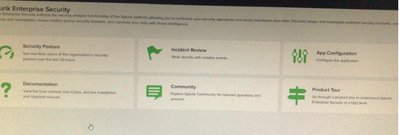
and finally, I should be able to see the below screen.
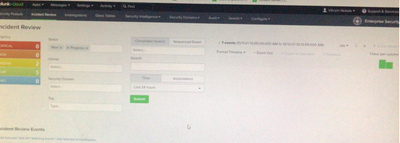
Can anyone please help me with this - If you have any doubts about my question please let me know
Thanks in advance.
1 Solution
- Mark as New
- Bookmark Message
- Subscribe to Message
- Mute Message
- Subscribe to RSS Feed
- Permalink
- Report Inappropriate Content

PickleRick

SplunkTrust
10-12-2021
08:35 AM
Have you bought a license for it? ES is Splunk premium app, it's not free.
- Mark as New
- Bookmark Message
- Subscribe to Message
- Mute Message
- Subscribe to RSS Feed
- Permalink
- Report Inappropriate Content
PickleRick
SplunkTrust
10-12-2021
08:35 AM
Have you bought a license for it? ES is Splunk premium app, it's not free.
- Mark as New
- Bookmark Message
- Subscribe to Message
- Mute Message
- Subscribe to RSS Feed
- Permalink
- Report Inappropriate Content
zhou_muping
Loves-to-Learn Lots
05-18-2022
08:04 PM
I'm a novice. I want to know how to import assets like this? There is no specific operation manual in the official instructions
- Mark as New
- Bookmark Message
- Subscribe to Message
- Mute Message
- Subscribe to RSS Feed
- Permalink
- Report Inappropriate Content
zhou_muping
Loves-to-Learn Lots
05-18-2022
08:05 PM
We have purchased the license


Got questions? Get answers!
Join the Splunk Community Slack to learn, troubleshoot, and make connections with fellow Splunk practitioners in real time!
Meet up IRL or virtually!
Join Splunk User Groups to connect and learn in-person by region or remotely by topic or industry.
Get Updates on the Splunk Community!
Cisco Data Fabric from Architecture to Investigation, Better SOC Visibility, and More ...
Splunk Lantern is Splunk’s customer success center that provides practical guidance from Splunk experts on key ...
The Trust Gap: Why a Data Foundation is Fundamental to an Agentic Enterprise
The Trust Gap: Why a data foundation is fundamental to an Agentic Enterprise.
Agentic AI is transforming ...
Data Management Digest – September 2026
Welcome to the September 2026 edition of Data Management Digest!
September brought a fresh wave of ...
