
Join the Conversation
- Find Answers
- :
- Splunk Products
- :
- Splunk Cloud Platform
- :
- Re: Splunk Cloud does not receive logs
- Subscribe to RSS Feed
- Mark Topic as New
- Mark Topic as Read
- Float this Topic for Current User
- Bookmark Topic
- Subscribe to Topic
- Mute Topic
- Printer Friendly Page
- Mark as New
- Bookmark Message
- Subscribe to Message
- Mute Message
- Subscribe to RSS Feed
- Permalink
- Report Inappropriate Content

In the servers that contain the logs I have installed in universal forwarder and I have configured with inputs the path where the logs are and with outputs the ip and the port where these logs should be sent.
I have installed the credential package in heavy forwarder
I have activated port 9997 and I see communication between the servers and the heavy forwarder.
I have doubts in the process of forwarding logs from the heavy forwarder to splunk cloud
if the heavy forwarder points directly to splunk cloud, the "host" field should I put https://xxxxxxxx.splunkcloud.com? and what port? 443 or 9997?
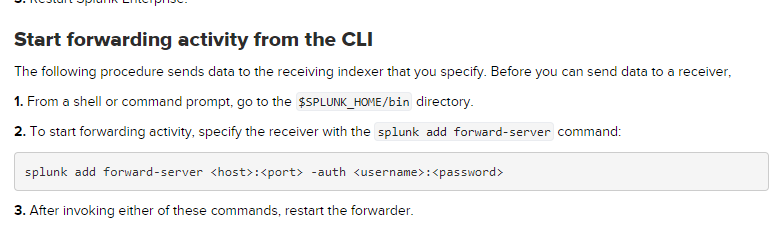
https://docs.splunk.com/Documentation/SplunkCloud/8.0.2006/Forwarding/Deployaheavyforwarder
splunk add forward-server <host>:<port> -auth <username>:<password>
I have already created the index with the same name that I defined in the intputs file of the logs source server
I don't see logs coming in, what else do I need to review?
- Mark as New
- Bookmark Message
- Subscribe to Message
- Mute Message
- Subscribe to RSS Feed
- Permalink
- Report Inappropriate Content


Sign in to your Splunk Cloud instance and open the "Universal Forwarder" app. That app will have a green button labeled "Download Universal Forwarder Credentials". Click that button and accept the download. Install the downloaded file on your heavy forwarder and restart it. You now have everything you need to send data to Splunk Cloud. Forget about setting host and ports - the app does that for you.
BTW, it's considered best practice to have UFs send directly to Splunk Cloud rather than through a HF.
If this reply helps you, Karma would be appreciated.
- Mark as New
- Bookmark Message
- Subscribe to Message
- Mute Message
- Subscribe to RSS Feed
- Permalink
- Report Inappropriate Content
That will be in the outputs.conf file in the downloaded credentials app, but should be port 9997.
If this reply helps you, Karma would be appreciated.
- Mark as New
- Bookmark Message
- Subscribe to Message
- Mute Message
- Subscribe to RSS Feed
- Permalink
- Report Inappropriate Content
Sign in to your Splunk Cloud instance and open the "Universal Forwarder" app. That app will have a green button labeled "Download Universal Forwarder Credentials". Click that button and accept the download. Install the downloaded file on your heavy forwarder and restart it. You now have everything you need to send data to Splunk Cloud. Forget about setting host and ports - the app does that for you.
BTW, it's considered best practice to have UFs send directly to Splunk Cloud rather than through a HF.
If this reply helps you, Karma would be appreciated.
- Mark as New
- Bookmark Message
- Subscribe to Message
- Mute Message
- Subscribe to RSS Feed
- Permalink
- Report Inappropriate Content
@richgalloway Through which port does the heavy forwarder communicate with splunk cloud?
- Mark as New
- Bookmark Message
- Subscribe to Message
- Mute Message
- Subscribe to RSS Feed
- Permalink
- Report Inappropriate Content
by mistake I put in host the url of splunk cloud and port 9997, I would appreciate how I can revert it?
- Mark as New
- Bookmark Message
- Subscribe to Message
- Mute Message
- Subscribe to RSS Feed
- Permalink
- Report Inappropriate Content
Either edit the $SPLUNK_HOME/etc/system/local/outputs.conf file or use the remove command.
splunk remove forward-server <host>:<port>If this reply helps you, Karma would be appreciated.

Join the Splunk Community Slack to learn, troubleshoot, and make connections with fellow Splunk practitioners in real time!
Join Splunk User Groups to connect and learn in-person by region or remotely by topic or industry.
[Puzzles] Solve, Learn, Repeat: Character substitutions with Regular Expressions
Splunk Community Badges!
[Puzzles] Solve, Learn, Repeat: Matching cron expressions
