
Join the Conversation
- Find Answers
- :
- Splunk Administration
- :
- Admin Other
- :
- Security
- :
- Re: Splunk Web Login Issue- Why am I getting this ...
- Subscribe to RSS Feed
- Mark Topic as New
- Mark Topic as Read
- Float this Topic for Current User
- Bookmark Topic
- Subscribe to Topic
- Mute Topic
- Printer Friendly Page
- Mark as New
- Bookmark Message
- Subscribe to Message
- Mute Message
- Subscribe to RSS Feed
- Permalink
- Report Inappropriate Content

Hello,
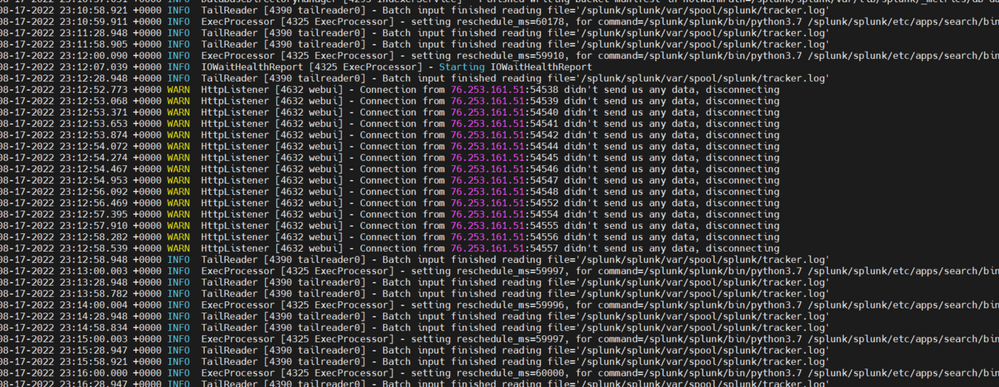
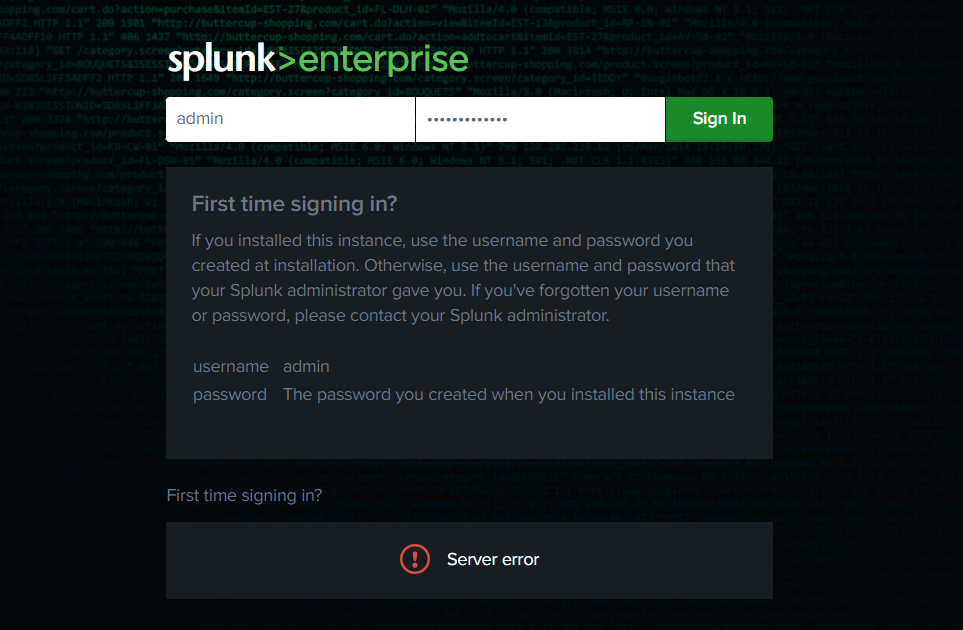
I have created splunk AWS Linux instance Instance and installed splunk enterprise on it. The install was successful and I am able to reach the login page for splunk web. When logging in, I get an error at the bottom of the page that says "Server Error". All of the necessary ports are open on the server. I have attached a photo of the Error and the WARN I received in the splunkd logs after each failed login attempt. Any suggestions on a fix would be highly appreciated.
- Mark as New
- Bookmark Message
- Subscribe to Message
- Mute Message
- Subscribe to RSS Feed
- Permalink
- Report Inappropriate Content
I resolved the issue by creating a web.conf in local and allowing https by setting
enableSplunkWebSSL = true
Thanks for all of your input.
- Mark as New
- Bookmark Message
- Subscribe to Message
- Mute Message
- Subscribe to RSS Feed
- Permalink
- Report Inappropriate Content
I resolved the issue by creating a web.conf in local and allowing https by setting
enableSplunkWebSSL = true
Thanks for all of your input.
- Mark as New
- Bookmark Message
- Subscribe to Message
- Mute Message
- Subscribe to RSS Feed
- Permalink
- Report Inappropriate Content
wow. just. wow. took me a week to find this
- Mark as New
- Bookmark Message
- Subscribe to Message
- Mute Message
- Subscribe to RSS Feed
- Permalink
- Report Inappropriate Content
What does your web.conf look like? Are you using slpunk default ssl certs or your own?
- Mark as New
- Bookmark Message
- Subscribe to Message
- Mute Message
- Subscribe to RSS Feed
- Permalink
- Report Inappropriate Content
I am using splunk default
- Mark as New
- Bookmark Message
- Subscribe to Message
- Mute Message
- Subscribe to RSS Feed
- Permalink
- Report Inappropriate Content
Looks like something is blocking it.
check this out
- Mark as New
- Bookmark Message
- Subscribe to Message
- Mute Message
- Subscribe to RSS Feed
- Permalink
- Report Inappropriate Content

Take a look at this, could be the same issue:
- Mark as New
- Bookmark Message
- Subscribe to Message
- Mute Message
- Subscribe to RSS Feed
- Permalink
- Report Inappropriate Content
Ive tried that but its not the issue. Thanks though.

Join the Splunk Community Slack to learn, troubleshoot, and make connections with fellow Splunk practitioners in real time!
Join Splunk User Groups to connect and learn in-person by region or remotely by topic or industry.
Meet the .conf26 AI Agent Buildathon Winners
Trusted Autonomy in the SOC: A Maturity Journey
Supercharging Windows Security Detection Performance: Introducing Hybrid Field ...
