
Join the Conversation
- Find Answers
- :
- Splunk Administration
- :
- Admin Other
- :
- Installation
- :
- Re: Unable to install addon: System cannot find th...
- Subscribe to RSS Feed
- Mark Topic as New
- Mark Topic as Read
- Float this Topic for Current User
- Bookmark Topic
- Subscribe to Topic
- Mute Topic
- Printer Friendly Page
- Mark as New
- Bookmark Message
- Subscribe to Message
- Mute Message
- Subscribe to RSS Feed
- Permalink
- Report Inappropriate Content
Unable to install addon: System cannot find the path specified

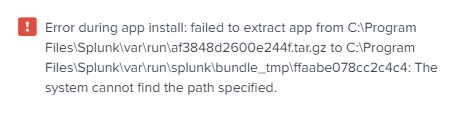
I am installing the addon 'Python for Scientific Computing (for Windows 64-bit)', but every time I do so, I keep getting this message:
'Error during app install: failed to extract app from C:\Program Files\Splunk\var\run\af3848d2600e244f.tar.gz to C:\Program Files\Splunk\var\run\splunk\bundle_tmp\ffaabe078cc2c4c4: The system cannot find the path specified.'
Also, on the home page, the left-side bar says 'Unable to load app list. Refresh the page to try again.' Even when I refresh, it still appears. I don't know if it has anything to do with my problem.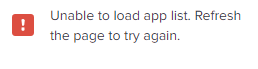
- Mark as New
- Bookmark Message
- Subscribe to Message
- Mute Message
- Subscribe to RSS Feed
- Permalink
- Report Inappropriate Content


- Mark as New
- Bookmark Message
- Subscribe to Message
- Mute Message
- Subscribe to RSS Feed
- Permalink
- Report Inappropriate Content
I think the answer you have given me is ambiguous. By 'an app supported by Splunk', do you mean the add-on or the splunk software itself? And how do I 'open a case'? If it means showing you the software, then I have already supplied screenshots.
- Mark as New
- Bookmark Message
- Subscribe to Message
- Mute Message
- Subscribe to RSS Feed
- Permalink
- Report Inappropriate Content
Hi @Splunker95,
as you can read at https://splunkbase.splunk.com/app/2883 and see in the screenshot

This is an app that's supported by Splunk itself, not by someone in the Community, and I'm speaking about the app not about Splunk.
Splunk supported means:
Apps and add-ons published by Splunk Inc. that are supported and maintained by Splunk. Splunk will provide customers with active support subscriptions an initial response and acknowledgement to any support request for these apps or add-ons in accordance with Splunk Support terms. Splunk will also ensure compatibility of Splunk-supported apps and add-ons with future releases of applicable Software. Splunk ensures this compatibility for any Splunk-supported apps or add-ons installed in Splunk Cloud Platform before commencing Splunk Cloud Platform upgrades.

Splunk does not provide support or maintenance for apps or add-ons published by any party other than Splunk Inc., including third-party developers.
So if you open a case to the Splunk Support using the Portal or the email ([email protected]), you'll have the best support on this problem that's very difficoult to debug without viewing your situation and your system.
Ciao.
Giuseppe


Join the Splunk Community Slack to learn, troubleshoot, and make connections with fellow Splunk practitioners in real time!
Join Splunk User Groups to connect and learn in-person by region or remotely by topic or industry.
Your Feedback. Our Roadmap. Visit the PX Feedback Booth at .conf26
Agentic SOC Triage: Investigating Splunk ES Notables with MCP Server and a Local LLM
Painting a Clearer Picture: Creating Cross-Domain Visibility with AI Canvas
