
Join the Conversation
- Find Answers
- :
- Splunk Administration
- :
- Getting Data In
- :
- Monitoring linux forward to ensure communication
- Subscribe to RSS Feed
- Mark Topic as New
- Mark Topic as Read
- Float this Topic for Current User
- Bookmark Topic
- Subscribe to Topic
- Mute Topic
- Printer Friendly Page
- Mark as New
- Bookmark Message
- Subscribe to Message
- Mute Message
- Subscribe to RSS Feed
- Permalink
- Report Inappropriate Content
Monitoring linux forward to ensure communication

We encountered a forwarder that was not sending data to the indexer nor phoning home. This forwarder's data is a dependancy of many other processes. We found that the splunkd processes were orphaned, killed them, and indexing began working. Is there a way to monitor that splunk is actually sending data?
- Mark as New
- Bookmark Message
- Subscribe to Message
- Mute Message
- Subscribe to RSS Feed
- Permalink
- Report Inappropriate Content


Are you really actually looking to see if data is being sent ? Or are you maybe more interested in whether or not its being received ?
I would use the
Distributed Management Console
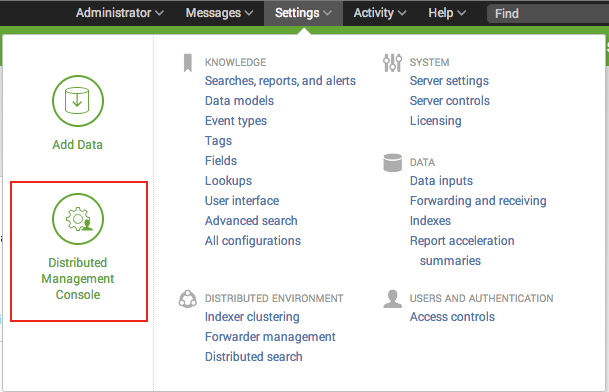
Then check out Indexing Performance
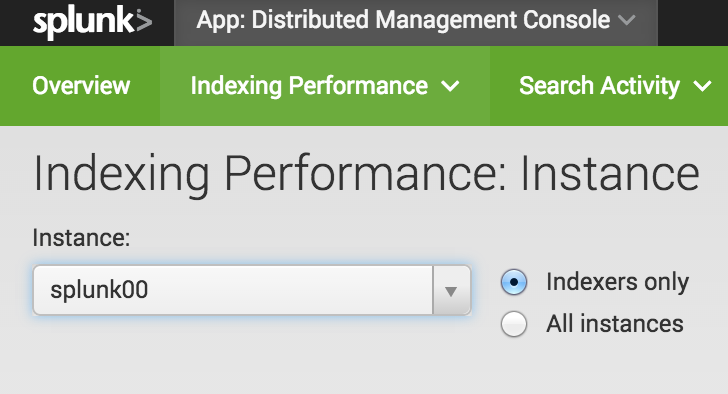
Or check out this answer, where they suggest going to
http://54.183.100.158:8000/en-US/app/search/indexing_volume
in order to split by host.
Or maybe you'd rather go old school, ssh into your indexer, and
sudo tcpdump port 9997
where 9997 is the port that you are forwarding to.
Or maybe you'd just like to use the _internal index. Or you could check splunkd.log.
See this answer for quite a few more options.
A link from the Wiki on troubleshooting forwarding.



Join the Splunk Community Slack to learn, troubleshoot, and make connections with fellow Splunk practitioners in real time!
Join Splunk User Groups to connect and learn in-person by region or remotely by topic or industry.
Trusted Autonomy in the SOC: A Maturity Journey
Supercharging Windows Security Detection Performance: Introducing Hybrid Field ...
Enriching Signals with the OTel Lookup Processor
