
Join the Conversation
- Find Answers
- :
- Splunk Administration
- :
- Getting Data In
- :
- Re: fix date format to extracted eval field
- Subscribe to RSS Feed
- Mark Topic as New
- Mark Topic as Read
- Float this Topic for Current User
- Bookmark Topic
- Subscribe to Topic
- Mute Topic
- Printer Friendly Page
- Mark as New
- Bookmark Message
- Subscribe to Message
- Mute Message
- Subscribe to RSS Feed
- Permalink
- Report Inappropriate Content

index="indnewwrapper" | search rfq_id:
| join [ search index="indnewwrapper" | search rfq_id:
| eval validateEmailMessagecomplete=if(like(_raw,"%validateEmailMessage()%"), sent_date,"1900-01-01 12:00:00.000") ]
| eval validateEmailMessagecomplete1=strftime(strftime(validateEmailMessagecomplete,"%A %B %d %Y %I:%M:%S %p %Z"),"%Y-%m-%d %H:%M:%S")
| table pRFQ_Id,validateEmailMessagecomplete,validateEmailMessagecomplete1
I am finding a string in a search and extracting a validateEmailMessagecomplete date. using like function.
i am getting desired output but i am not able to change to datetime format validateEmailMessagecomplete1 it shows blank value
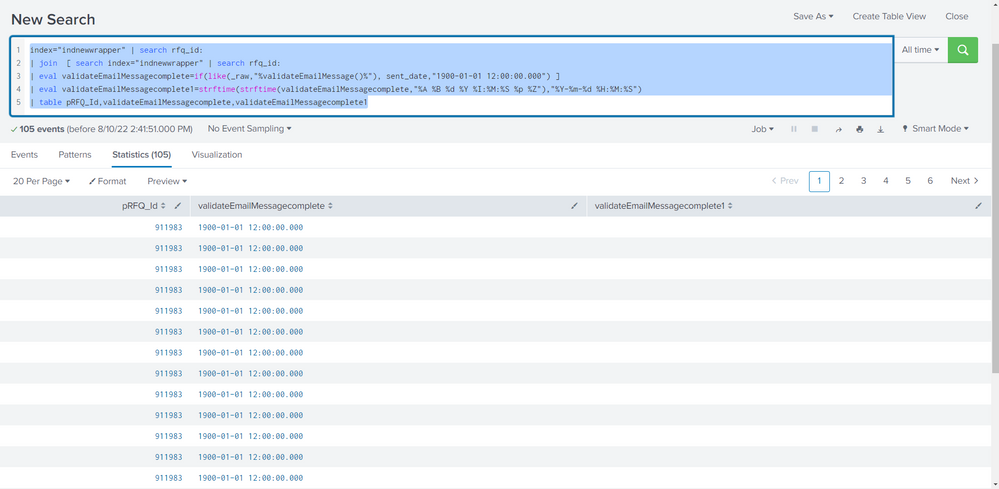
i searched various post on the forum. but did not found desired solution.
- Mark as New
- Bookmark Message
- Subscribe to Message
- Mute Message
- Subscribe to RSS Feed
- Permalink
- Report Inappropriate Content
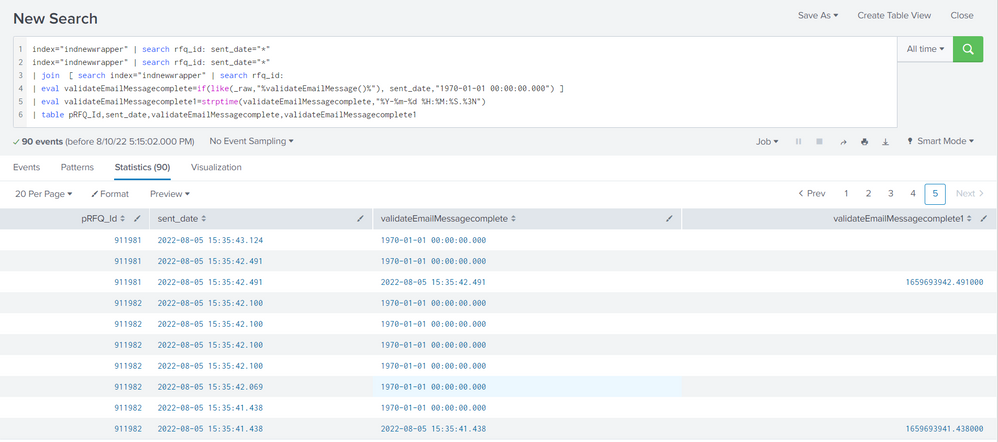
thanks bhai ( bro ), its working. showing values
I am new to splunk, learning from this forum and youtube. do you know any good channels for splunk learning.
- Mark as New
- Bookmark Message
- Subscribe to Message
- Mute Message
- Subscribe to RSS Feed
- Permalink
- Report Inappropriate Content
checked by your way. still now luck. But thanks for your support.
- Mark as New
- Bookmark Message
- Subscribe to Message
- Mute Message
- Subscribe to RSS Feed
- Permalink
- Report Inappropriate Content


Epoch dates run from 1970 not 1900 - try this
| eval validateEmailMessagecomplete=if(like(_raw,"%validateEmailMessage()%"), sent_date,"1970-01-01 00:00:00.000")Having said that, what is it you are trying to achieve with the join command? Perhaps there is another way to approach it
- Mark as New
- Bookmark Message
- Subscribe to Message
- Mute Message
- Subscribe to RSS Feed
- Permalink
- Report Inappropriate Content
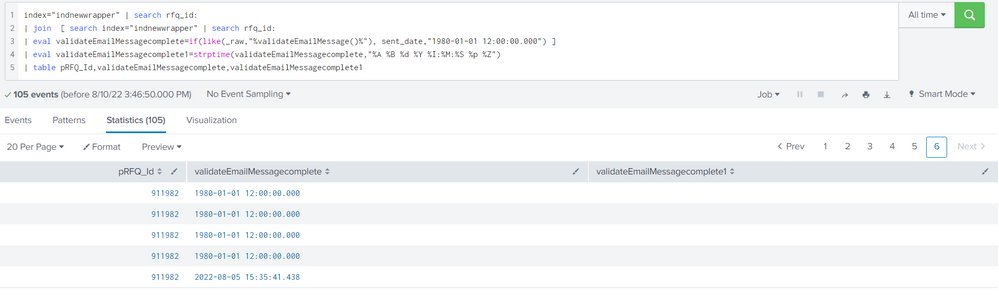
index="indnewwrapper" | search rfq_id:
| join [ search index="indnewwrapper" | search rfq_id:
| eval validateEmailMessagecomplete=if(like(_raw,"%validateEmailMessage()%"), sent_date,"1980-01-01 12:00:00.000") ]
| eval validateEmailMessagecomplete1=strptime(validateEmailMessagecomplete,"%A %B %d %Y %I:%M:%S %p %Z")
| table pRFQ_Id,validateEmailMessagecomplete,validateEmailMessagecomplete1
- Mark as New
- Bookmark Message
- Subscribe to Message
- Mute Message
- Subscribe to RSS Feed
- Permalink
- Report Inappropriate Content
OK, assuming the sent_date matches the format string you are using, the string you are using if validateEmailMessage doesn't exist in _raw should match this format. Try it this way
| eval validateEmailMessagecomplete=if(like(_raw,"%validateEmailMessage()%"), sent_date,"Thursday January 01 1970 01:00:00 AM BST") ]- Mark as New
- Bookmark Message
- Subscribe to Message
- Mute Message
- Subscribe to RSS Feed
- Permalink
- Report Inappropriate Content
thanks for your reply. i think problem is
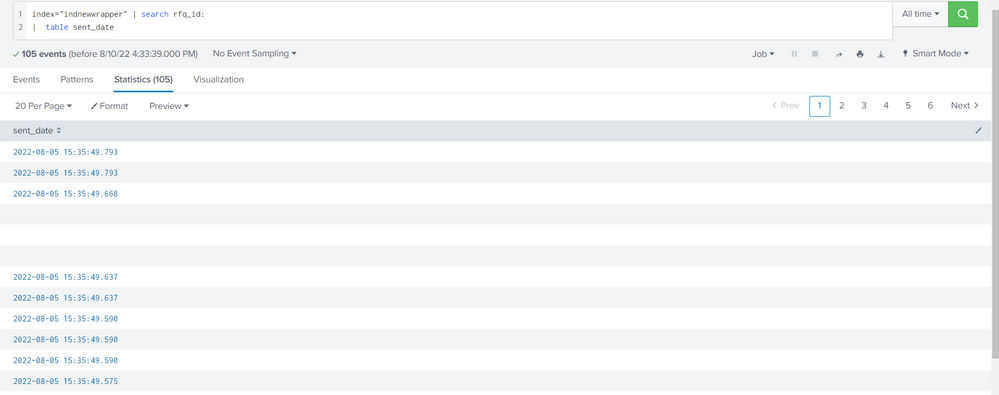
when i individually use table sent_date , i found blank rows. because of this solution is not working. can we omit blank rows .
- Mark as New
- Bookmark Message
- Subscribe to Message
- Mute Message
- Subscribe to RSS Feed
- Permalink
- Report Inappropriate Content
OK The time formats have to match the format being used.
| eval validateEmailMessagecomplete=if(like(_raw,"%validateEmailMessage()%"), sent_date,"1970-01-01 00:00:00.000") ]
| eval validateEmailMessagecomplete1=strptime(validateEmailMessagecomplete,"%Y-%m-%d %H:%M:%S.%3N")- Mark as New
- Bookmark Message
- Subscribe to Message
- Mute Message
- Subscribe to RSS Feed
- Permalink
- Report Inappropriate Content
thanks bhai ( bro ), its working. showing values
I am new to splunk, learning from this forum and youtube. do you know any good channels for splunk learning.
- Mark as New
- Bookmark Message
- Subscribe to Message
- Mute Message
- Subscribe to RSS Feed
- Permalink
- Report Inappropriate Content
Hard to say what is good - it depends on your learning style - there are tutorials, and courses, there are presentations from .conf and BSides, there are example dashboards and other apps in splunkbase, and then there's just trying stuff out in a sandbox environment just to see what it does.
- Mark as New
- Bookmark Message
- Subscribe to Message
- Mute Message
- Subscribe to RSS Feed
- Permalink
- Report Inappropriate Content
You are using strftime twice, you need to use strptime for the inner function to parse the string into an epoch time before formatting it
| eval validateEmailMessagecomplete1=strftime(strptime(validateEmailMessagecomplete,"%A %B %d %Y %I:%M:%S %p %Z"),"%Y-%m-%d %H:%M:%S")
Join the Splunk Community Slack to learn, troubleshoot, and make connections with fellow Splunk practitioners in real time!
Join Splunk User Groups to connect and learn in-person by region or remotely by topic or industry.
[Puzzles] Solve, Learn, Reuse: Word-play
Tuning Edge Processor in Hybrid Mode: What Limits Each Data Path
Best Practices: Splunk auto adjust pipeline queue
