
Join the Conversation
- Find Answers
- :
- Splunk Administration
- :
- Getting Data In
- :
- Re: Display parts of an event as JSON
- Subscribe to RSS Feed
- Mark Topic as New
- Mark Topic as Read
- Float this Topic for Current User
- Bookmark Topic
- Subscribe to Topic
- Mute Topic
- Printer Friendly Page
- Mark as New
- Bookmark Message
- Subscribe to Message
- Mute Message
- Subscribe to RSS Feed
- Permalink
- Report Inappropriate Content
Display parts of an event as JSON

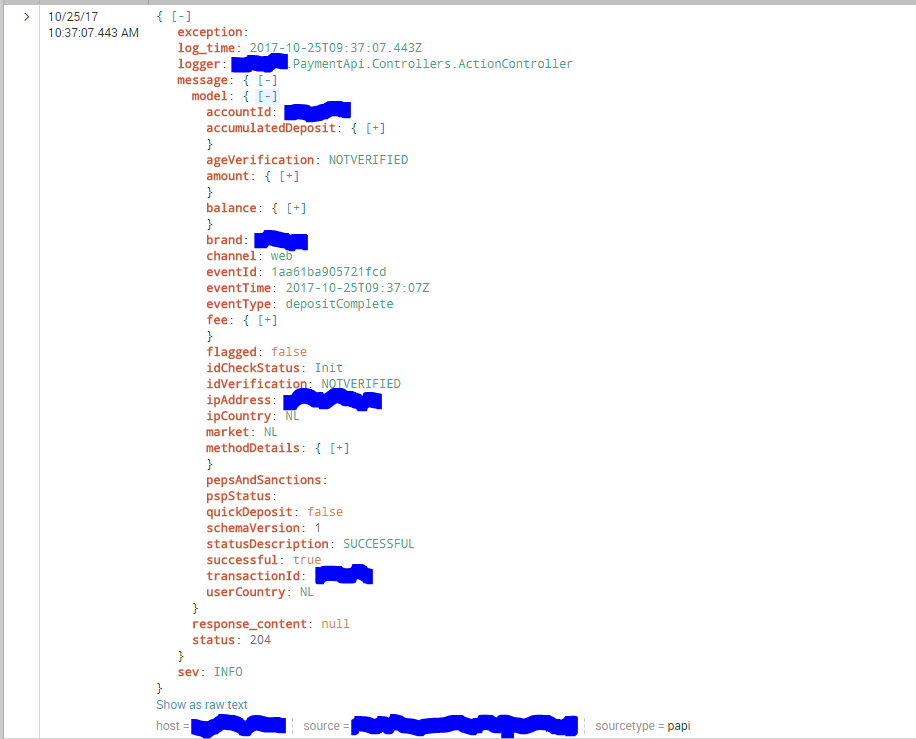
What I want to do is display the content of the message.model. However when I attempt to do this with things as
MYSEARCH | spath output=myfield path="message.model" | table myfield
the output is not visualized as JSON (but as text with no spaces, indentation or linebreaks).
I want the same visualization as in the attached image, but ONLY the message.model.
How do I achieve this?
- Mark as New
- Bookmark Message
- Subscribe to Message
- Mute Message
- Subscribe to RSS Feed
- Permalink
- Report Inappropriate Content
- Mark as New
- Bookmark Message
- Subscribe to Message
- Mute Message
- Subscribe to RSS Feed
- Permalink
- Report Inappropriate Content


- Mark as New
- Bookmark Message
- Subscribe to Message
- Mute Message
- Subscribe to RSS Feed
- Permalink
- Report Inappropriate Content

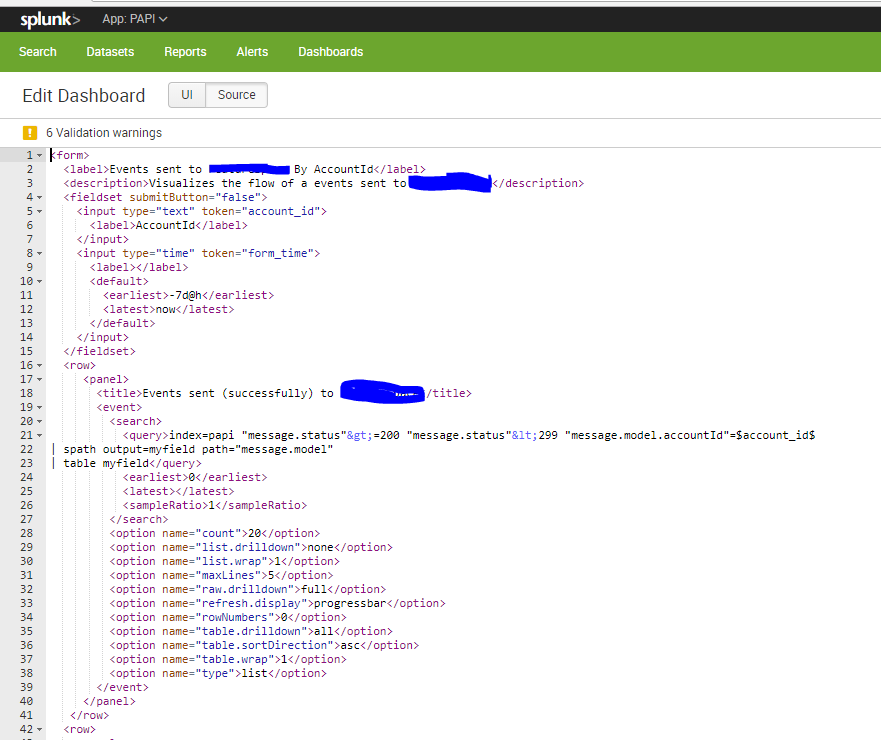
@mrg_linus, the above view is only available with visualization selected as Events. Even in your screenshot you would notice a link to toggle the event view between Show syntax higlighted and Show as raw text. You can use the same in Event visualization but with your JSON subset as a new field.
Following is sample Simple XML with eventview. Replace your actual search to try out:
      <row>
        <panel>
          <event>
            <search>
              <query>MYSEARCH
| spath output=myfield path="message.model"
| table myfield</query>
              <earliest>0</earliest>
              <latest></latest>
              <sampleRatio>1</sampleRatio>
            </search>
            <option name="count">20</option>
            <option name="list.drilldown">none</option>
            <option name="list.wrap">1</option>
            <option name="maxLines">5</option>
            <option name="raw.drilldown">full</option>
            <option name="refresh.display">progressbar</option>
            <option name="rowNumbers">0</option>
            <option name="table.drilldown">all</option>
            <option name="table.sortDirection">asc</option>
            <option name="table.wrap">1</option>
            <option name="type">list</option>
          </event>
        </panel>
      </row>
| makeresults | eval message= "Happy Splunking!!!"
- Mark as New
- Bookmark Message
- Subscribe to Message
- Mute Message
- Subscribe to RSS Feed
- Permalink
- Report Inappropriate Content
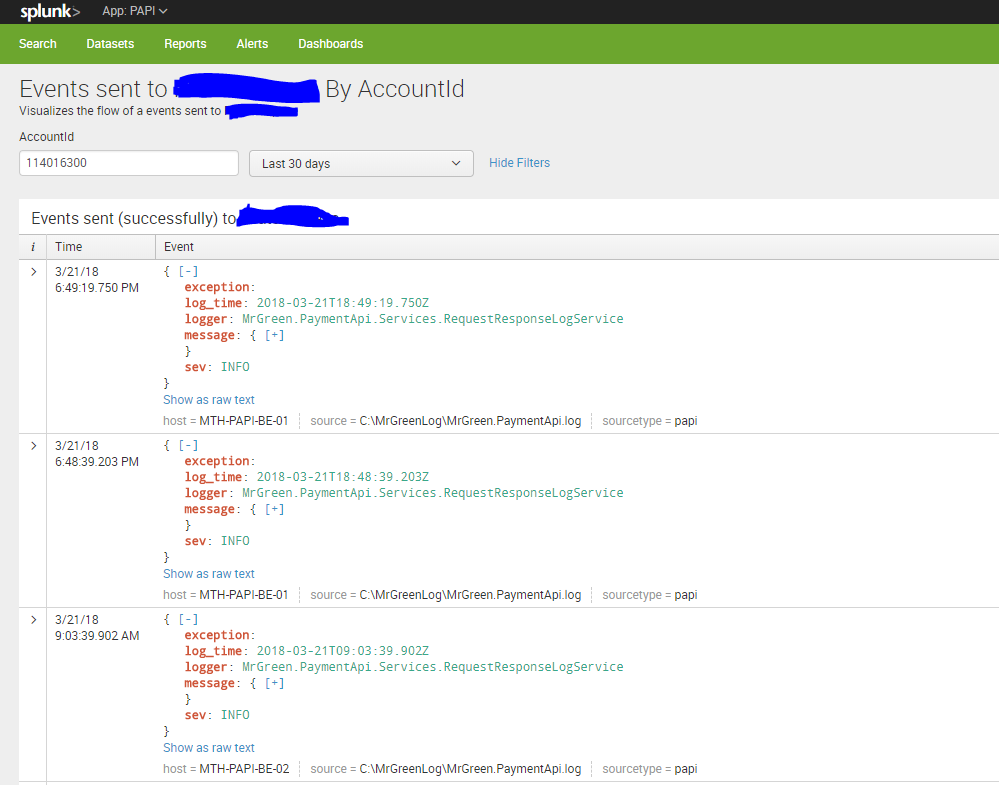
Poke. Find the result of your suggestion below.

Join the Splunk Community Slack to learn, troubleshoot, and make connections with fellow Splunk practitioners in real time!
Join Splunk User Groups to connect and learn in-person by region or remotely by topic or industry.
Announcing Modern Navigation: A New Era of Splunk User Experience
Modernize your Splunk Apps – Introducing Python 3.13 in Splunk
Step into “Hunt the Insider: An Splunk ES Premier Mystery” to catch a cybercriminal ...
