
Turn on suggestions
Auto-suggest helps you quickly narrow down your search results by suggesting possible matches as you type.
Getting Data In
×
Join the Conversation
Without signing in, you're just watching from the sidelines. Sign in or Register to connect, share, and be part of the Splunk Community.
- Find Answers
- :
- Splunk Administration
- :
- Getting Data In
- :
- Add-On for Microsoft Security: Can't access Inputs...
Options
- Subscribe to RSS Feed
- Mark Topic as New
- Mark Topic as Read
- Float this Topic for Current User
- Bookmark Topic
- Subscribe to Topic
- Mute Topic
- Printer Friendly Page
- Mark as New
- Bookmark Message
- Subscribe to Message
- Mute Message
- Subscribe to RSS Feed
- Permalink
- Report Inappropriate Content
Add-On for Microsoft Security: Can't access Inputs or Configuration page

WForfa
New Member
09-18-2023
06:32 AM
Hi there!
I am attempting to set up the Microsoft Security Add-On on our Splunk Cloud (Victoria Experience).
I was able to install the app on the Splunk Cloud Platform, and understand my next step is to configure the app to connect to Azure AD.
I receive the following errors on the Configuration and Inputs tabs:
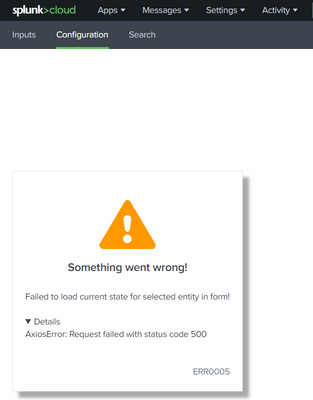
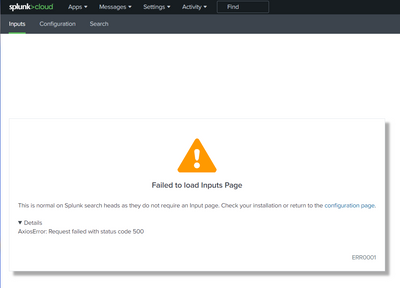
I confirmed that the sc_admin role has all the needed permissions, and that my account has the role sc_admin. I also confirmed that the list_inputs permission is assigned (the closest post I could find on Splunk Answers said to check this).
Any ideas what I should check next? Thank you!


Got questions? Get answers!
Join the Splunk Community Slack to learn, troubleshoot, and make connections with fellow Splunk practitioners in real time!
Meet up IRL or virtually!
Join Splunk User Groups to connect and learn in-person by region or remotely by topic or industry.
Get Updates on the Splunk Community!
Best Practices: Splunk auto adjust pipeline queue
When you enable autoAdjustQueue in Splunk, maxSize should be understood as the queue size Splunk starts with ...
Introducing the 2026 - 2027 SplunkTrust cohort!
The goal of the SplunkTrust™ membership has historically been to acknowledge and recognize those who go above ...
Splunk Auto Ingestion Parallel Pipeline Scaling
Why this feature matters
Many Splunk environments experience ingestion pressure long before the host is fully ...
