
Join the Conversation
- Find Answers
- :
- Splunk Administration
- :
- Deployment Architecture
- :
- Re: Universal Forwader
- Subscribe to RSS Feed
- Mark Topic as New
- Mark Topic as Read
- Float this Topic for Current User
- Bookmark Topic
- Subscribe to Topic
- Mute Topic
- Printer Friendly Page
- Mark as New
- Bookmark Message
- Subscribe to Message
- Mute Message
- Subscribe to RSS Feed
- Permalink
- Report Inappropriate Content
Universal Forwader

I installed UF on Win 10 based on steps shown in Splunk web site.
But after finishing, I can not find this program while it is in list my installed program in control panel.
i tried this many times and no change .
Please let me know what happened and what is the solution .
- Mark as New
- Bookmark Message
- Subscribe to Message
- Mute Message
- Subscribe to RSS Feed
- Permalink
- Report Inappropriate Content
Hi nareshinsvu,
I've installed a Splunk Enterprise and I want to install Forwarder on different machine.
I put correct IP add. & port for enterprise when I'm installing Forwarder but after finishing I could not see the on different machine while I can see on list of installing pogrom.
Please let me know it's possible there are on two different machine at same network.
Regards,
- Mark as New
- Bookmark Message
- Subscribe to Message
- Mute Message
- Subscribe to RSS Feed
- Permalink
- Report Inappropriate Content
Thanks for your reply.
we have a active Splunk Enterprise and I want to install a Forwarder in efferent system .
Now , I activate receiver on Splunk but it has only port number (not IP add.) .
Would you please tell me how I can make a relationship between Rec. & Forwarder in this case.
Now, as I mentioned before, I can not see the Forwarder that I'd installed.
Best Regards,
- Mark as New
- Bookmark Message
- Subscribe to Message
- Mute Message
- Subscribe to RSS Feed
- Permalink
- Report Inappropriate Content

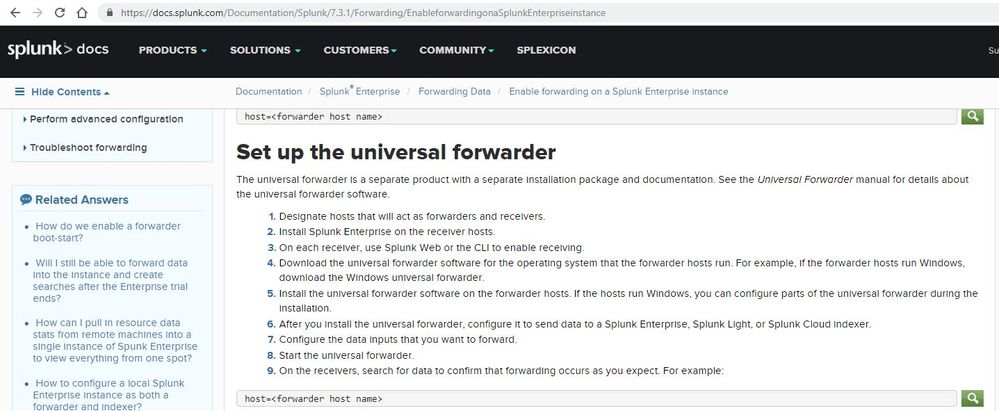
Did you follow below steps? Did you install Splunk Enterprise before installing Splunk Universal forwarder?

- Mark as New
- Bookmark Message
- Subscribe to Message
- Mute Message
- Subscribe to RSS Feed
- Permalink
- Report Inappropriate Content
You interpreted this in a wrong way. If it helped accept and/or upvote my reply
1) On your forwarder server, you have to install Splunk enterprise and then forwarder software. And follow the steps mentioned in the Splunk document link from my original reply.
2) Once your forwarder is installed successfully, Navigate to
Settings -> Forwarding and Receiving
-> Configure Forwarding -> Click on New Forwarding Host -> Enter "<Receiver Hostname>:<port which you have configured on Receiver>

Join the Splunk Community Slack to learn, troubleshoot, and make connections with fellow Splunk practitioners in real time!
Join Splunk User Groups to connect and learn in-person by region or remotely by topic or industry.
[Puzzles] Solve, Learn, Repeat: Matching cron expressions
Design, Compete, Win: Submit Your Best Splunk Dashboards for a .conf26 Pass
May 2026 Splunk Expert Sessions: Security & Observability
