
Join the Conversation
- Find Answers
- :
- Using Splunk
- :
- Dashboards & Visualizations
- :
- Re: Splunk Monitoring Console does not load all vi...
- Subscribe to RSS Feed
- Mark Topic as New
- Mark Topic as Read
- Float this Topic for Current User
- Bookmark Topic
- Subscribe to Topic
- Mute Topic
- Printer Friendly Page
- Mark as New
- Bookmark Message
- Subscribe to Message
- Mute Message
- Subscribe to RSS Feed
- Permalink
- Report Inappropriate Content

Hi,
In some of the Dashboards of my Splunk Monitoring Console, it returns this error "A custom JavaScript error caused an issue loading your dashboard. See the developer console for more details"
Error in Dashboard:
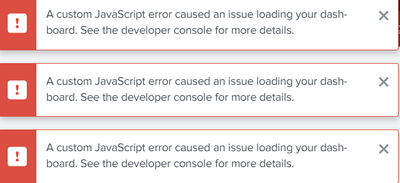
The console in the developer details specifies a 404 Not Found Error on many scripts:

The same error is issued for also other js like PopTart.js or Base.js.
Searching for all these files in the Splunk folder I notice these scritpts are all stored in a folder called quarantined_files, an odd folder placed directly in the /opt/splunk/ path.
Any ideas on how to debug this error?
- Mark as New
- Bookmark Message
- Subscribe to Message
- Mute Message
- Subscribe to RSS Feed
- Permalink
- Report Inappropriate Content

I also got that issue after upgrade the DMC. Find the missing js file from the developer console and copy those js from quarantined directory to the relevant directory. Then restart the server. My DMC resolve and visulizations are came back to norma.
Don't forget to turn off restriction under Settings > Server Settings > Internal Library Settings.
- Mark as New
- Bookmark Message
- Subscribe to Message
- Mute Message
- Subscribe to RSS Feed
- Permalink
- Report Inappropriate Content
Hello.
Not sure if you figured out this issue yet. What I found was that a recent Splunk update moved some js libraries into the quarantined folder due to incompatibility with jQuery 3.5. So far I haven't seen any other solutions. We actually moved the js and css files into our APPLICATIONS with modifications to the js to adhere to jQuery 3.5.
- Mark as New
- Bookmark Message
- Subscribe to Message
- Mute Message
- Subscribe to RSS Feed
- Permalink
- Report Inappropriate Content


Hi
here is couple of same kind of cases:
- https://community.splunk.com/t5/Dashboards-Visualizations/Why-am-I-Receiving-quot-A-custom-JavaScrip...
- https://community.splunk.com/t5/Dashboards-Visualizations/Receiving-quot-A-custom-JavaScript-error-c...
- https://community.splunk.com/t5/Dashboards-Visualizations/How-do-I-fix-this-custom-javascript-Error-...
Maybe this was already fixed on the latest versions?
r. Ismo
- Mark as New
- Bookmark Message
- Subscribe to Message
- Mute Message
- Subscribe to RSS Feed
- Permalink
- Report Inappropriate Content
Hi @isoutamo,
thanks for your reply.
I have seen the topics you've sent me. Unfortunately I noticed that these can not be applied to my case mainly because the errors are not on a custom Dashboard but on the Splunk Monitoring Console, so any modifications would be more complicated.
It seems that my problem is strictly correlated to the folder "search_mrsparkle" that contains all the scripts giving me the error messages. This folder ended up to the path /opt/splunk/quarantined_files/share/splunk/
instead of its original path.
Thanks,
- Mark as New
- Bookmark Message
- Subscribe to Message
- Mute Message
- Subscribe to RSS Feed
- Permalink
- Report Inappropriate Content
I also got that issue after upgrade the DMC. Find the missing js file from the developer console and copy those js from quarantined directory to the relevant directory. Then restart the server. My DMC resolve and visulizations are came back to norma.
Don't forget to turn off restriction under Settings > Server Settings > Internal Library Settings.

Join the Splunk Community Slack to learn, troubleshoot, and make connections with fellow Splunk practitioners in real time!
Join Splunk User Groups to connect and learn in-person by region or remotely by topic or industry.
Make Your Machine Data AI-Ready in Splunk
Splunk Asynchronous Forwarding Explained
How to Monitor AI Agents with Splunk Agent Observability
