
Join the Conversation
- Find Answers
- :
- Using Splunk
- :
- Dashboards & Visualizations
- :
- Splunk Incorrectly Extracting Data for Bar Chart
- Subscribe to RSS Feed
- Mark Topic as New
- Mark Topic as Read
- Float this Topic for Current User
- Bookmark Topic
- Subscribe to Topic
- Mute Topic
- Printer Friendly Page
- Mark as New
- Bookmark Message
- Subscribe to Message
- Mute Message
- Subscribe to RSS Feed
- Permalink
- Report Inappropriate Content
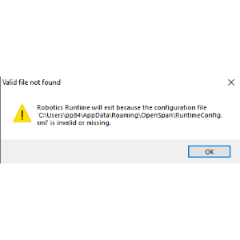
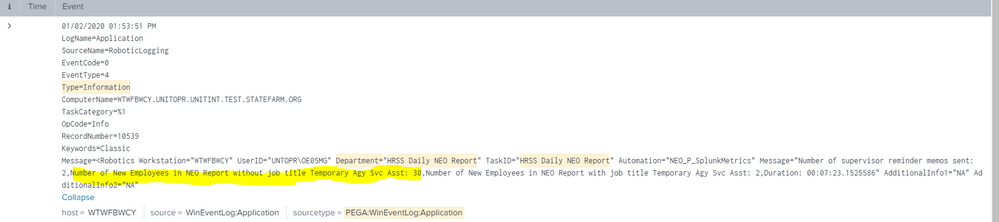
Hello, I am trying to extract some values with splunk using the rex command. When I extract it, I get values, but some of the values are incorrect. One of my values is 30, but I notice that splunk only seems to extra the "3" from 30 and displays it.
Here is my search:
index=monitoring sourcetype=PEGA:WinEventLog:Application ( SourceName="RoboticLogging" OR SourceName="Application" ) ("Type=" "Information")
| rex "Number of New Employees in NEO Report without job title Temporary Agy Svc Asst:\s*(?<ex>[^4]+?)"

| rex field=_raw "Department=\"(?<dept>.+?)\"" | where dept = "HRSS_NEO" OR dept = "HRSS Daily NEO Report"
| rex field=_raw "Automation=\"(?<auto>.+?)\"" | where auto = "NEO_P_SplunkMetrics"
| bucket _time span=day
| eval Time = strftime(_time, "%b %d, %Y")
| fields - _time
| dedup Time
| table Time, ex
| rename ex as "No. of Employees" | sort Time desc
On bar chart, the 30 is shown as a 3. While the 5 is shown as normal. See highlighted.
Attached screen shots of the searches.


- Mark as New
- Bookmark Message
- Subscribe to Message
- Mute Message
- Subscribe to RSS Feed
- Permalink
- Report Inappropriate Content

Your extract is not greedy enough. The question mark tells it to stop as soon as possible.
A better solution to try, which tells it to stop matching at the comma:
| rex "Number of New Employees in NEO Report without job title Temporary Agy Svc Asst:\s*(?<ex>[^,]+)"
- Mark as New
- Bookmark Message
- Subscribe to Message
- Mute Message
- Subscribe to RSS Feed
- Permalink
- Report Inappropriate Content
Be careful with the use of the question mark when extracting, because you may not get everything you expect. Take a look in the posts with the rex or regex tags for great examples. One very useful tactic is to use the not-match. If you know the item you seek is followed by a comma, then match everything that is not a comma, which would be: (?<ex>[^,]+)
This is often much more effective than trying to define everything that does belong in the character class, if you simply know what doesn't belong.
- Mark as New
- Bookmark Message
- Subscribe to Message
- Mute Message
- Subscribe to RSS Feed
- Permalink
- Report Inappropriate Content
Your extract is not greedy enough. The question mark tells it to stop as soon as possible.
A better solution to try, which tells it to stop matching at the comma:
| rex "Number of New Employees in NEO Report without job title Temporary Agy Svc Asst:\s*(?<ex>[^,]+)"

Data Management Digest – December 2025
Index This | What is broken 80% of the time by February?
Unlock Faster Time-to-Value on Edge and Ingest Processor with New SPL2 Pipeline ...
