
Join the Conversation
- Find Answers
- :
- Using Splunk
- :
- Dashboards & Visualizations
- :
- Re: custom javascript Error Notification pop-up on...
- Subscribe to RSS Feed
- Mark Topic as New
- Mark Topic as Read
- Float this Topic for Current User
- Bookmark Topic
- Subscribe to Topic
- Mute Topic
- Printer Friendly Page
- Mark as New
- Bookmark Message
- Subscribe to Message
- Mute Message
- Subscribe to RSS Feed
- Permalink
- Report Inappropriate Content
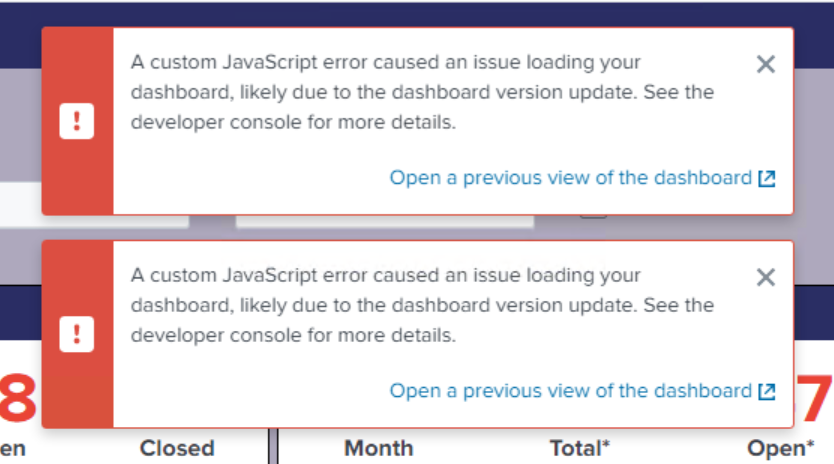
How do I fix this custom javascript Error Notification pop-up on dashboard after upgrade to 8.2.7?

<form script="search:tabs.js,custom_vizs:autodiscover.js, custom_vizs:dendrogram.js" stylesheet="search:da_service.css,search:tabs.css,custom_vizs:dendrogram.css" hideSplunkBar="true">
---------------------------------------------------------------------------------------------------
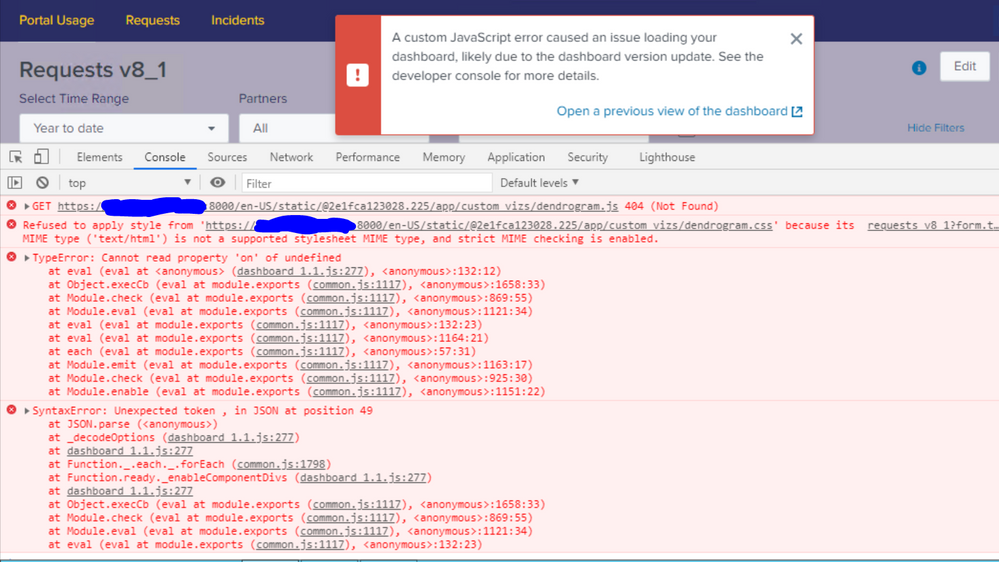
common.js:1798 SyntaxError: Unexpected token , in JSON at position 49
at JSON.parse (<anonymous>)
at _decodeOptions (dashboard_1.1.js:277)
at dashboard_1.1.js:277
at Function._.each._.forEach (common.js:1798)
at Function.ready._enableComponentDivs (dashboard_1.1.js:277)
at dashboard_1.1.js:277
at Object.execCb (eval at module.exports (common.js:1117), <anonymous>:1658:33)
at Module.check (eval at module.exports (common.js:1117), <anonymous>:869:55)
at Module.eval (eval at module.exports (common.js:1117), <anonymous>:1121:34)
at eval (eval at module.exports (common.js:1117), <anonymous>:132:23)
---------------------------------------------------------------------------------------------------
Failed to load resource: net::ERR_CONNECTION_TIMED_OUT https://e1345286.api.splkmobile.com/1.0/e1345286//0/1
---------------------------------------------------------------------------------------------------
Refused to apply style from 'https://*************:8000/en-US/static/@2e1fca123028.225/app/custom_vizs/dendrogram.css' because its MIME type ('text/html') is not a supported stylesheet MIME type, and strict MIME checking is enabled.
- Mark as New
- Bookmark Message
- Subscribe to Message
- Mute Message
- Subscribe to RSS Feed
- Permalink
- Report Inappropriate Content

In addition to adding the version="1.1" in your <form> or <dashboard> header, you'll want the updated version of tabs.js and tabs.css. You can find it at:
That worked for me.
The other thing you'll need to do is get Splunk to forget the old version. It seems to cache it so that even after replacing the .js file, it keeps using the old one. I fixed this by "bumping" it.
https://<server_address>:8000/en-US/_bump
- Mark as New
- Bookmark Message
- Subscribe to Message
- Mute Message
- Subscribe to RSS Feed
- Permalink
- Report Inappropriate Content


Try specifying version 1.1 in the dashboard.
<form script="search:tabs.js,custom_vizs:autodiscover.js, custom_vizs:dendrogram.js" stylesheet="search:da_service.css,search:tabs.css,custom_vizs:dendrogram.css" hideSplunkBar="true" version="1.1">If this reply helps you, Karma would be appreciated.
- Mark as New
- Bookmark Message
- Subscribe to Message
- Mute Message
- Subscribe to RSS Feed
- Permalink
- Report Inappropriate Content
Adding a version eliminates that part of the message, but not the "custom JavaScript" error part.
- Mark as New
- Bookmark Message
- Subscribe to Message
- Mute Message
- Subscribe to RSS Feed
- Permalink
- Report Inappropriate Content

Do we have a solution for the JavaScript errors??
- Mark as New
- Bookmark Message
- Subscribe to Message
- Mute Message
- Subscribe to RSS Feed
- Permalink
- Report Inappropriate Content

Please check below link.
KV


Join the Splunk Community Slack to learn, troubleshoot, and make connections with fellow Splunk practitioners in real time!
Join Splunk User Groups to connect and learn in-person by region or remotely by topic or industry.
Self-Healing Pipeline Is Now Generally Available: AI-Powered CIM Compliance
Meet Splunk Observability Studio: AI-Assisted OpenTelemetry Instrumentation Without ...
Federated Search for Cisco Security and Analytics Logging (SAL) is now GA on Splunk ...
