
Join the Conversation
- Find Answers
- :
- Using Splunk
- :
- Dashboards & Visualizations
- :
- Re: Edit legend from Choropleth map chart
- Subscribe to RSS Feed
- Mark Topic as New
- Mark Topic as Read
- Float this Topic for Current User
- Bookmark Topic
- Subscribe to Topic
- Mute Topic
- Printer Friendly Page
- Mark as New
- Bookmark Message
- Subscribe to Message
- Mute Message
- Subscribe to RSS Feed
- Permalink
- Report Inappropriate Content
Edit legend from Choropleth map chart

Hey guys,
I'm building a Choropleth map chart and I would like to edit the legend values range.
The data that is being inputted on this chart is as this:
{"A" : "1",
"B" : "3",
"C" : "5"}
As you can see in the image below, the legend values doesn't make any sense:
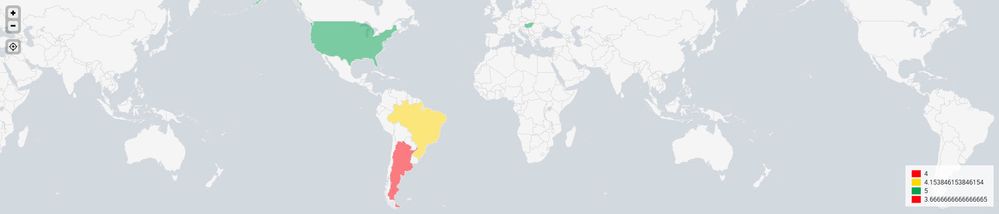
What I would like to have, is a legend where the values vary as:
Red: 1 to 2
Yellow: 2 to 4
Green: 4 to 5
Close to what I got here below, but with different values:
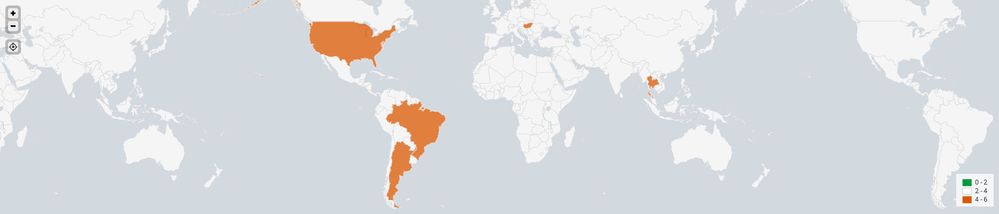
Can someone please help?
Thanks a lot (:
- Mark as New
- Bookmark Message
- Subscribe to Message
- Mute Message
- Subscribe to RSS Feed
- Permalink
- Report Inappropriate Content
You may take a look here: https://answers.splunk.com/answers/313032/how-to-apply-colors-of-a-choropleth-map-on-a-field.html
Based on the answer of @TarlKudrick and the information in the other post, I could get the choropleth map display a legend of 9 custom ranges using the colors I wanted for each range.
- Mark as New
- Bookmark Message
- Subscribe to Message
- Mute Message
- Subscribe to RSS Feed
- Permalink
- Report Inappropriate Content
I can answer part of your question, because I just solved it for a different context. Let's say "count" is the variable you're mapping. You can use the case command (through eval) to group your "count" into categories and give them any names you want.
Example:
| eval count=case(count<3, "Red: 1 to 2", (count<=3 AND count<5), "Yellow: 3 to 4", count>=5, "Green: 5 to 6")
I recognize you originally said you wanted "1-2", "2-4" and "4-5" as your ranges, but I would suggest not having the same number be the top of one range and the bottom of the next.




Join the Splunk Community Slack to learn, troubleshoot, and make connections with fellow Splunk practitioners in real time!
Join Splunk User Groups to connect and learn in-person by region or remotely by topic or industry.
Persistent Queue at TcpOut — One of Splunk's Most Practical Features
Skip the Awkward Silence: Have a .conf-ersation at .conf26
Rethinking Zero Trust: From Product Purchases to Logical Control Evidence
