
Join the Conversation
- Find Answers
- :
- Using Splunk
- :
- Dashboards & Visualizations
- :
- Dropdown input : Unable to get dynamic options dis...
- Subscribe to RSS Feed
- Mark Topic as New
- Mark Topic as Read
- Float this Topic for Current User
- Bookmark Topic
- Subscribe to Topic
- Mute Topic
- Printer Friendly Page
- Mark as New
- Bookmark Message
- Subscribe to Message
- Mute Message
- Subscribe to RSS Feed
- Permalink
- Report Inappropriate Content

Hello,
i' trying (without success...) to use a custom search to get the list of possible values of a field in a drill down input field of a Dashboard i'm working on.
Here is the search i use to look at "exotic" Firewall logs and extract the possible RULE_NAME field values :
index=my_index
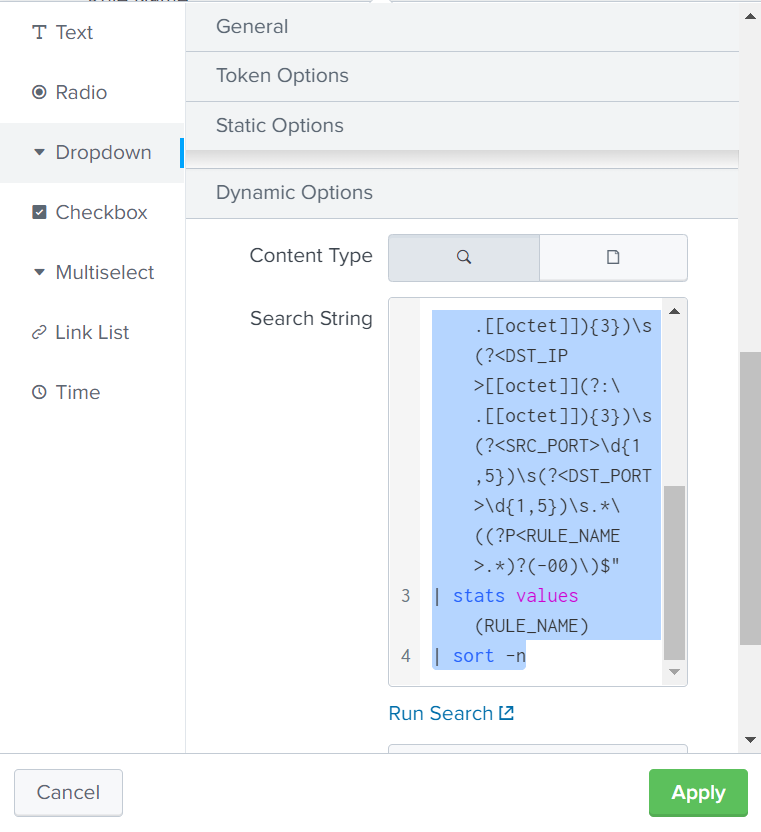
| rex field=_raw ".*\s(?<HOSTNAME>\S+)\s(?<PROCESS>\S+):\s.*\s(?<ACTION>(Allow|Deny))\s(?<SRC_INT>\S+)\s(?<DST_INT>\S+)\s.*(?<PR>(icmp|tcp|udp)).*\s(?<SRC_IP>[[octet]](?:\.[[octet]]){3})\s(?<DST_IP>[[octet]](?:\.[[octet]]){3})\s(?<SRC_PORT>\d{1,5})\s(?<DST_PORT>\d{1,5})\s.*\((?P<RULE_NAME>.*)?(-00)\)$"
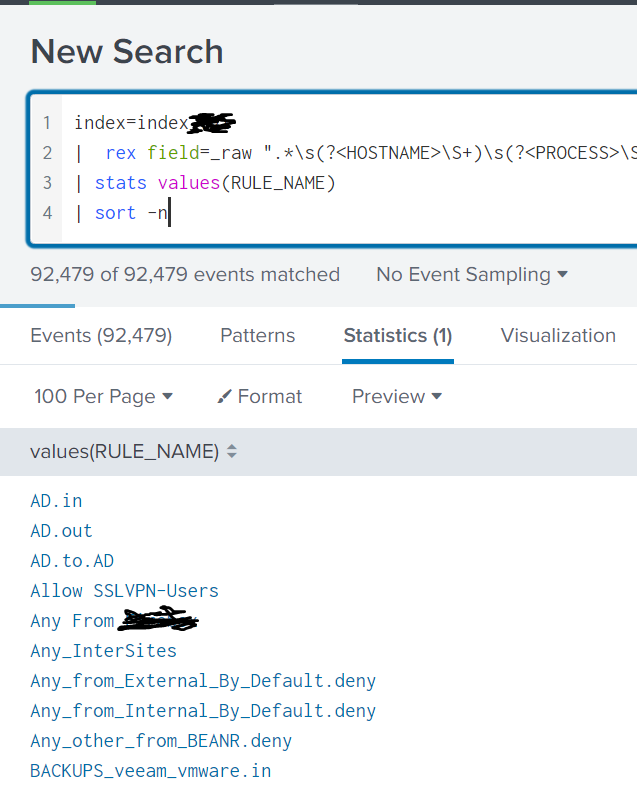
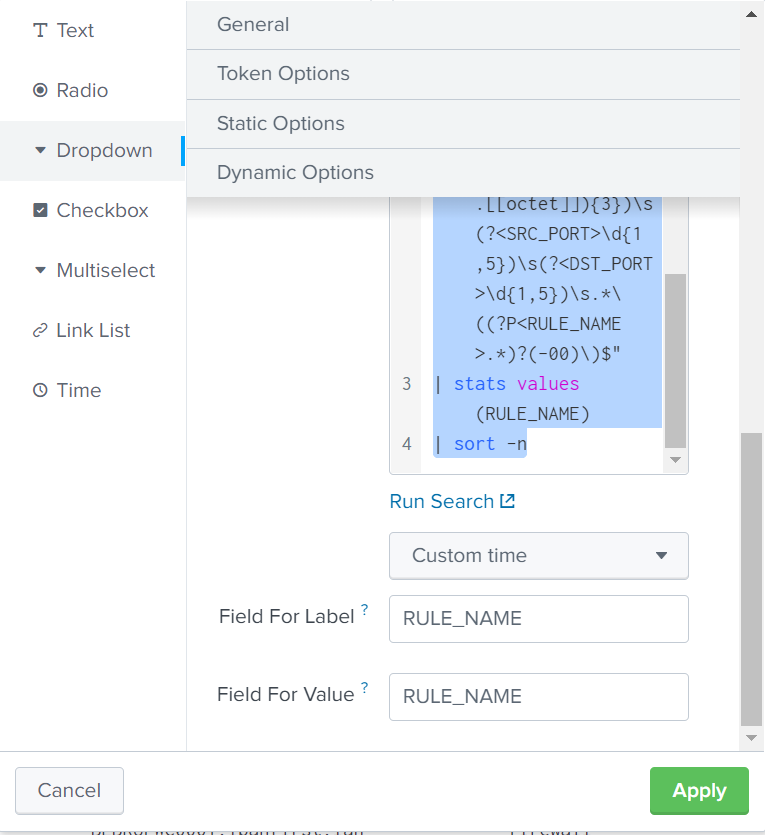
| stats values(RULE_NAME)
| sort -n
=> it is displaying with success what i need if i run it into a simple searh window.
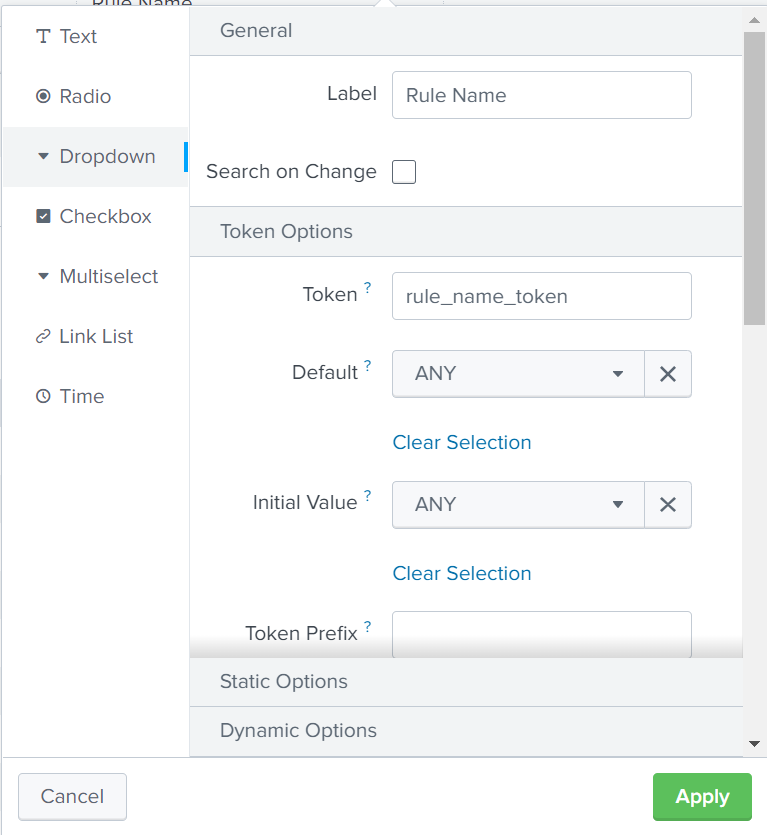
here is what i put in my fields of the Dropdown menu :
Input Type : Drop down
Label : Rule Name
Token : rule_name_token
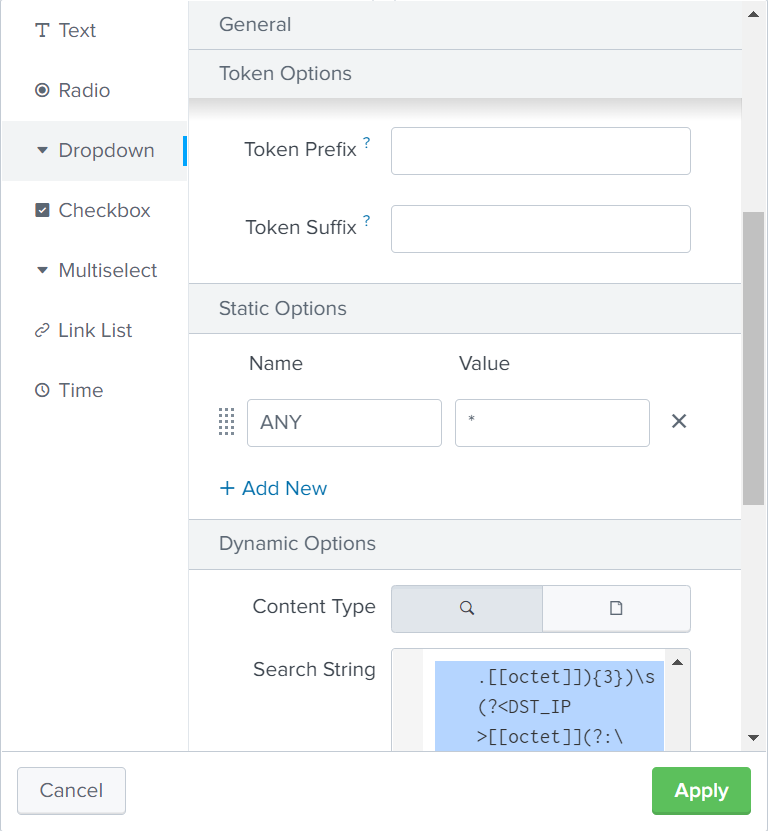
Created a STATIC OPTION named ANY with "*" as value (also set as default one)
Field For Label : RULE_NAME
Field For Value : RULE_NAME
Problem : Nothing appears but ANY in my dropdown list (even if a can see briefly the "populating..." keywork displayed under this input dropdown menu during 1 second).
Any help please ? i certainly missed something ?
Thanks
Florent
- Mark as New
- Bookmark Message
- Subscribe to Message
- Mute Message
- Subscribe to RSS Feed
- Permalink
- Report Inappropriate Content


| stats values(RULE_NAME)will give you a multi-value field called "values(RULE_NAME)". You need separate events with each RULE_NAME. Try:
| stats count by RULE_NAME- Mark as New
- Bookmark Message
- Subscribe to Message
- Mute Message
- Subscribe to RSS Feed
- Permalink
- Report Inappropriate Content
| stats values(RULE_NAME)will give you a multi-value field called "values(RULE_NAME)". You need separate events with each RULE_NAME. Try:
| stats count by RULE_NAME- Mark as New
- Bookmark Message
- Subscribe to Message
- Mute Message
- Subscribe to RSS Feed
- Permalink
- Report Inappropriate Content

Your stats values(RULE_NAME) will not leave a field called RULE_NAME, you need this
stats values(RULE_NAME) as RULE_NAMEso the field is RULE_NAME, otherwise the field name is 'values(RULE_NAME)'
- Mark as New
- Bookmark Message
- Subscribe to Message
- Mute Message
- Subscribe to RSS Feed
- Permalink
- Report Inappropriate Content
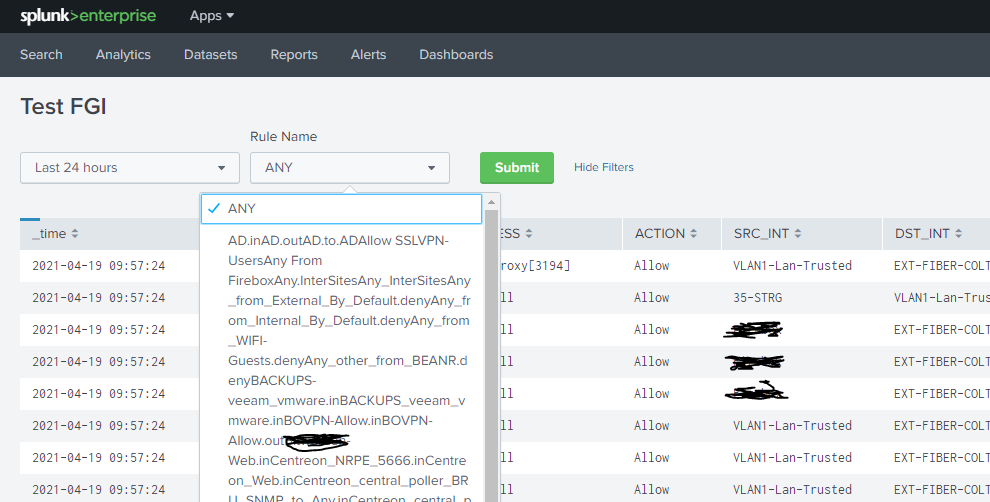
Hello, thanks for your reply, it now displays the results of my query, but everything is seen as the same result/value, i think something is still missing somewhere.
Any idea ?
thanks,
Florent
- Mark as New
- Bookmark Message
- Subscribe to Message
- Mute Message
- Subscribe to RSS Feed
- Permalink
- Report Inappropriate Content


Join the Splunk Community Slack to learn, troubleshoot, and make connections with fellow Splunk practitioners in real time!
Join Splunk User Groups to connect and learn in-person by region or remotely by topic or industry.
Why Splunk Customers Should Attend Cisco Live 2026 Las Vegas
What Is the Name of the USB Key Inserted by Bob Smith? (BOTS Hint, Not the Answer)
Automating Threat Operations and Threat Hunting with Recorded Future
