
Join the Conversation
- Find Answers
- :
- Apps & Add-ons
- :
- All Apps and Add-ons
- :
- Re: Why am I unable to run a Python script when al...
- Subscribe to RSS Feed
- Mark Topic as New
- Mark Topic as Read
- Float this Topic for Current User
- Bookmark Topic
- Subscribe to Topic
- Mute Topic
- Printer Friendly Page
- Mark as New
- Bookmark Message
- Subscribe to Message
- Mute Message
- Subscribe to RSS Feed
- Permalink
- Report Inappropriate Content
Why am I unable to run a Python script when alerts are generated?

Since I am quite new to Splunk, I am having difficulties to run a python script when alerts are generated.
The step I made to run the script :
1. Search for an index
2. Save as an alert
Here is a screen shot of my alert setting and the directory where I keep the script.
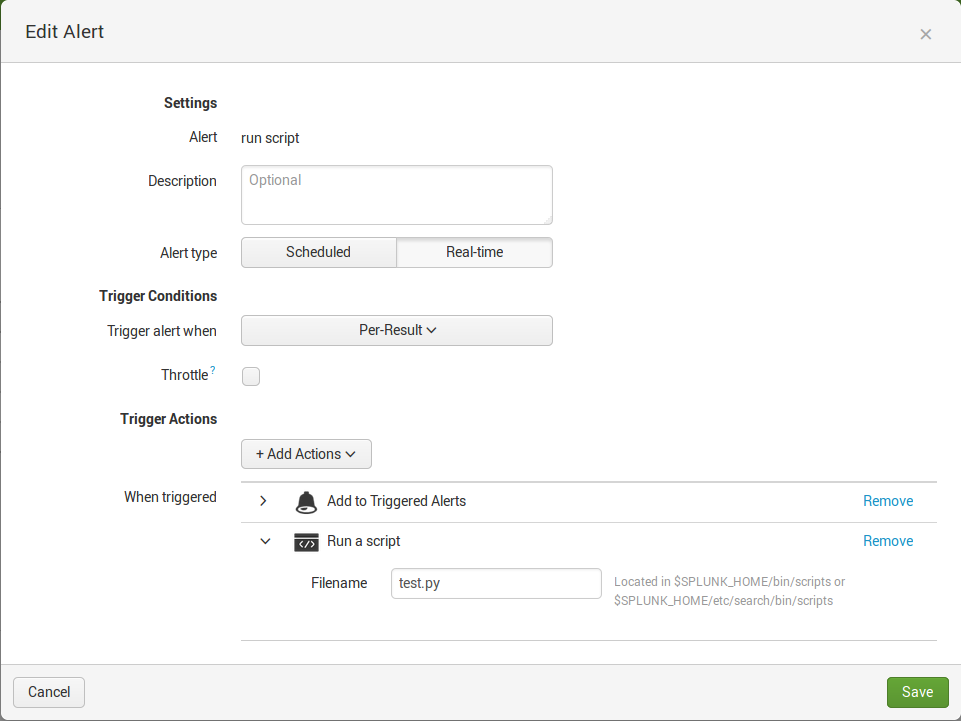
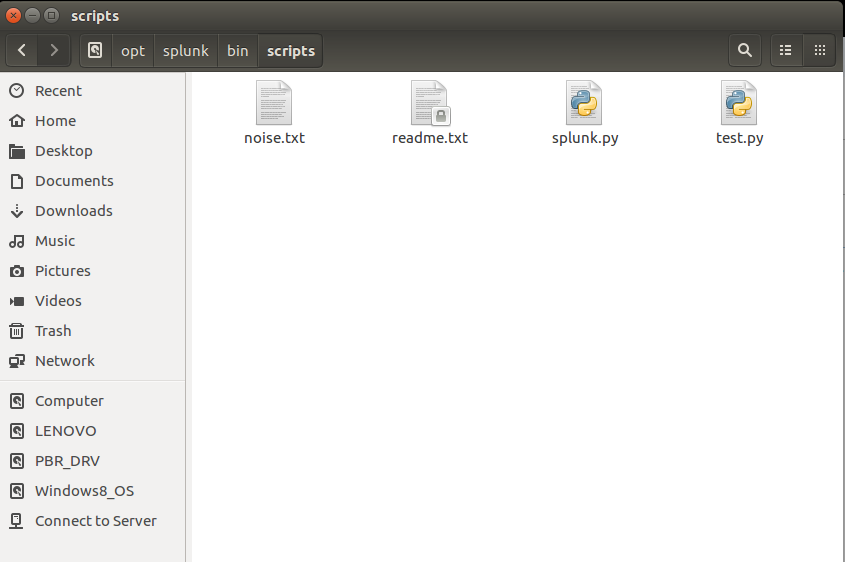
I have not change any other file settings.
The noise.txt is a file where the test.py is reading from.


- Mark as New
- Bookmark Message
- Subscribe to Message
- Mute Message
- Subscribe to RSS Feed
- Permalink
- Report Inappropriate Content
Try wrapping your python script with a shell script (.e.g. test.sh). Your ".py" file is not a standalone executable any more than is a ".java" or ".class" file. If you were running it from the command line you would say "python test.py", not just "test.py". If however you had a "test.sh" Bash script which contained "python test.py", then you could run
"test.sh" as an executable, assuming you had set the permissions correctly and your PATH included your PYTHON home.
- Mark as New
- Bookmark Message
- Subscribe to Message
- Mute Message
- Subscribe to RSS Feed
- Permalink
- Report Inappropriate Content
Does Splunk have permission to run the script?
Try looking for issues with permissions in the internal log:
index=_internal yourscriptname
- Mark as New
- Bookmark Message
- Subscribe to Message
- Mute Message
- Subscribe to RSS Feed
- Permalink
- Report Inappropriate Content
Thanks @adayton20 for the idea. Sure enough, my corporate software folks had installed Splunk in a different directory so my script wasn't even in the right spot. Checking the index as you described led me right to the problem.

Accelerating Observability as Code with the Splunk AI Assistant
Integrating Splunk Search API and Quarto to Create Reproducible Investigation ...
Congratulations to the 2025-2026 SplunkTrust!
