
Join the Conversation
- Find Answers
- :
- Apps & Add-ons
- :
- All Apps and Add-ons
- :
- Re: Why am I unable to run a Python script when al...
- Subscribe to RSS Feed
- Mark Topic as New
- Mark Topic as Read
- Float this Topic for Current User
- Bookmark Topic
- Subscribe to Topic
- Mute Topic
- Printer Friendly Page
- Mark as New
- Bookmark Message
- Subscribe to Message
- Mute Message
- Subscribe to RSS Feed
- Permalink
- Report Inappropriate Content
Why am I unable to run a Python script when alerts are generated?

Since I am quite new to Splunk, I am having difficulties to run a python script when alerts are generated.
The step I made to run the script :
1. Search for an index
2. Save as an alert
Here is a screen shot of my alert setting and the directory where I keep the script.
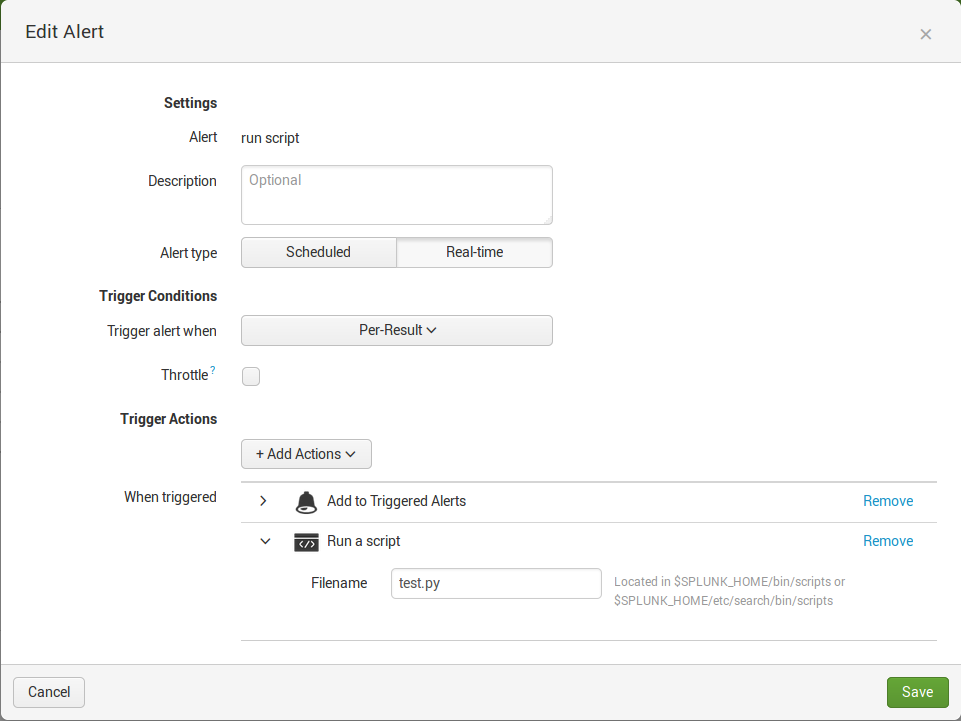
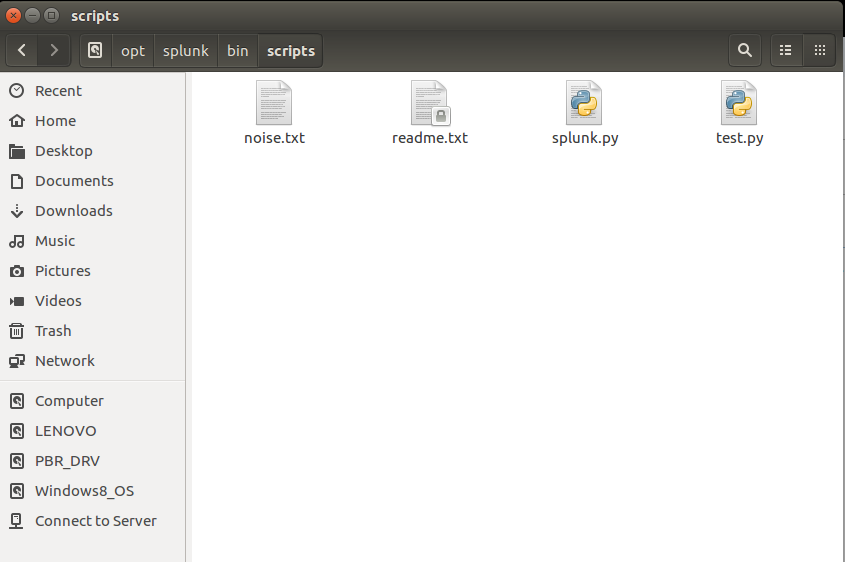
I have not change any other file settings.
The noise.txt is a file where the test.py is reading from.


- Mark as New
- Bookmark Message
- Subscribe to Message
- Mute Message
- Subscribe to RSS Feed
- Permalink
- Report Inappropriate Content
Try wrapping your python script with a shell script (.e.g. test.sh). Your ".py" file is not a standalone executable any more than is a ".java" or ".class" file. If you were running it from the command line you would say "python test.py", not just "test.py". If however you had a "test.sh" Bash script which contained "python test.py", then you could run
"test.sh" as an executable, assuming you had set the permissions correctly and your PATH included your PYTHON home.
- Mark as New
- Bookmark Message
- Subscribe to Message
- Mute Message
- Subscribe to RSS Feed
- Permalink
- Report Inappropriate Content
Does Splunk have permission to run the script?
Try looking for issues with permissions in the internal log:
index=_internal yourscriptname
- Mark as New
- Bookmark Message
- Subscribe to Message
- Mute Message
- Subscribe to RSS Feed
- Permalink
- Report Inappropriate Content
Thanks @adayton20 for the idea. Sure enough, my corporate software folks had installed Splunk in a different directory so my script wasn't even in the right spot. Checking the index as you described led me right to the problem.

Index This | What is broken 80% of the time by February?
Unlock Faster Time-to-Value on Edge and Ingest Processor with New SPL2 Pipeline ...
Splunk MCP & Agentic AI: Machine Data Without Limits
