
Join the Conversation
- Find Answers
- :
- Apps & Add-ons
- :
- All Apps and Add-ons
- :
- Re: (Splunk Dashboards App Beta) How to wrap text ...
- Subscribe to RSS Feed
- Mark Topic as New
- Mark Topic as Read
- Float this Topic for Current User
- Bookmark Topic
- Subscribe to Topic
- Mute Topic
- Printer Friendly Page
- Mark as New
- Bookmark Message
- Subscribe to Message
- Mute Message
- Subscribe to RSS Feed
- Permalink
- Report Inappropriate Content

Hi,
I'm using Splunk Enterprise Dashboards App (beta) and inserted a table in my dashboard, but I need to wrap the text to show all of the content.
Instead of this:

I need something like this returned in a search:
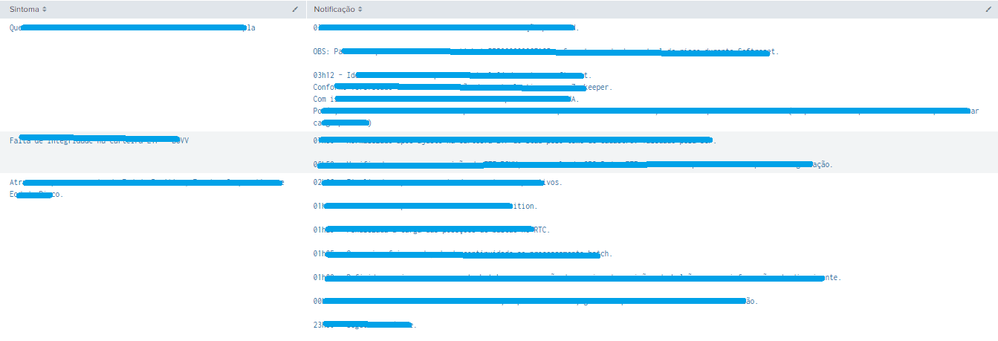
How can I do that?


- Mark as New
- Bookmark Message
- Subscribe to Message
- Mute Message
- Subscribe to RSS Feed
- Permalink
- Report Inappropriate Content

@ssuzano if the dots . define the end of line for Notification column, you can try the following to make Notification field a multivalue field so that each line takes a new line.
| eval Notification=split(replace(Notification,"\.",".|"),"|")
| makeresults | eval message= "Happy Splunking!!!"
- Mark as New
- Bookmark Message
- Subscribe to Message
- Mute Message
- Subscribe to RSS Feed
- Permalink
- Report Inappropriate Content
@ssuzano if the dots . define the end of line for Notification column, you can try the following to make Notification field a multivalue field so that each line takes a new line.
| eval Notification=split(replace(Notification,"\.",".|"),"|")
| makeresults | eval message= "Happy Splunking!!!"
- Mark as New
- Bookmark Message
- Subscribe to Message
- Mute Message
- Subscribe to RSS Feed
- Permalink
- Report Inappropriate Content
Thank you @niketnilay ! It helped me a lot.
- Mark as New
- Bookmark Message
- Subscribe to Message
- Mute Message
- Subscribe to RSS Feed
- Permalink
- Report Inappropriate Content

Thank you for asking a question @ssuzano,
I'm glad you found a helpful answer from @niketnilay. If their answer solved your issue please click “Accept” directly below the answer to resolve the post.

Your Guide to Splunk Digital Experience Monitoring
Data Management Digest – November 2025
Upcoming Webinar: Unmasking Insider Threats with Slunk Enterprise Security’s UEBA
