
Join the Conversation
- Find Answers
- :
- Apps & Add-ons
- :
- All Apps and Add-ons
- :
- All Apps and Add-ons
- :
- Re: Setup DB Connect hangs in Mac OSX
- Subscribe to RSS Feed
- Mark Topic as New
- Mark Topic as Read
- Float this Topic for Current User
- Bookmark Topic
- Subscribe to Topic
- Mute Topic
- Printer Friendly Page
- Mark as New
- Bookmark Message
- Subscribe to Message
- Mute Message
- Subscribe to RSS Feed
- Permalink
- Report Inappropriate Content
Setup DB Connect hangs in Mac OSX


- Mark as New
- Bookmark Message
- Subscribe to Message
- Mute Message
- Subscribe to RSS Feed
- Permalink
- Report Inappropriate Content

This happens on RHEL supported kernel as well.
We've tried Chrome,Firefox, Safari and IE.
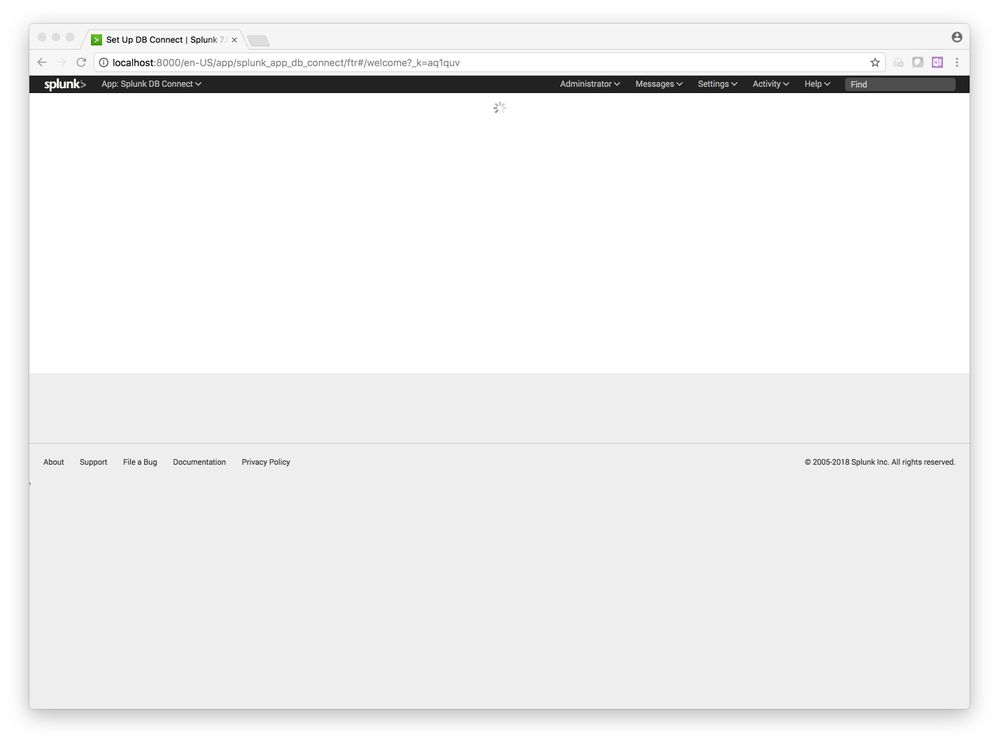
After installing, and trying to open the module, it does show the setup page for Inputs, and etc. Then it promptly redirects to a welcome page. This is where we see the blank page with the spinner. (below)
http://blah:8000//en-US/app/splunk_app_db_connect/ftr#/welcome
Is there something manually we could do with config file to make it think like it's been configured?
- Mark as New
- Bookmark Message
- Subscribe to Message
- Mute Message
- Subscribe to RSS Feed
- Permalink
- Report Inappropriate Content
According to document it cant:
Operating systems and browsers
Splunk DB Connect runs on the following operating systems. For details, see supported operating systems of Splunk Enterprise.
Linux, kernel version 2.6 and later
Linux, kernel version 3.x and later
Windows Server 2008R2, 2012R2
You can use the following browsers to use Splunk DB Connect on your Splunk platform:
Apple Safari (latest)
Google Chrome (latest)
Microsoft Edge (latest)
Microsoft Internet Explorer 11
Mozilla Firefox (latest)
- Mark as New
- Bookmark Message
- Subscribe to Message
- Mute Message
- Subscribe to RSS Feed
- Permalink
- Report Inappropriate Content
Can you share screenshot? Also did you check _internal logs?
- Mark as New
- Bookmark Message
- Subscribe to Message
- Mute Message
- Subscribe to RSS Feed
- Permalink
- Report Inappropriate Content
Does DB Connect work in Mac OSX?
- Mark as New
- Bookmark Message
- Subscribe to Message
- Mute Message
- Subscribe to RSS Feed
- Permalink
- Report Inappropriate Content
I took a screenshot but don't know how to upload it to this post. I can send you the logs and screenshot if you let me know your email.
- Mark as New
- Bookmark Message
- Subscribe to Message
- Mute Message
- Subscribe to RSS Feed
- Permalink
- Report Inappropriate Content
Their is attachment logo. Please coy paste logs in comments.

Join the Splunk Community Slack to learn, troubleshoot, and make connections with fellow Splunk practitioners in real time!
Join Splunk User Groups to connect and learn in-person by region or remotely by topic or industry.
Agent Mode Engaged! Enchaining Agentic Operations with Splunk AI Assistant 2.0
Announcing Modern Navigation: A New Era of Splunk User Experience
Modernize your Splunk Apps – Introducing Python 3.13 in Splunk
