
Join the Conversation
- Find Answers
- :
- Apps & Add-ons
- :
- All Apps and Add-ons
- :
- All Apps and Add-ons
- :
- Panels in Splunk App for Jenkins not loading
- Subscribe to RSS Feed
- Mark Topic as New
- Mark Topic as Read
- Float this Topic for Current User
- Bookmark Topic
- Subscribe to Topic
- Mute Topic
- Printer Friendly Page
- Mark as New
- Bookmark Message
- Subscribe to Message
- Mute Message
- Subscribe to RSS Feed
- Permalink
- Report Inappropriate Content
Panels in Splunk App for Jenkins not loading

I am running into an issue with the Splunk App for Jenkins built in dashboards, the panels for Test Trends/Logs and Artifacts (under Build Analysis) are not loading and just return a blank screen.
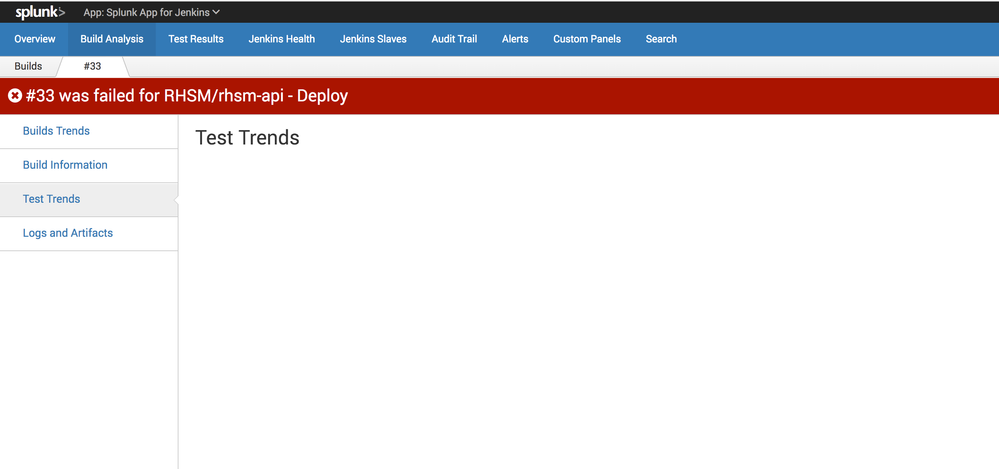
I have isolated the javascript that powers the 2 tabs and the searches being used within the JS is returning data when run via the UI.
Everything else seems to be working properly - Build Trends and Build information populate correctly.
I have attempted to use the console in chrome to enable the debug feature but it is not returning any errors or warnings that are pointing to the cause of the issue. Additionally, when looking in _internal I am not seeing any warning or error message that could point to a cause either.
Permissions are correct, ownership is correct... I am not a guru when it comes to debugging JS code so any pointers/assistantance would be greatly appreciated.

- Mark as New
- Bookmark Message
- Subscribe to Message
- Mute Message
- Subscribe to RSS Feed
- Permalink
- Report Inappropriate Content

index=jenkins_statistics event_tag=job_event type=completed| table host,job_name,build_number, test_summary.passes, test_summary.failures,test_summary.skips
could you get any data from the query?
- Mark as New
- Bookmark Message
- Subscribe to Message
- Mute Message
- Subscribe to RSS Feed
- Permalink
- Report Inappropriate Content
Hey, sorry for the delayed response, I was out sick for a few days.
I do get results back for that search.
- Mark as New
- Bookmark Message
- Subscribe to Message
- Mute Message
- Subscribe to RSS Feed
- Permalink
- Report Inappropriate Content
Its been a few weeks and I still have not gotten any useful feedback. Can anyone please provide assistance?

Join the Splunk Community Slack to learn, troubleshoot, and make connections with fellow Splunk practitioners in real time!
Join Splunk User Groups to connect and learn in-person by region or remotely by topic or industry.
[Puzzles] Solve, Learn, Repeat: Matching cron expressions
Design, Compete, Win: Submit Your Best Splunk Dashboards for a .conf26 Pass
May 2026 Splunk Expert Sessions: Security & Observability
