
Join the Conversation
- Find Answers
- :
- Apps & Add-ons
- :
- All Apps and Add-ons
- :
- All Apps and Add-ons
- :
- Re: IT Essentials work app installation issue
- Subscribe to RSS Feed
- Mark Topic as New
- Mark Topic as Read
- Float this Topic for Current User
- Bookmark Topic
- Subscribe to Topic
- Mute Topic
- Printer Friendly Page
- Mark as New
- Bookmark Message
- Subscribe to Message
- Mute Message
- Subscribe to RSS Feed
- Permalink
- Report Inappropriate Content
IT Essentials work app installation issue

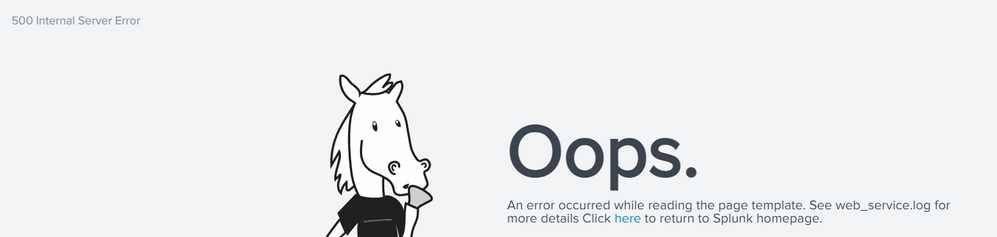
ITE work app was installed from back end and when we tried opening the page it showed Internal Server Error and the app is not loading
- Mark as New
- Bookmark Message
- Subscribe to Message
- Mute Message
- Subscribe to RSS Feed
- Permalink
- Report Inappropriate Content


@sweetie - Very nice to hear you fixed your issue.
I would search in the index=_internal CASE("ERROR") related to the IT essentials App, that will tell you what was the issue.
I hope this helps!!!
- Mark as New
- Bookmark Message
- Subscribe to Message
- Mute Message
- Subscribe to RSS Feed
- Permalink
- Report Inappropriate Content
@VatsalJagani I do see below error when using your query in splunk internal logs:
ERROR SearchMessages - orig_component="" app="itsi" sid="scheduler__nobody__itsi__RMD507f8603927e905f9_at_1652077980_66959" message_key="" message='NoneType' object is not iterable
Any insights to this?
- Mark as New
- Bookmark Message
- Subscribe to Message
- Mute Message
- Subscribe to RSS Feed
- Permalink
- Report Inappropriate Content
@sweetie - That seemed like a python script error message. Now finding the root cause of why that occurred is a very difficult part as you need to go through the code manually while reproducing the error.
If it is not an issue anymore, I would forget is for now unless it happens again.
- Mark as New
- Bookmark Message
- Subscribe to Message
- Mute Message
- Subscribe to RSS Feed
- Permalink
- Report Inappropriate Content
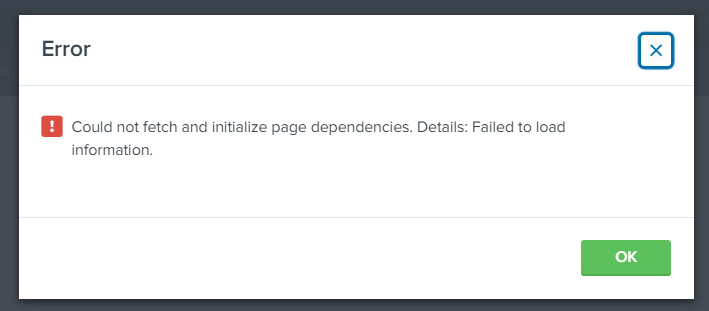
@VatsalJagani Actually, within ITE work app there is one component of it - Entity management which is not loading and showing Loading error. We are unsure of why that component is having issues despite the successful installation of app.
- Mark as New
- Bookmark Message
- Subscribe to Message
- Mute Message
- Subscribe to RSS Feed
- Permalink
- Report Inappropriate Content
Please see the error logs if you can figure out the issue. Be patient it would not be straightforward forward but if you spend the time you will get to it.
Because making any progress, I would suggest going through the App installation doc very carefully, sometimes we missed small detail of the doc and we end up spending so much time troubleshooting.
If not you can open a support case if you have a valid Splunk license.
- Mark as New
- Bookmark Message
- Subscribe to Message
- Mute Message
- Subscribe to RSS Feed
- Permalink
- Report Inappropriate Content

Hi
is this app marked as visible?
Which versions you have (splunk, apps, ta/sa)?
What you found on those logs (web_service.log and splunkd.log).
r. Ismo
- Mark as New
- Bookmark Message
- Subscribe to Message
- Mute Message
- Subscribe to RSS Feed
- Permalink
- Report Inappropriate Content
Hi, Thanks for responding. Yes app is visible. As per web_service.log : it was unable to obtain the template suite_redirect.html. I checked and there were proper permissions in place.
However, I uninstalled the app from search head and re-installed from CLI that helped fixed the issue (Although unsure what issue was).
Thanks


Join the Splunk Community Slack to learn, troubleshoot, and make connections with fellow Splunk practitioners in real time!
Join Splunk User Groups to connect and learn in-person by region or remotely by topic or industry.
Meet Splunk Observability Studio: AI-Assisted OpenTelemetry Instrumentation Without ...
Federated Search for Cisco Security and Analytics Logging (SAL) is now GA on Splunk ...
Your Path to AgenticOps: AI Experiences for Every Splunk Practitioner
