
Join the Conversation
- Find Answers
- :
- Apps & Add-ons
- :
- All Apps and Add-ons
- :
- Re: GCP app for Splunk - unable to add an Input
- Subscribe to RSS Feed
- Mark Topic as New
- Mark Topic as Read
- Float this Topic for Current User
- Bookmark Topic
- Subscribe to Topic
- Mute Topic
- Printer Friendly Page
- Mark as New
- Bookmark Message
- Subscribe to Message
- Mute Message
- Subscribe to RSS Feed
- Permalink
- Report Inappropriate Content

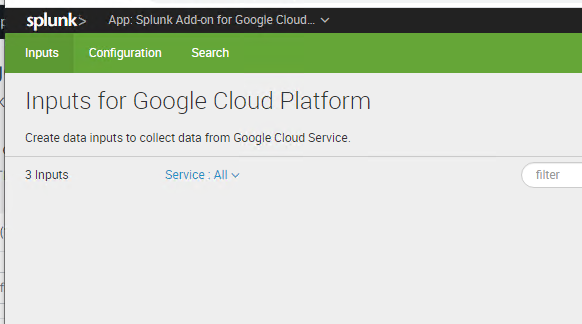
We are configuring the GCP app for Splunk. The Configuration tab is set up, but the Inputs page has no "create new" button. It is just an empty page.
The docs page says to use "create new" to add an input, but doesn't mention it not being present.
https://docs.splunk.com/Documentation/AddOns/released/GoogleCloud/Setupv2
Using:
Splunk Cloud 7.2
Splunk Add-on for Google Cloud Platform 3.0.0
- Mark as New
- Bookmark Message
- Subscribe to Message
- Mute Message
- Subscribe to RSS Feed
- Permalink
- Report Inappropriate Content
Support recently set up an IDM and they needed to install the TA on that.
- Mark as New
- Bookmark Message
- Subscribe to Message
- Mute Message
- Subscribe to RSS Feed
- Permalink
- Report Inappropriate Content
Support recently set up an IDM and they needed to install the TA on that.
- Mark as New
- Bookmark Message
- Subscribe to Message
- Mute Message
- Subscribe to RSS Feed
- Permalink
- Report Inappropriate Content


@boozsplunk If your problem is resolved then please accept the answer to help future readers.
If this reply helps you, Karma would be appreciated.
- Mark as New
- Bookmark Message
- Subscribe to Message
- Mute Message
- Subscribe to RSS Feed
- Permalink
- Report Inappropriate Content
Screenshot of the Inputs tab:
https://ibb.co/zny58dr
- Mark as New
- Bookmark Message
- Subscribe to Message
- Mute Message
- Subscribe to RSS Feed
- Permalink
- Report Inappropriate Content

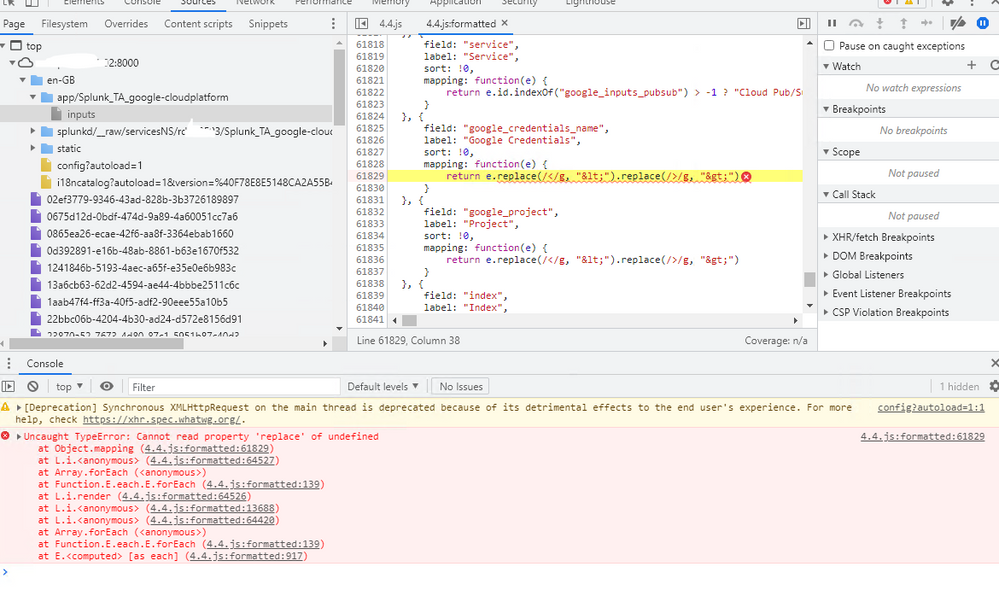
Im having the a similar issue on version 3.0.2. We have 2 hfs, one has configurations set, the other newly built hf with no configurations set. Both do not show inputs correcty.
How were you able to solve your issue?

Data Management Digest – December 2025
Index This | What is broken 80% of the time by February?
Unlock Faster Time-to-Value on Edge and Ingest Processor with New SPL2 Pipeline ...
