
Join the Conversation
- Find Answers
- :
- Using Splunk
- :
- Splunk Search
- :
- Re: Splunk Fundamentals Module 5
- Subscribe to RSS Feed
- Mark Topic as New
- Mark Topic as Read
- Float this Topic for Current User
- Bookmark Topic
- Subscribe to Topic
- Mute Topic
- Printer Friendly Page
- Mark as New
- Bookmark Message
- Subscribe to Message
- Mute Message
- Subscribe to RSS Feed
- Permalink
- Report Inappropriate Content
Splunk Fundamentals Module 5

Hi, I am testing out Splunk Fundamentals 1, and on Module 5 of the lab portion, after running the search, I am not getting any events.
I have tried in both admin, and user roles, and have tested the presets for all time, previous year, previous month, etc.
- Mark as New
- Bookmark Message
- Subscribe to Message
- Mute Message
- Subscribe to RSS Feed
- Permalink
- Report Inappropriate Content

try typing: index=* sourcetype=linux_secure
I think your problem is splunk often wants an index unless you have default index lookups configured in splunk which seeing you are in fundamentals 1, you probably do not. ig that does not work, try just typeing: index!=_*
This should return any data in any index except for splunk specific logs data. This will tell you for sure you have some data or not. Also, then see if in the interesting columns under sourcetype, you see the sourcetype you are looking for.
- Mark as New
- Bookmark Message
- Subscribe to Message
- Mute Message
- Subscribe to RSS Feed
- Permalink
- Report Inappropriate Content
since I do not have the lab guide, maybe if you post the query you typed in we can see if there is a mistake.
- Mark as New
- Bookmark Message
- Subscribe to Message
- Mute Message
- Subscribe to RSS Feed
- Permalink
- Report Inappropriate Content
I was reading your reply and I have the same problem in Splunk Fundamental Lab 5. In the instruction we are instructed to use the "fail*AND password" command over ALL TIME. I got no results. I used your "index!=_*" command got goo d results. But what does that do? The "fail* AND password" still doe not return anything. Your help is greatly appreciated.
- Mark as New
- Bookmark Message
- Subscribe to Message
- Mute Message
- Subscribe to RSS Feed
- Permalink
- Report Inappropriate Content
index!=_* returns all data from all indexes except the Splunk system indexes. Now that you know you have data, try:
index!=_* "fail*" AND "password"
- Mark as New
- Bookmark Message
- Subscribe to Message
- Mute Message
- Subscribe to RSS Feed
- Permalink
- Report Inappropriate Content
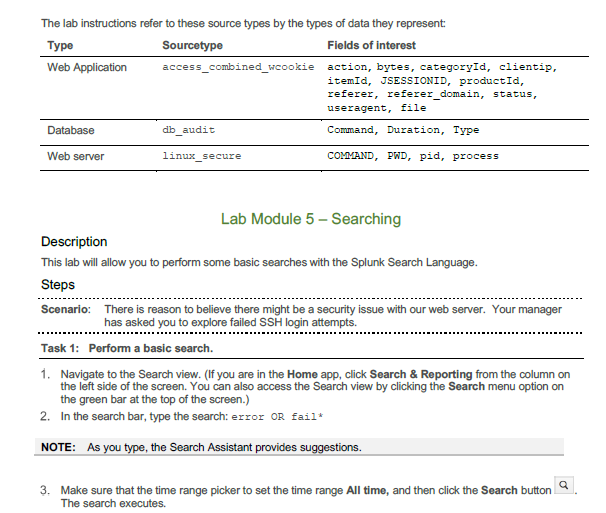
I successfully uploaded this data, but I cannot even get results when I search:
sourcetype=linux_secure


Join the Splunk Community Slack to learn, troubleshoot, and make connections with fellow Splunk practitioners in real time!
Join Splunk User Groups to connect and learn in-person by region or remotely by topic or industry.
Supercharging Windows Security Detection Performance: Introducing Hybrid Field ...
Enriching Signals with the OTel Lookup Processor
Meet the .conf26 AI Agent Buildathon Winners
