
Join the Conversation
- Find Answers
- :
- Using Splunk
- :
- Splunk Search
- :
- Search with a Variable
- Subscribe to RSS Feed
- Mark Topic as New
- Mark Topic as Read
- Float this Topic for Current User
- Bookmark Topic
- Subscribe to Topic
- Mute Topic
- Printer Friendly Page
- Mark as New
- Bookmark Message
- Subscribe to Message
- Mute Message
- Subscribe to RSS Feed
- Permalink
- Report Inappropriate Content
Search with a Variable

Hi Team How are u?
I have a little question
I have a index with same informations,
index="epo" source="endpoint"
In this search will return a column with "JustificationText", Which contains a ticket number
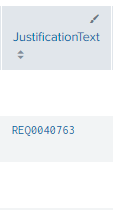
And with this number I need to search in another index to get some information
Today i'm doing this way:
index="epo" source="endpoint"
| rex field="JustificationText" "(?<number>REQ\d{7}|<number>INC\d{7}|<number>TRE\d{7}|<number>CHG\d{7})"
| eval TicketNumber = number
| dedup ViolationLocalTime IncindetId
| join type=left
[search index=servicenow sourcetype="snow:service_task" dv_number = TicketNumber]
| table Status ViolationLocalTime IncidentId UserName Name JustificationText TotalContentSize RulesToDisplay contact_type dv_u_requested_by dv_location
All the data from the first serach is coming ok but when I do a second search with the variable "TicketNumber" nothing returns to me.
If i for example, put a ticket in
| join type=left
     [search index=servicenow sourcetype="snow:service_task" dv_number = "REQ0000197"]
Data are brought, but the same for all events
My question is how can I do this second search using a variable?
Thanks in advance!
- Mark as New
- Bookmark Message
- Subscribe to Message
- Mute Message
- Subscribe to RSS Feed
- Permalink
- Report Inappropriate Content


You could try something like this - join with a common field name e.g. dv_number instead of TicketNumber
index="epo" source="endpoint"
| rex field="JustificationText" "(?<number>REQ\d{7}|<number>INC\d{7}|<number>TRE\d{7}|<number>CHG\d{7})"
| eval dv_number = number
| dedup ViolationLocalTime IncindetId
| join type=left dv_number
[search index=servicenow sourcetype="snow:service_task" ]
| table Status ViolationLocalTime IncidentId UserName Name JustificationText TotalContentSize RulesToDisplay contact_type dv_u_requested_by dv_location- Mark as New
- Bookmark Message
- Subscribe to Message
- Mute Message
- Subscribe to RSS Feed
- Permalink
- Report Inappropriate Content
Hi @ITWhisperer Thanks you for reply
But running the query the way you told me still doesn't return anything
index="epo" source="endpoint"
| rex field="JustificationText" "(?<number>REQ\d{7}|<number>INC\d{7}|<number>TRE\d{7}|<number>CHG\d{7})"
| eval dv_number = number
| dedup ViolationLocalTime IncindetId
| join type=left dv_number
[search index=servicenow sourcetype="snow:service_task" ]
| table Status ViolationLocalTime IncidentId UserName Name JustificationText TotalContentSize RulesToDisplay contact_type dv_u_requested_by dv_location
in the events that are found the tickets, we should have the columns of the NOW table, but it is always blank
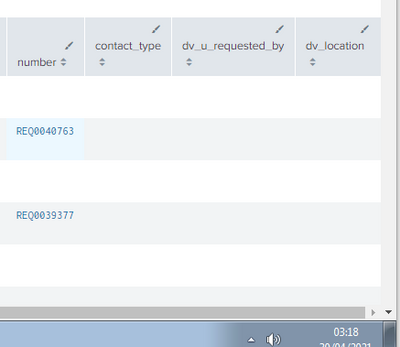
Any other suggestions? Thank you very much!
- Mark as New
- Bookmark Message
- Subscribe to Message
- Mute Message
- Subscribe to RSS Feed
- Permalink
- Report Inappropriate Content
I can't see any reason why it would not work. Can you try a different way of forcing the join to return the same ticket for all events?
index="epo" source="endpoint"
| rex field="JustificationText" "(?<number>REQ\d{7}|<number>INC\d{7}|<number>TRE\d{7}|<number>CHG\d{7})"
| eval dv_number = "REQ0000197"
| dedup ViolationLocalTime IncindetId
| join type=left dv_number
[search index=servicenow sourcetype="snow:service_task" ]
| table Status ViolationLocalTime IncidentId UserName Name JustificationText TotalContentSize RulesToDisplay contact_type dv_u_requested_by dv_location
Join the Splunk Community Slack to learn, troubleshoot, and make connections with fellow Splunk practitioners in real time!
Join Splunk User Groups to connect and learn in-person by region or remotely by topic or industry.
Make Your Machine Data AI-Ready in Splunk
Splunk Asynchronous Forwarding Explained
How to Monitor AI Agents with Splunk Agent Observability
