
Join the Conversation
- Find Answers
- :
- Using Splunk
- :
- Splunk Search
- :
- Re: Loading Player indefinitely screen when attemp...
- Subscribe to RSS Feed
- Mark Topic as New
- Mark Topic as Read
- Float this Topic for Current User
- Bookmark Topic
- Subscribe to Topic
- Mute Topic
- Printer Friendly Page
- Mark as New
- Bookmark Message
- Subscribe to Message
- Mute Message
- Subscribe to RSS Feed
- Permalink
- Report Inappropriate Content
Loading Player indefinitely screen when attempting to open course modules
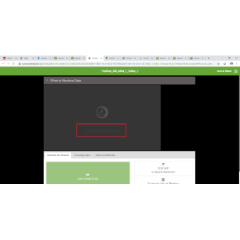
Hi, I am attempting to open the "Splunk 7.x Fundamentals Part 1 (IOD)" course, however when i attempt to start course and click onto launch for module 1, I would be faced with a loading player screen. This loading player screen spins indefinitely, it happens when I also try to move forward by completing the module 1 quiz and even when I attempt to move onto module 2 etc. I have tried clearing cache and browser settings, and have run this on different browses (i.e. Chrome and IE with the same results).
Can you please assist with advising what is wrong with my account and why it is not working as I only have 30 days to complete Fundamentals 1 and 2 so would really like to have this resolved soon. Thank you.
- Mark as New
- Bookmark Message
- Subscribe to Message
- Mute Message
- Subscribe to RSS Feed
- Permalink
- Report Inappropriate Content

Please help I am facing the same issue.
- Mark as New
- Bookmark Message
- Subscribe to Message
- Mute Message
- Subscribe to RSS Feed
- Permalink
- Report Inappropriate Content
Looks like the issue only occurred at the beginning after i registered for the courses initially.
I have attempted today again and it seems to have fixed itself and I am able to continue with the course.


Join the Splunk Community Slack to learn, troubleshoot, and make connections with fellow Splunk practitioners in real time!
Join Splunk User Groups to connect and learn in-person by region or remotely by topic or industry.
Cisco Data Fabric from Architecture to Investigation, Better SOC Visibility, and More ...
The Trust Gap: Why a Data Foundation is Fundamental to an Agentic Enterprise
Data Management Digest – September 2026
