
Join the Conversation
- Find Answers
- :
- Using Splunk
- :
- Splunk Search
- :
- How to use jquery confirms and alerts in splunk.
- Subscribe to RSS Feed
- Mark Topic as New
- Mark Topic as Read
- Float this Topic for Current User
- Bookmark Topic
- Subscribe to Topic
- Mute Topic
- Printer Friendly Page
- Mark as New
- Bookmark Message
- Subscribe to Message
- Mute Message
- Subscribe to RSS Feed
- Permalink
- Report Inappropriate Content
How to use jquery confirms and alerts in splunk.

- Mark as New
- Bookmark Message
- Subscribe to Message
- Mute Message
- Subscribe to RSS Feed
- Permalink
- Report Inappropriate Content

@abdullawells89 following are some of your resources for adding modal pop-up to Splunk Dashboard:
1) Using Bootstrap Modal with Splunk Simple XML
2) Splunk Custom Modal View Creation: Part 1 | Revealing The Path
3) Splunk's built in Style Guide with Bootstrap Modal: http://<yourSplunkServer>/en-US/static/docs/style/style-guide.html#modals
4) Following are some of your Splunk Answers resources:
https://answers.splunk.com/answers/682893/creating-an-about-this-dashboard-popup-modal-view.html
https://answers.splunk.com/answers/666687/bootstrap-library-to-create-custom-right-click-in.html
| makeresults | eval message= "Happy Splunking!!!"
- Mark as New
- Bookmark Message
- Subscribe to Message
- Mute Message
- Subscribe to RSS Feed
- Permalink
- Report Inappropriate Content


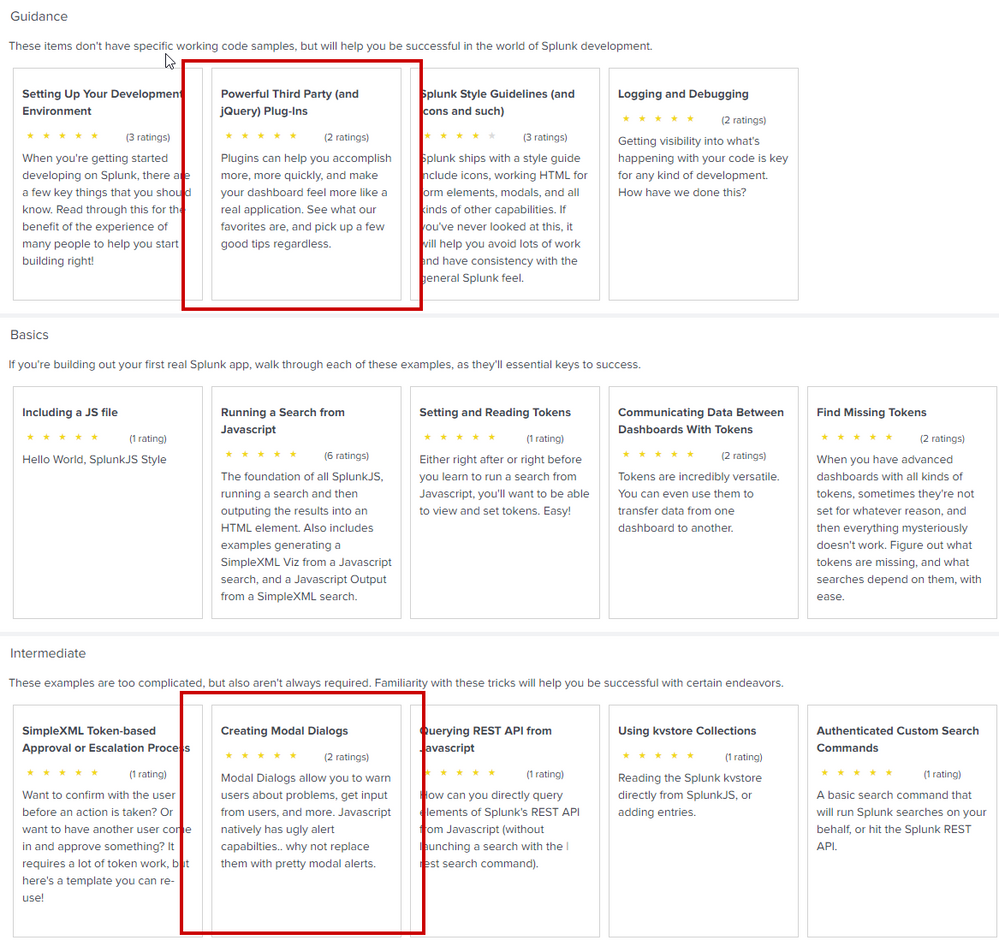
I would recommend looking at the "Dev for all" app https://splunkbase.splunk.com/app/4104/. It has specific working examples of using Jquery and another example of how to use JQuery modal confirmation and alert windows.
Good luck


[Puzzles] Solve, Learn, Repeat: Dynamic formatting from XML events
Enter the Agentic Era with Splunk AI Assistant for SPL 1.4
Stronger Security with Federated Search for S3, GCP SQL & Australian Threat ...
