
Join the Conversation
- Find Answers
- :
- Using Splunk
- :
- Splunk Search
- :
- How to use jquery confirms and alerts in splunk.
- Subscribe to RSS Feed
- Mark Topic as New
- Mark Topic as Read
- Float this Topic for Current User
- Bookmark Topic
- Subscribe to Topic
- Mute Topic
- Printer Friendly Page
- Mark as New
- Bookmark Message
- Subscribe to Message
- Mute Message
- Subscribe to RSS Feed
- Permalink
- Report Inappropriate Content
How to use jquery confirms and alerts in splunk.

- Mark as New
- Bookmark Message
- Subscribe to Message
- Mute Message
- Subscribe to RSS Feed
- Permalink
- Report Inappropriate Content

@abdullawells89 following are some of your resources for adding modal pop-up to Splunk Dashboard:
1) Using Bootstrap Modal with Splunk Simple XML
2) Splunk Custom Modal View Creation: Part 1 | Revealing The Path
3) Splunk's built in Style Guide with Bootstrap Modal: http://<yourSplunkServer>/en-US/static/docs/style/style-guide.html#modals
4) Following are some of your Splunk Answers resources:
https://answers.splunk.com/answers/682893/creating-an-about-this-dashboard-popup-modal-view.html
https://answers.splunk.com/answers/666687/bootstrap-library-to-create-custom-right-click-in.html
| makeresults | eval message= "Happy Splunking!!!"
- Mark as New
- Bookmark Message
- Subscribe to Message
- Mute Message
- Subscribe to RSS Feed
- Permalink
- Report Inappropriate Content


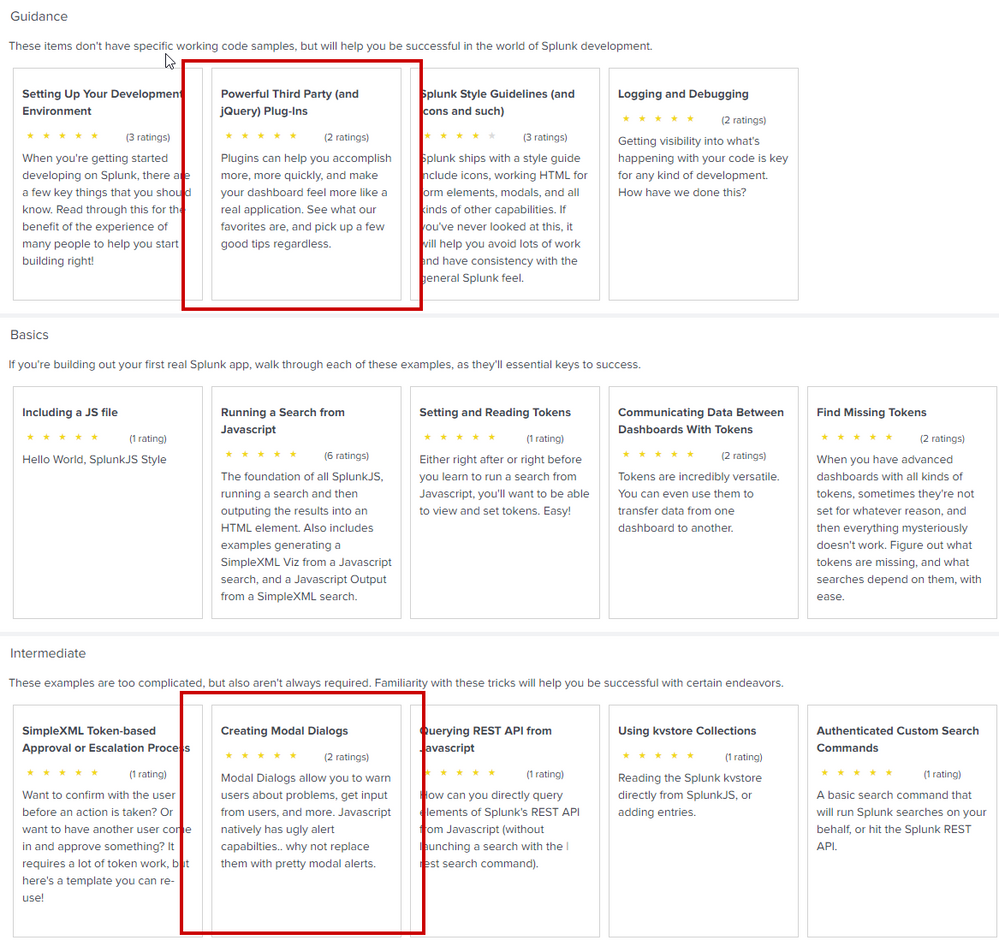
I would recommend looking at the "Dev for all" app https://splunkbase.splunk.com/app/4104/. It has specific working examples of using Jquery and another example of how to use JQuery modal confirmation and alert windows.
Good luck


Enter the Agentic Era with Splunk AI Assistant for SPL 1.4
Stronger Security with Federated Search for S3, GCP SQL & Australian Threat ...
Accelerating Observability as Code with the Splunk AI Assistant
