
Join the Conversation
- Find Answers
- :
- Using Splunk
- :
- Splunk Search
- :
- Re: How can I remove the default tags from the Spl...
- Subscribe to RSS Feed
- Mark Topic as New
- Mark Topic as Read
- Float this Topic for Current User
- Bookmark Topic
- Subscribe to Topic
- Mute Topic
- Printer Friendly Page
- Mark as New
- Bookmark Message
- Subscribe to Message
- Mute Message
- Subscribe to RSS Feed
- Permalink
- Report Inappropriate Content

It seems ridiculous that I can't remove a label. Example: the firewall icon has "Firewall" right below. Really? It's a firewall?!?! Jeez, I've tried and tried but cannot remove these default labels! Please help!
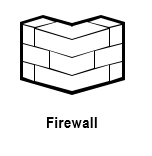

- Mark as New
- Bookmark Message
- Subscribe to Message
- Mute Message
- Subscribe to RSS Feed
- Permalink
- Report Inappropriate Content
...Messed with it over the weekend. It's just a PITA. You need to first ungroup the icon and remove the theme that visio automatically put on it. THen just remove the label that wey. Be sure to re-group the icon drawing 🙂
- Mark as New
- Bookmark Message
- Subscribe to Message
- Mute Message
- Subscribe to RSS Feed
- Permalink
- Report Inappropriate Content
...Messed with it over the weekend. It's just a PITA. You need to first ungroup the icon and remove the theme that visio automatically put on it. THen just remove the label that wey. Be sure to re-group the icon drawing 🙂
- Mark as New
- Bookmark Message
- Subscribe to Message
- Mute Message
- Subscribe to RSS Feed
- Permalink
- Report Inappropriate Content

@kenruppe, please go ahead and Accept your Answer to mark this question as answered!
| makeresults | eval message= "Happy Splunking!!!"
- Mark as New
- Bookmark Message
- Subscribe to Message
- Mute Message
- Subscribe to RSS Feed
- Permalink
- Report Inappropriate Content


I am not a Visio user, but I have heard that we had that issue with an older version of the stencil. Are you using the June 2017 version (http://wiki.splunk.com/Community:Splunk_Visio_Stencil)?
- Mark as New
- Bookmark Message
- Subscribe to Message
- Mute Message
- Subscribe to RSS Feed
- Permalink
- Report Inappropriate Content
THX Chris for the reply!
Unfortunately yes, that's where I pulled the stencil 🙂
(Splunk_Documentation_Icons_June2017.vssx)
Attached another example of the issue: Label does not expand/contract with icon 😕
Hope I can get this resolved. Working on our deployment architecture and data flow diagrams and would like to use Splunk icons instead of visio boxes 🙂
~k


- Mark as New
- Bookmark Message
- Subscribe to Message
- Mute Message
- Subscribe to RSS Feed
- Permalink
- Report Inappropriate Content
THX Chris for the reply!
Unfortunately yes, that's where I pulled the stencil 🙂
(Splunk_Documentation_Icons_June2017.vssx)
Attached another example of the issue: Label does not expand/contract with icon 😕
Hope I can get this resolved. Working on our deployment architecture and data flow diagrams and would like to use Splunk icons instead of visio boxes 🙂
~k

- Mark as New
- Bookmark Message
- Subscribe to Message
- Mute Message
- Subscribe to RSS Feed
- Permalink
- Report Inappropriate Content

It's a tricky situation but it can be done.
First, highlight the icon using the pointer tool. Next click the Text tool. Finally select the text part of the icon. This does not work with every icon, but it does with most
- Mark as New
- Bookmark Message
- Subscribe to Message
- Mute Message
- Subscribe to RSS Feed
- Permalink
- Report Inappropriate Content
This worked for me.

Join the Splunk Community Slack to learn, troubleshoot, and make connections with fellow Splunk practitioners in real time!
Join Splunk User Groups to connect and learn in-person by region or remotely by topic or industry.
Agent Mode Engaged! Enchaining Agentic Operations with Splunk AI Assistant 2.0
Announcing Modern Navigation: A New Era of Splunk User Experience
Modernize your Splunk Apps – Introducing Python 3.13 in Splunk
